
ContentCraft
Open Appi-Resonate Help Center
ContentCraft Help
BrandVoice
Content Campaigns
Scheduling
Team Management / WorkFlows
ProofLex Help
MindWrite Help
Generate content for twitter in ContentCraft
Since Twitter supports short and concise tweets rather than long-form content like LinkedIn, your post needs to be optimized before publishing.
ContentCraft automatically helps minimize and adapt your content for Twitter, so that it fits the platform’s format without losing the context.
Follow these steps to generate Twitter-ready content:
Step 1: Open the post you want to schedule for Twitter.
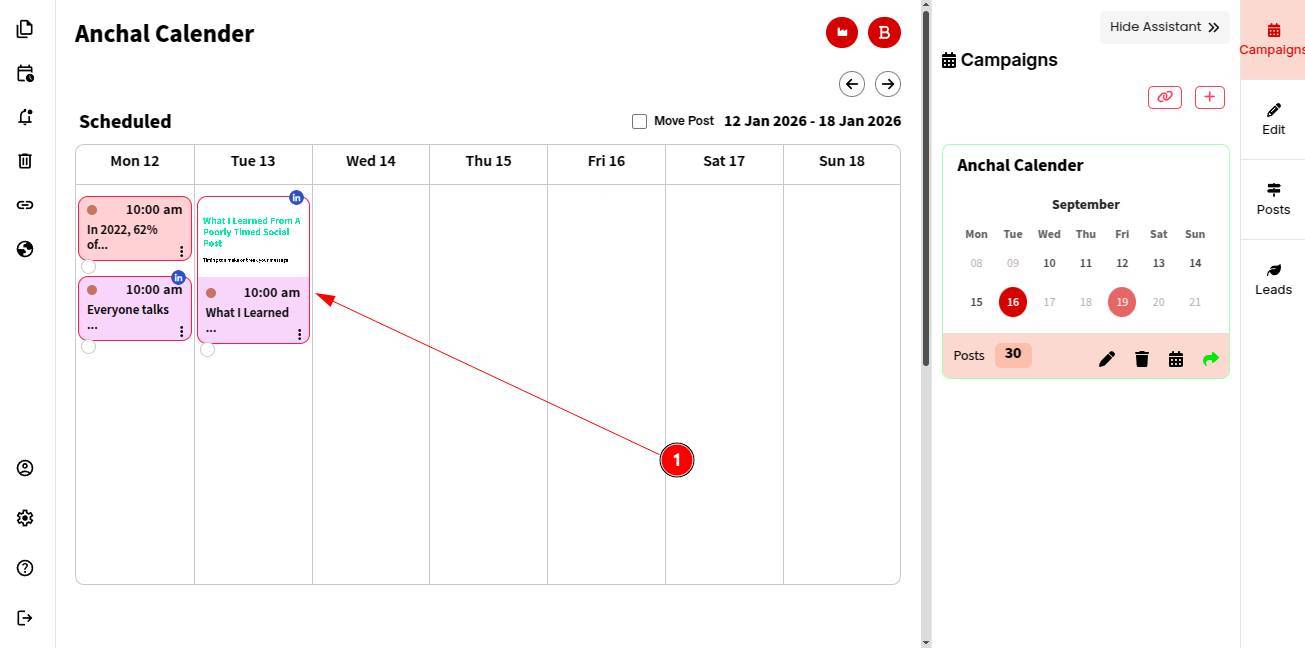
Step 2: From the linking panel, select Twitter and choose the associated Twitter account you want to publish to.
Step 3: Click Yes to confirm.
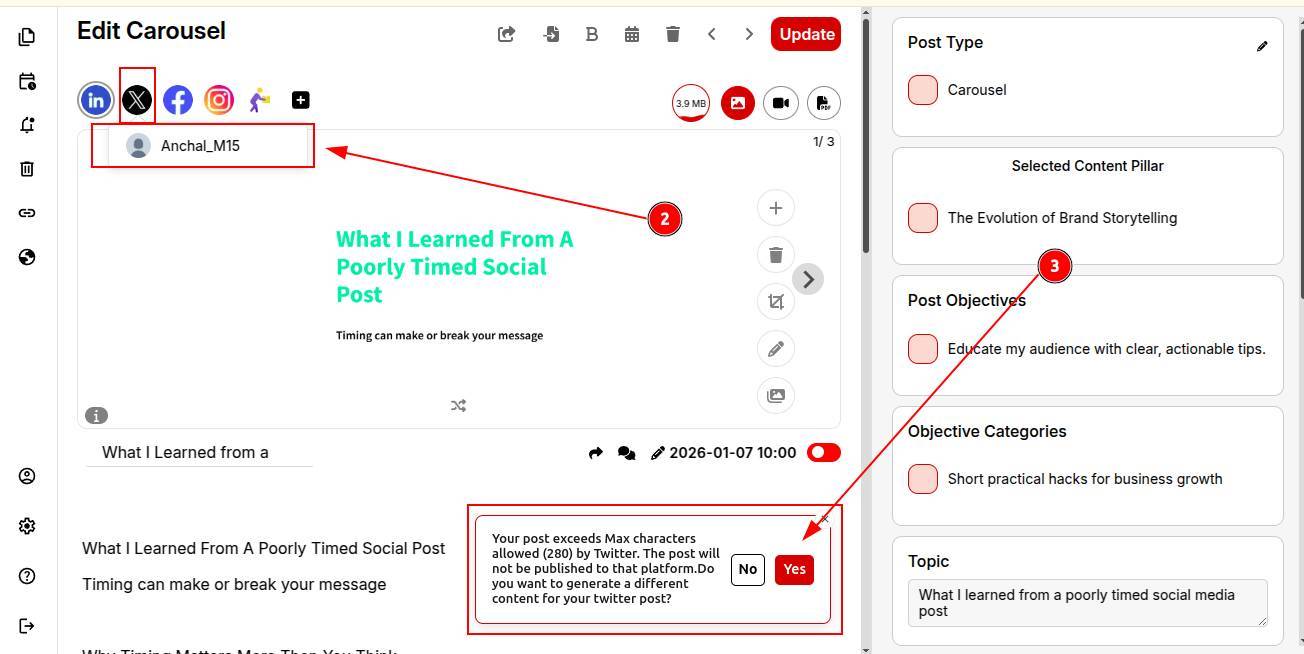
Step 4: Boom! Your Twitter-optimized content is now ready.
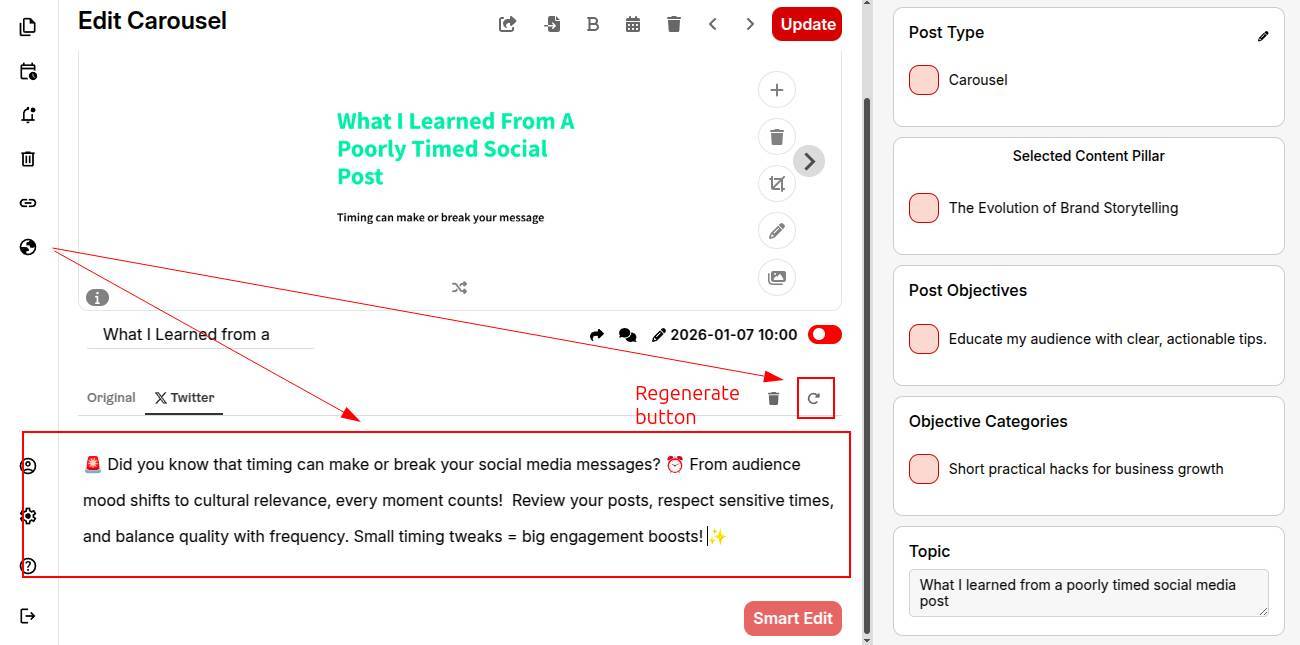
You can re-generate and personalize the content, if needed.
Step 5: Review and schedule the post to publish.
You can also explore creating complete blog content and sharing it across your social platforms like linkedln or medium.