
ContentCraft
Open Appi-Resonate Help Center
ContentCraft Help
BrandVoice
Content Campaigns
Scheduling
Team Management / WorkFlows
ProofLex Help
MindWrite Help
How to view plan activation and expiry date ?
You can easily check your plan subscription details, including the activation and expiry dates, by following these steps:
Once you open your dashboard:
- Navigate to the “Feature Usage” section from the left menu under Account Settings.
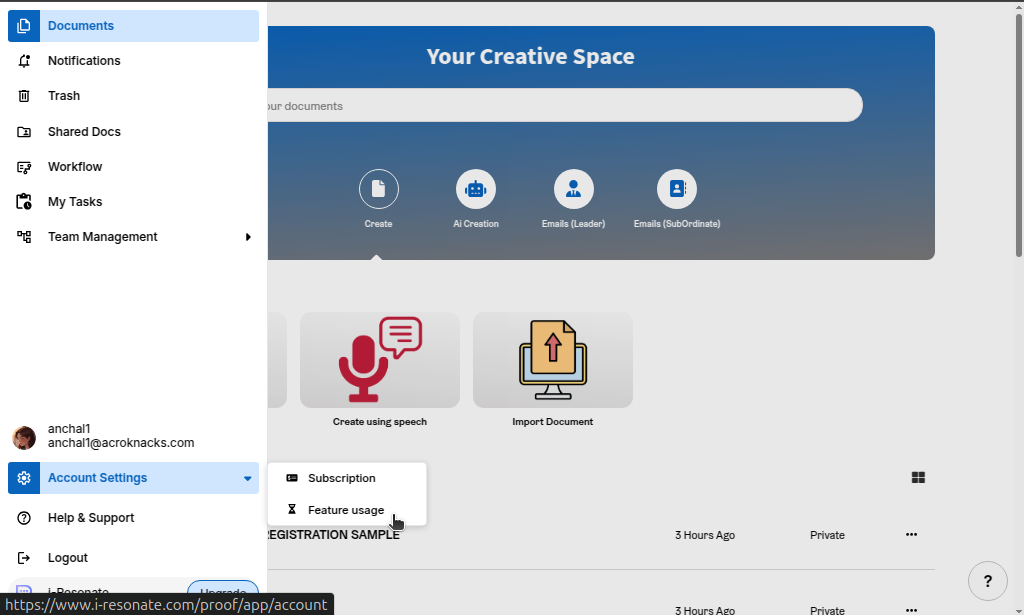
2. Here, you’ll find your Plan Activation Date and Plan Expiry Date, along with other account details like plan type, add-ons and current role, if any.
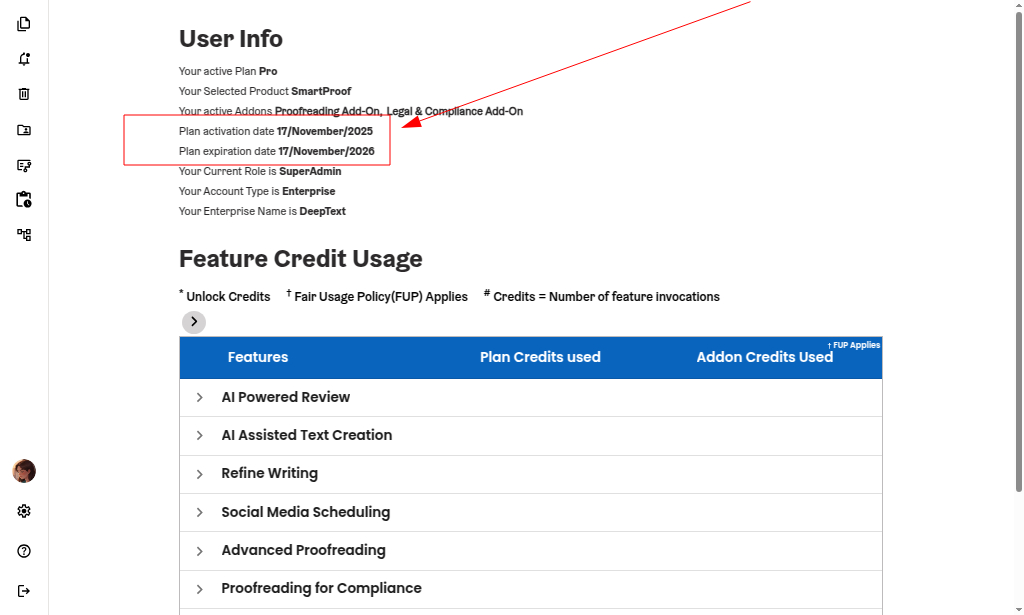
You can also explore how to check feature usage of your plan.