
ContentCraft
Open Appi-Resonate Help Center
ContentCraft Help
BrandVoice
Content Campaigns
Scheduling
Team Management / WorkFlows
ProofLex Help
MindWrite Help
Import Videos in ContentCraft calender
Videos play a key role in social media content.
They capture attention quickly, convey messages more effectively and keep audiences engage for longer.
Videos increases the chances of interactions like likes, shares and comments, especially when planned and published consistently.
ContentCraft makes video planning simple by allowing you to upload and organize videos directly within your content calendar, helping you manage and schedule video content with ease.
How to Import Videos in the ContentCraft Calendar:
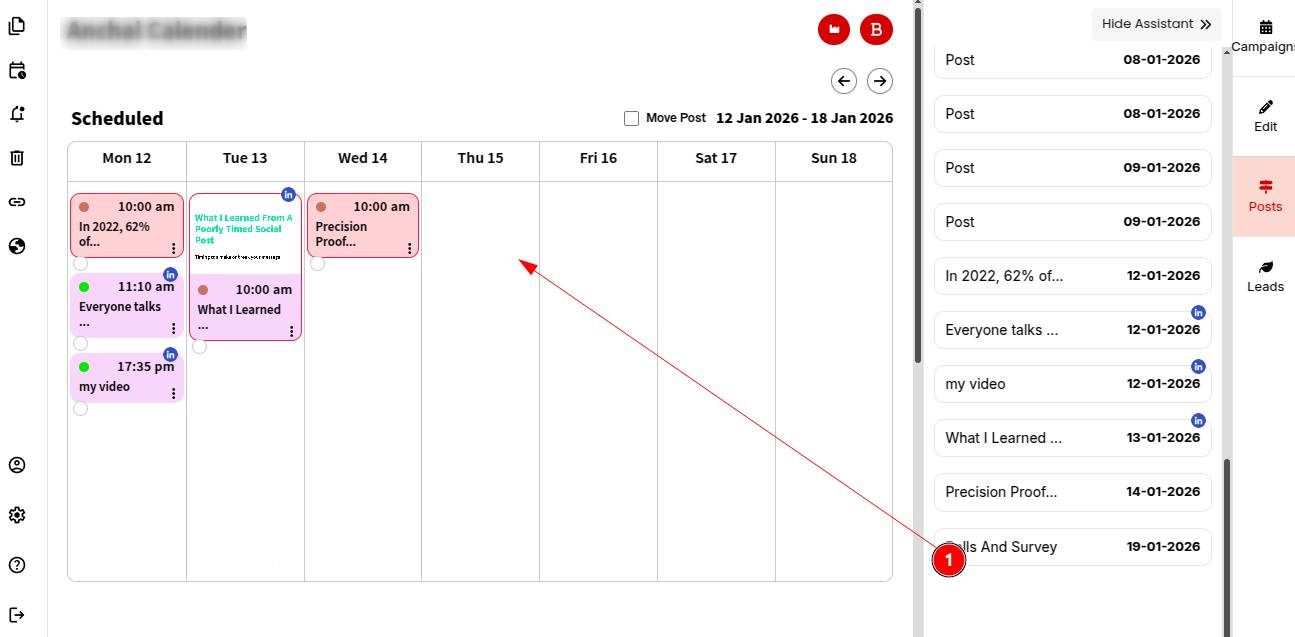
STEP 1: Open your Content Calendar and choose the desired day where you want to plan your content.
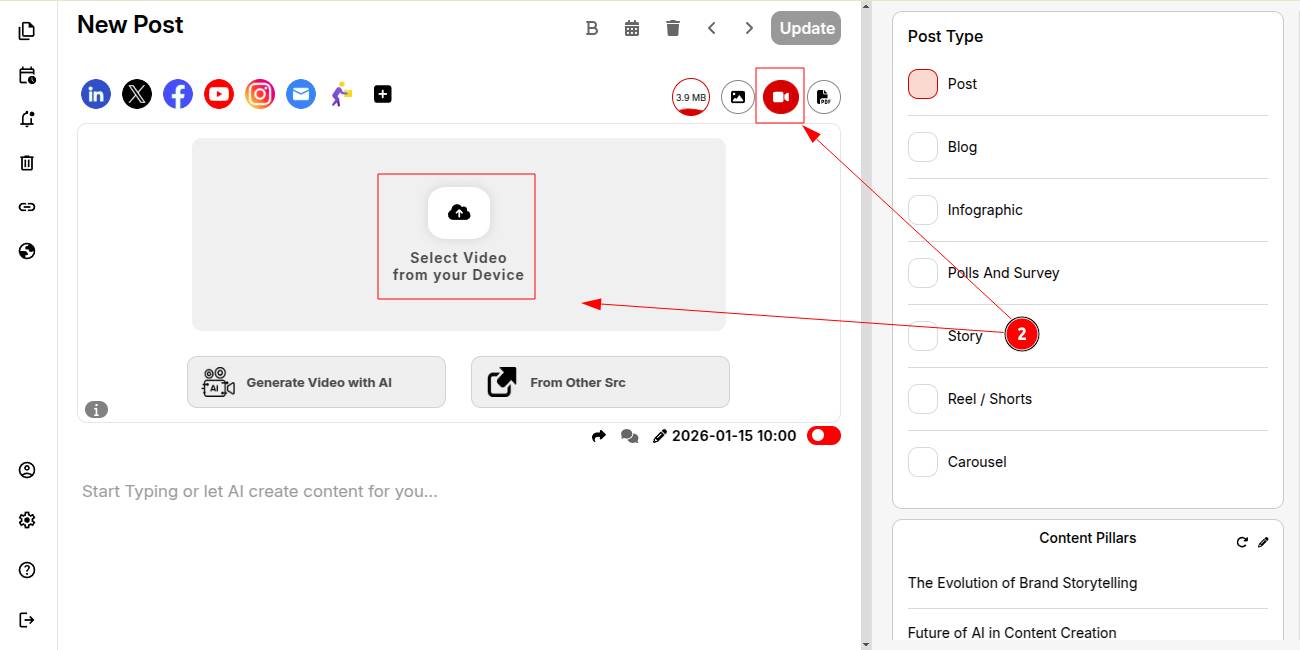
STEP 2: Click on "Video icon" to Import and select video from your device.
Video got added Successfully into the calender.
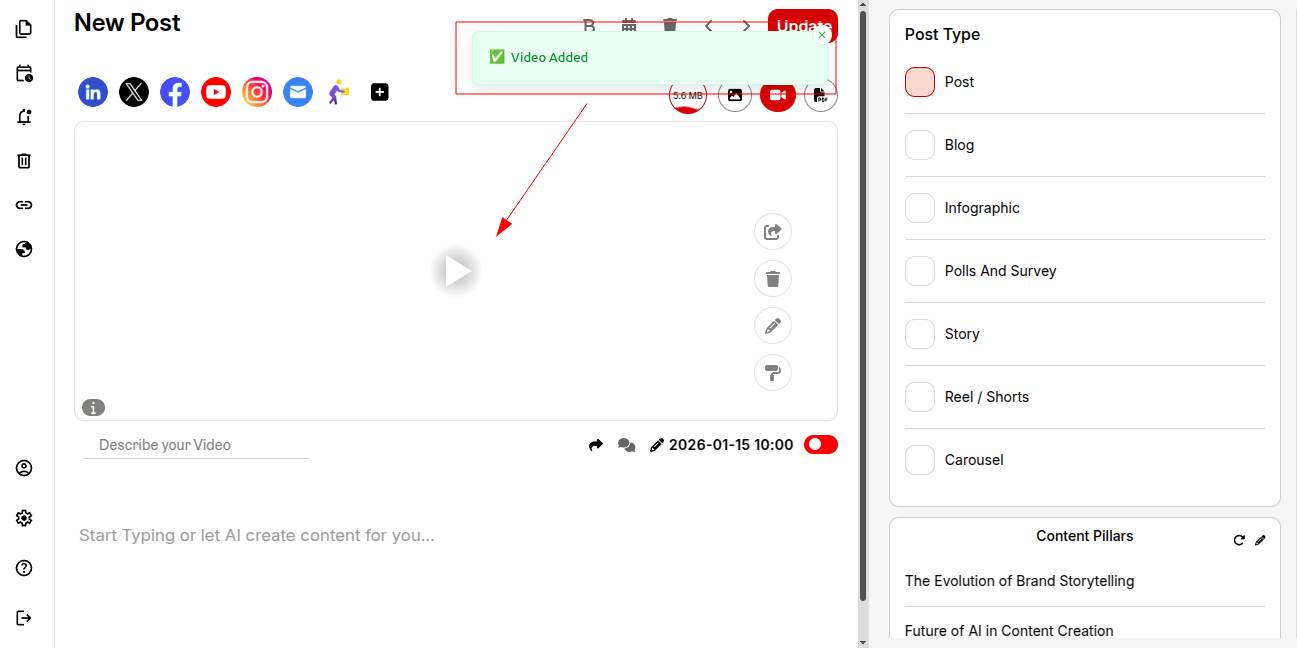
You’re all set! Go ahead and create post and schedule your video for publishing.