
ContentCraft
Open Appi-Resonate Help Center
ContentCraft Help
BrandVoice
Content Campaigns
Scheduling
Team Management / WorkFlows
ProofLex Help
MindWrite Help
Link Instagram Account with ContentCraft
Linking your Instagram account allows ContentCraft to schedule and publish posts or reels directly on your behalf, without switching between platforms.
ContentCraft is an connected system that ensures your presence stays active even when your schedule gets busy.
Once connected, you can plan content, manage posts and maintain consistant brand voice from a single dashboard.
ContentCraft keeps the process simple and secure, while giving you the flexibility to link multiple Instagram accounts if you manage content for different brands or teams.
Steps to Link Your Instagram Account with ContentCraft
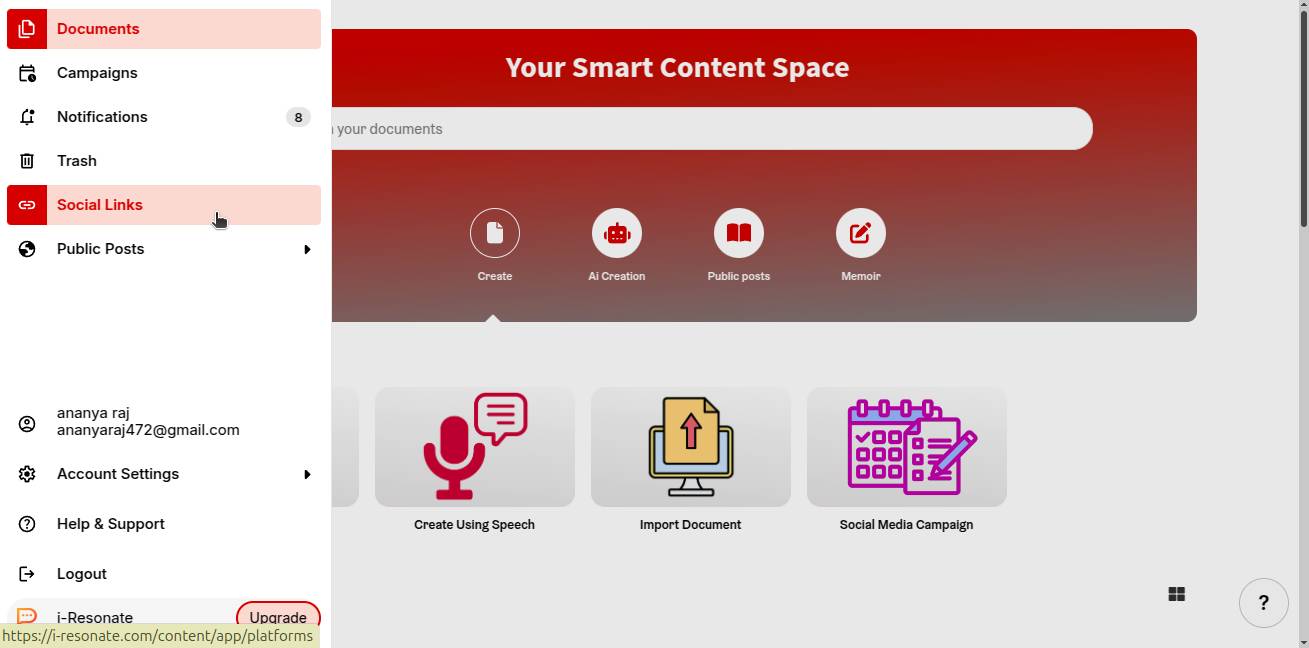
Step 1: Click on “Social Links” from the left navigation bar on the ContentCraft dashboard.
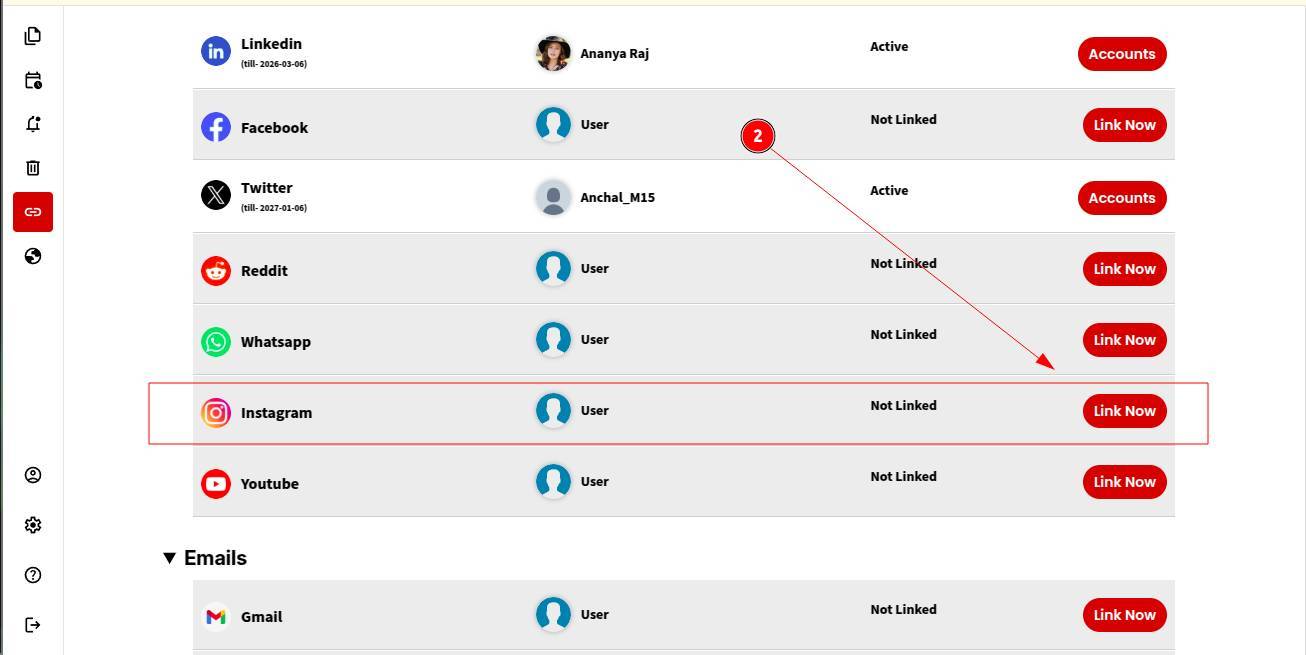
Step 2: Choose Instagram from the list of available platforms and click “Link Now.”
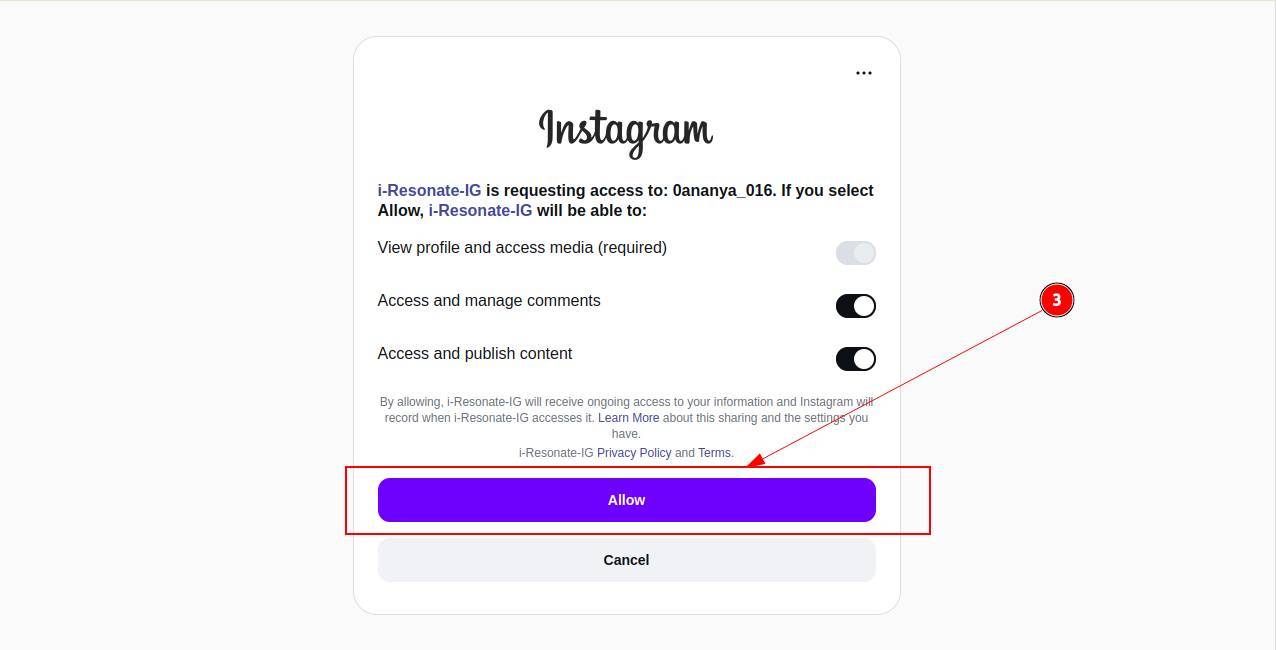
Step 3: If your browser already has your Instagram account logged in, a pop-up will appear asking you to allow access to ContentCraft. Click Allow to continue.
OR
If you’re not logged in, you’ll be prompted to sign in to your Instagram account first. Complete the sign-in to proceed.
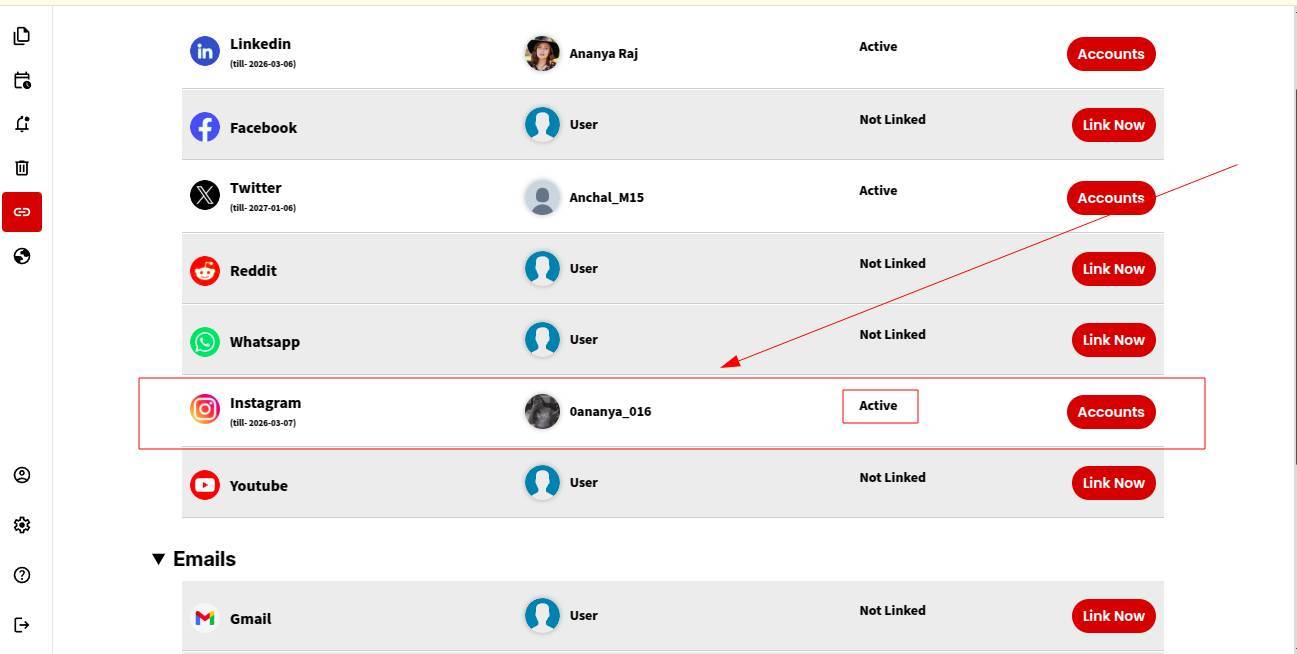
That’s it! Your Instagram account is successfully linked. You can now start scheduling posts or reels through ContentCraft.
Note: You can link multiple Instagram accounts with ContentCraft if you manage social media across different accounts or teams.
You can further explore canva integration in ContentCraft to streamline your social media workflow.