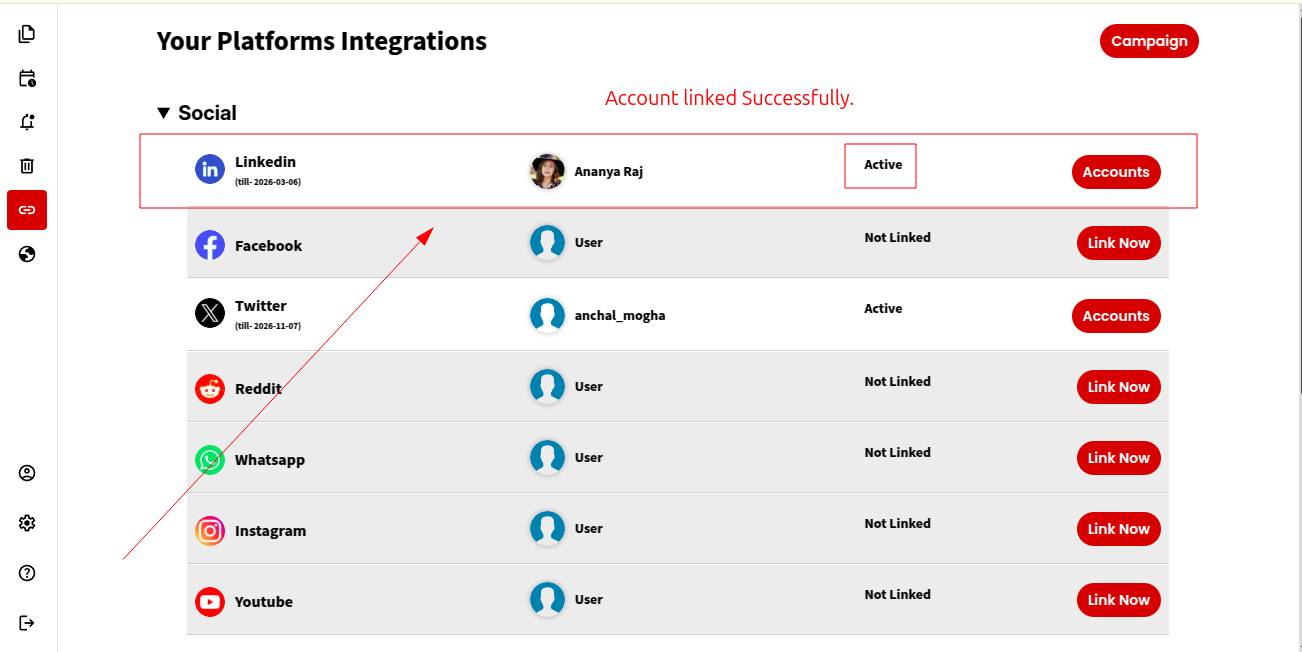
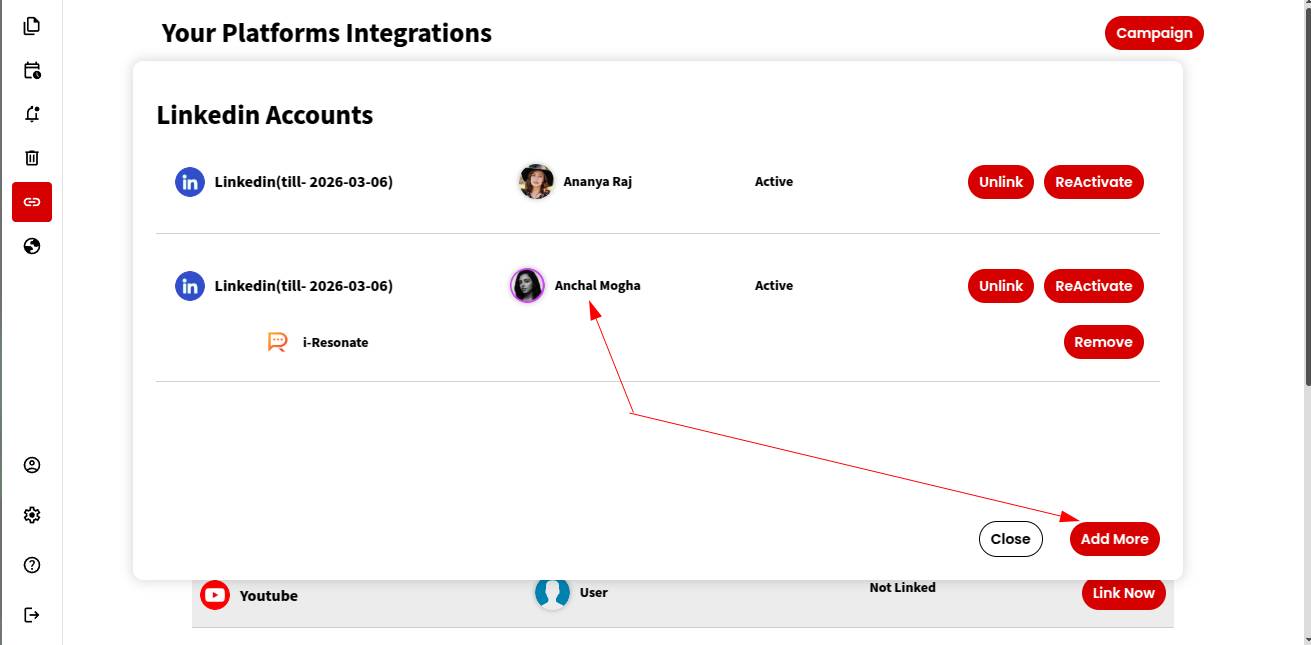
Linking LinkedIn account simplifies content posting and scheduling through a secure social media automation system.
It means connecting your LinkedIn account so that you can automate your posts directly to linkedIn.
ContentCraft offers a quick and secure LinkedIn integration that acts as a centralized system for content creation.
After linking your LinkedIn account, ContentCraft can :
-
Publish and schedule posts on your behalf.
-
Enable features like auto replies.
- Create Self generated Comments.
Important: ContentCraft respects your privacy and does not access your private messages or personal data.
Here are the steps to link your LinkedIn Account with ContentCraft :
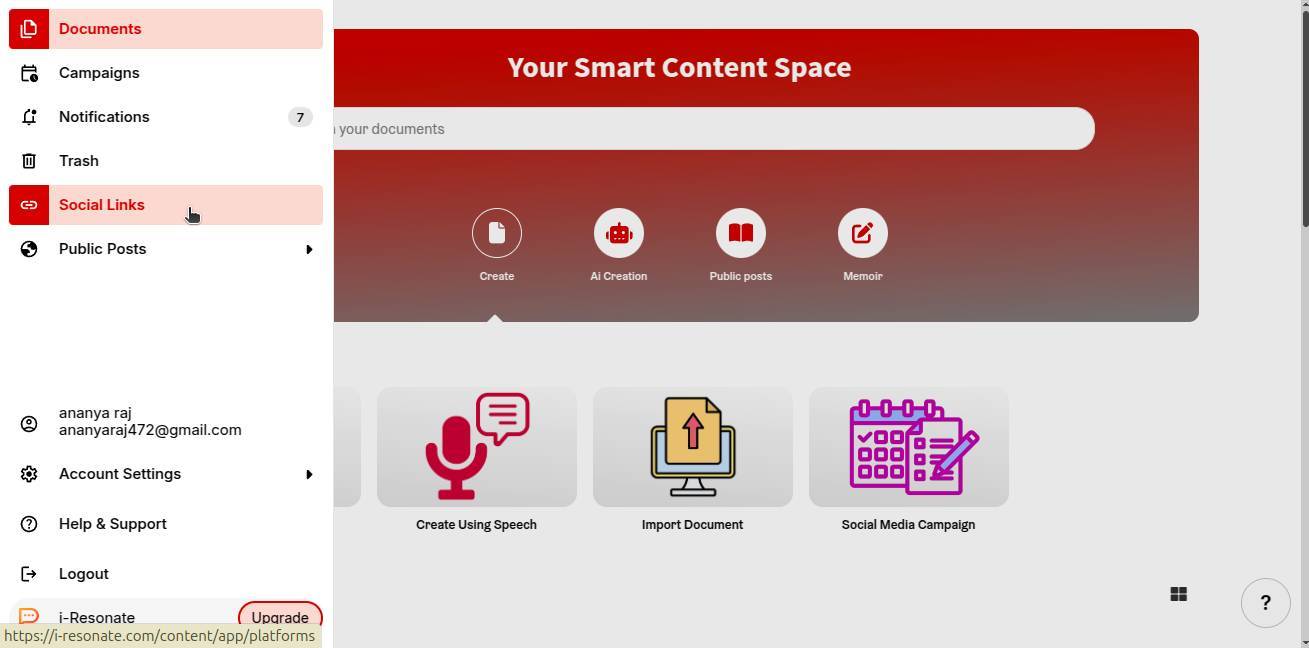
Step 1: Click on “Social Links” from the left navigation bar on the ContentCraft dashboard.
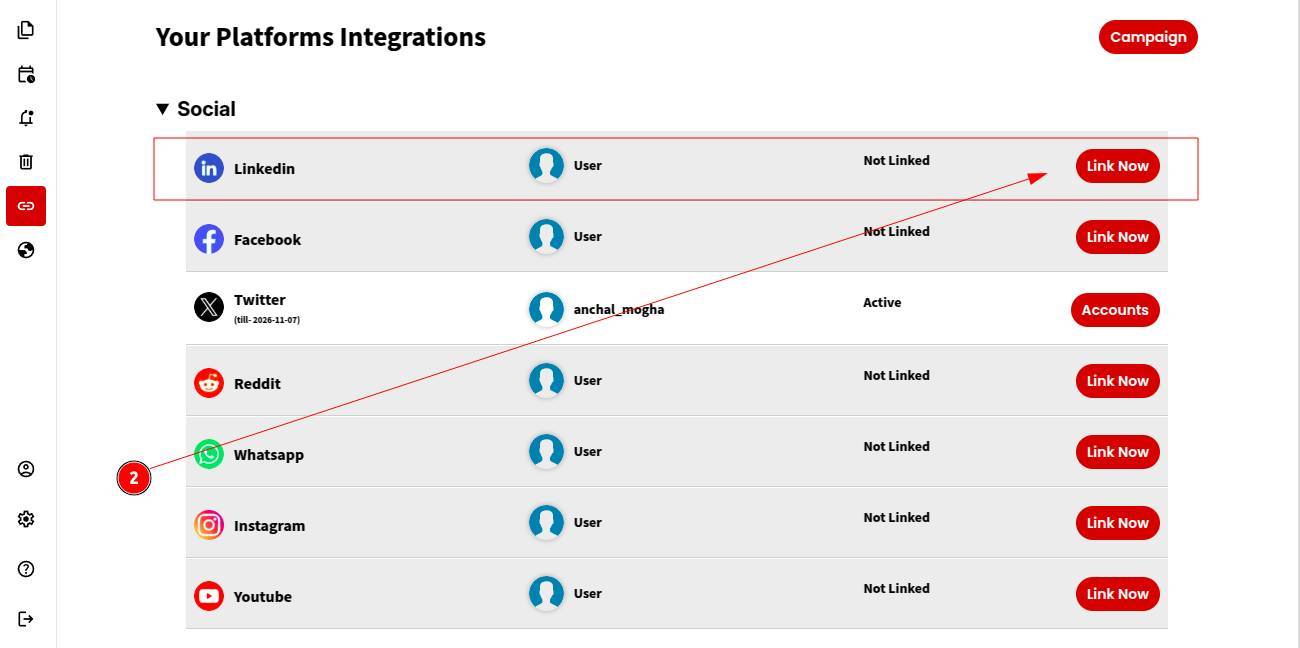
Step 2: Choose LinkedIn from the list of available platforms and click “Link Now.”
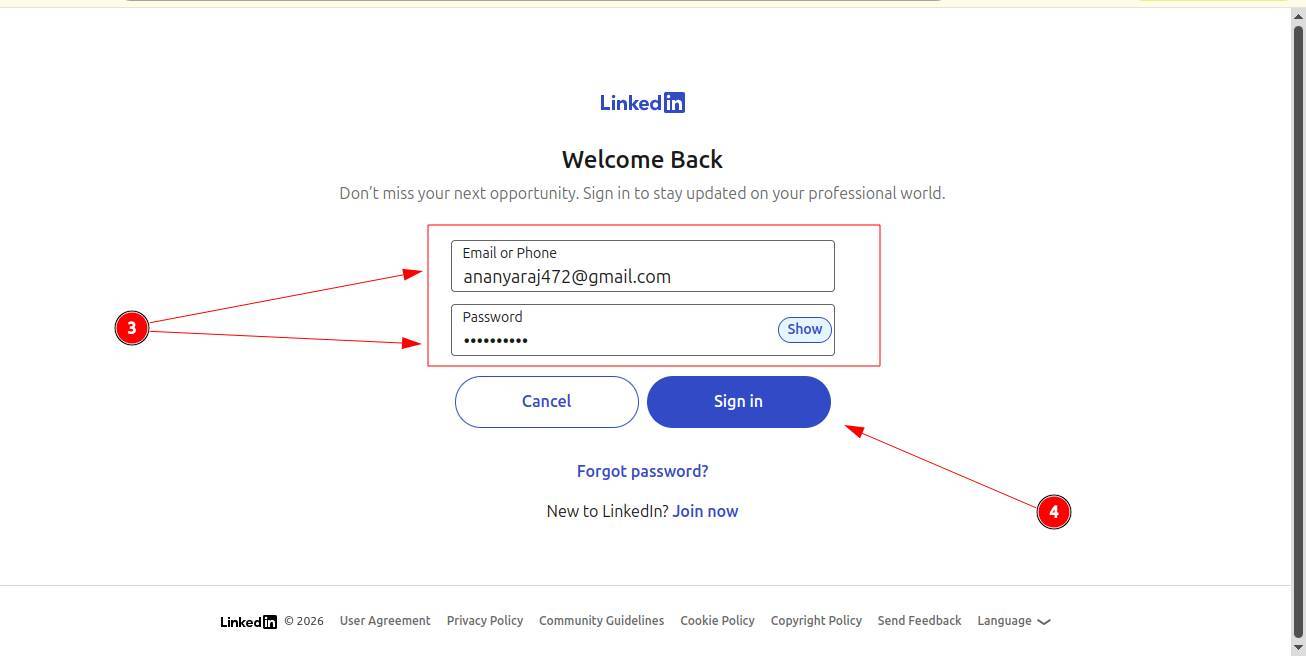
Step 3: The LinkedIn sign-in page will open. Enter your LinkedIn account credentials to log in.
Step 4: Click Sign In to confirm.
That’s it! Your LinkedIn account is successfully linked.
You can now start scheduling posts to LinkedIn through ContentCraft.