
ContentCraft
Open Appi-Resonate Help Center
ContentCraft Help
BrandVoice
Content Campaigns
Scheduling
Team Management / WorkFlows
ProofLex Help
MindWrite Help
Move and shift posts in ContentCraft
Moving posts means changing the scheduled date of a post from one day to another. This helps when plans change or when you want to post at a better time.
It makes content planning easier by letting you update your schedule quickly and keep your posting plan aligned without needing to recreate the post.
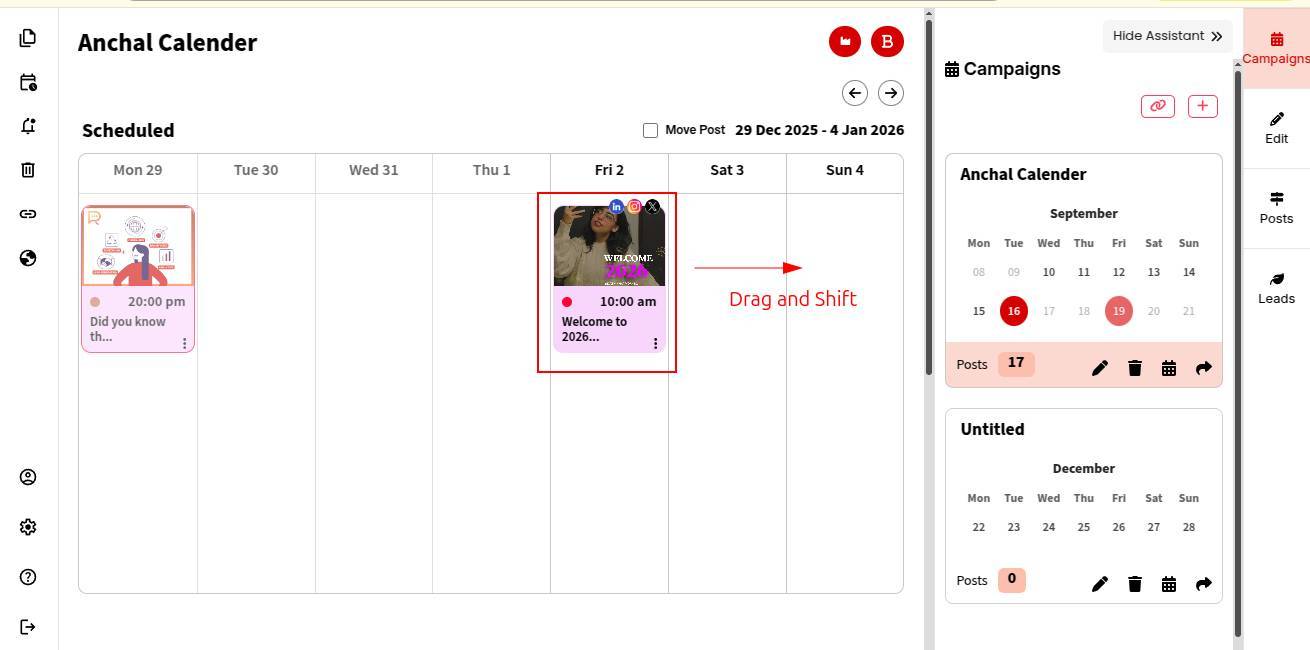
ContentCraft makes rescheduling effortless with a simple drag-and-drop feature, so you can update your posting plan without redoing the entire setup.
Steps to move a posts in ContentCraft-:
STEP 1: Open your Campaign Calendar.
STEP 2: Drag the post you want to move from one date to another.
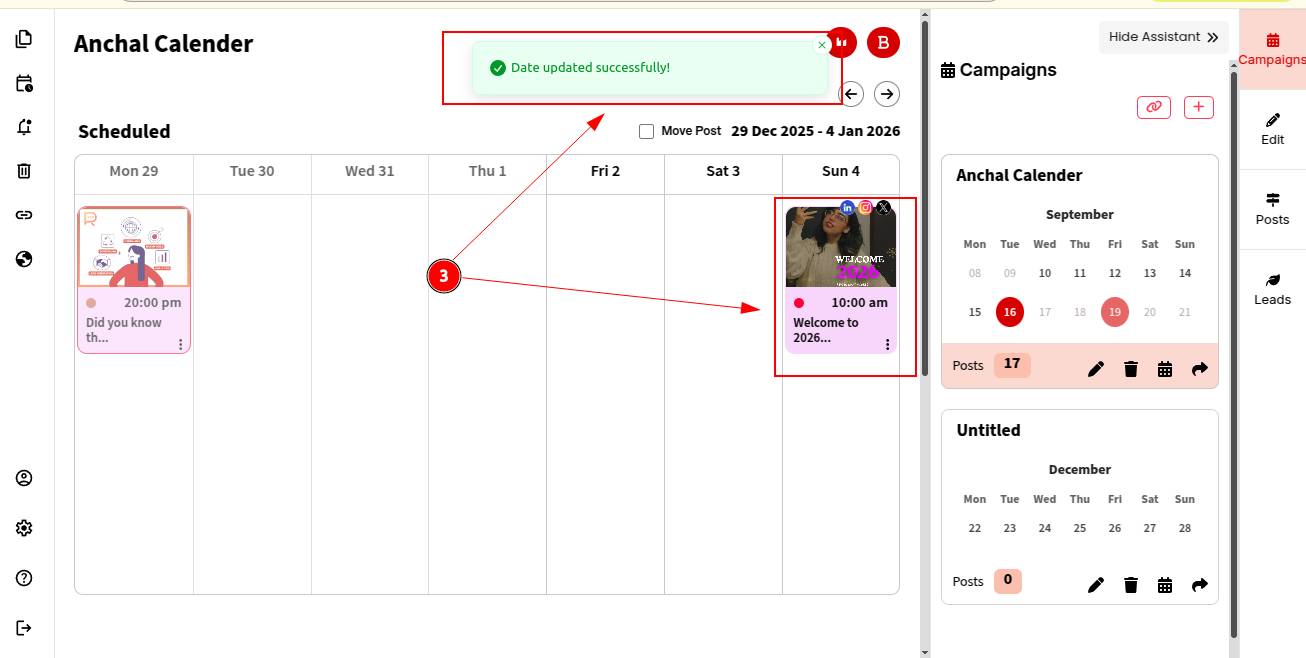
STEP 3: Once dropped, the post’s scheduled date will update automatically, while the time remains unchanged.
Learn how to collaborate with your team on a post to get feedback and review it together.