ContentCraft
Open Appi-Resonate Help Center
ContentCraft Help
BrandVoice
Content Campaigns
Scheduling
Team Management / WorkFlows
ProofLex Help
MindWrite Help
Share Content Calender using ContentCraft
Content calendar sharing allows you to give others access to view and review your planned content before it goes live.
Calendar sharing is useful when you:
-
Need approvals from clients or managers.
-
Collaborate with teams across roles or time zones.
-
Review weekly or monthly content plans together.
It helps reduce miscommunication, speeds up reviews and keeps everyone aligned on what’s going live and when.
ContentCraft makes calendar sharing simple by allowing you to share your entire content calendar directly from the dashboard. You can invite reviewers and stop sharing at any time without exporting or sending files.
Steps to share your Content Calendar in ContentCraft:
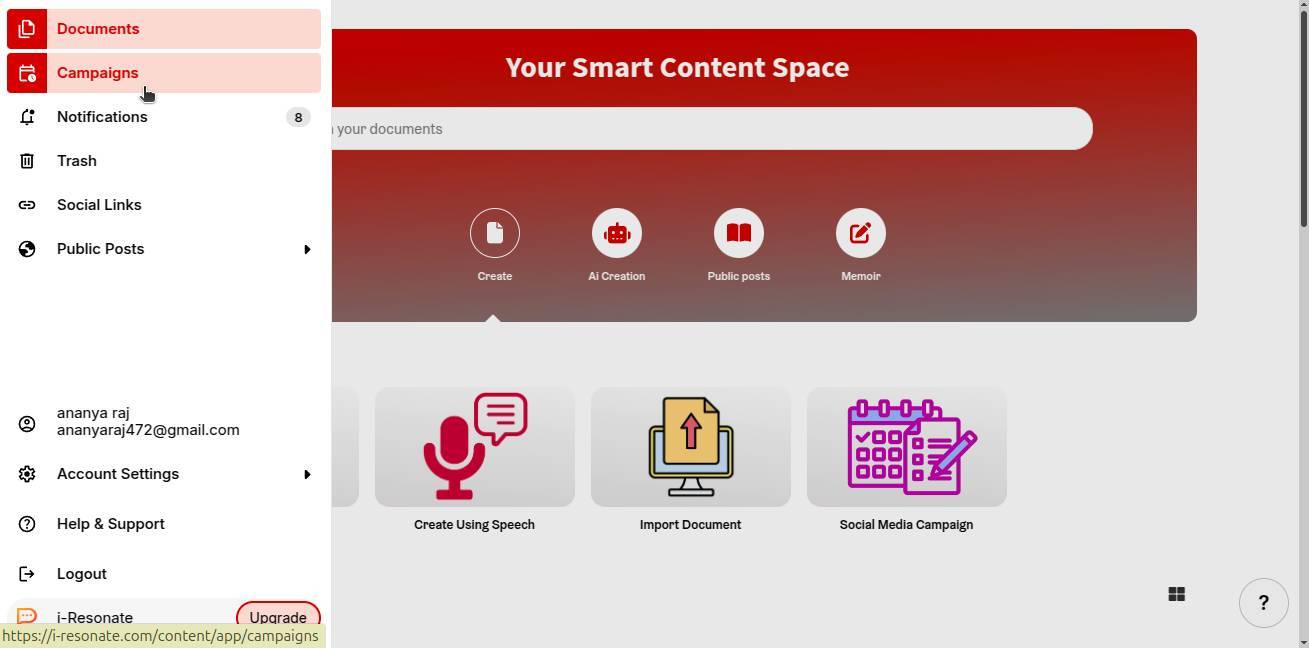
Step 1: Click on “Campaigns” from the left navigation bar on the ContentCraft dashboard.
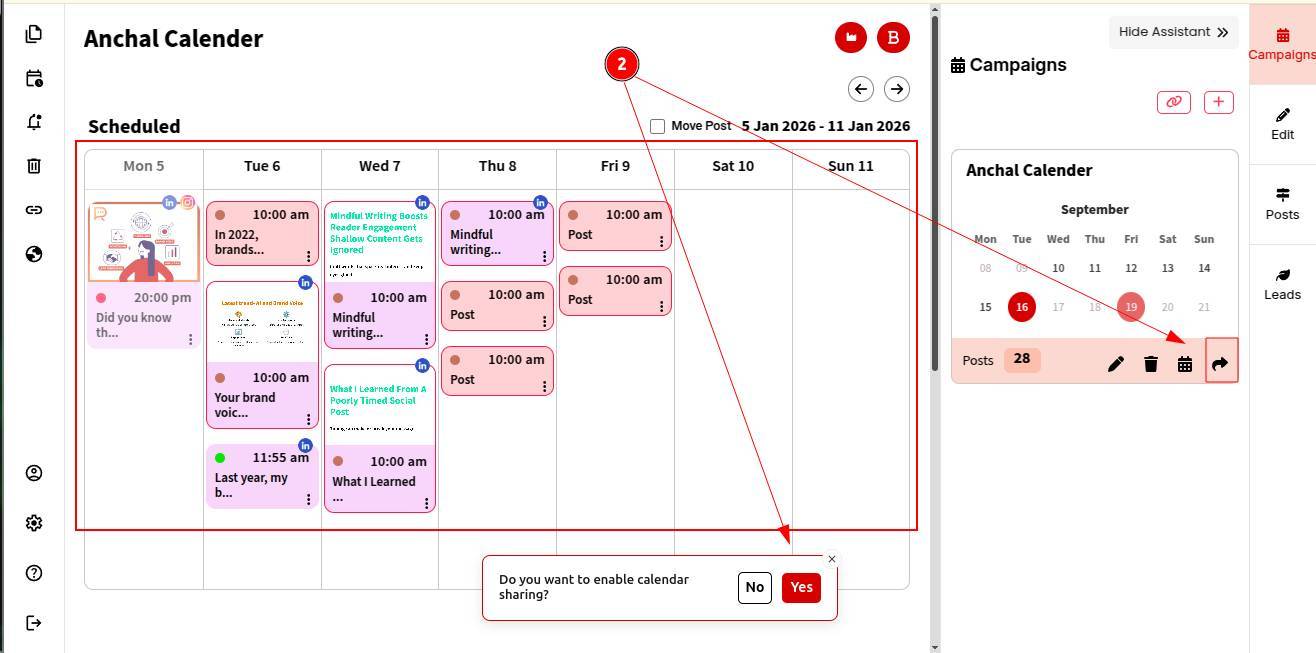
Step 2: You’ll see your complete weekly content calendar. To share it for review, click on the Share icon (as shown below) and select OK.
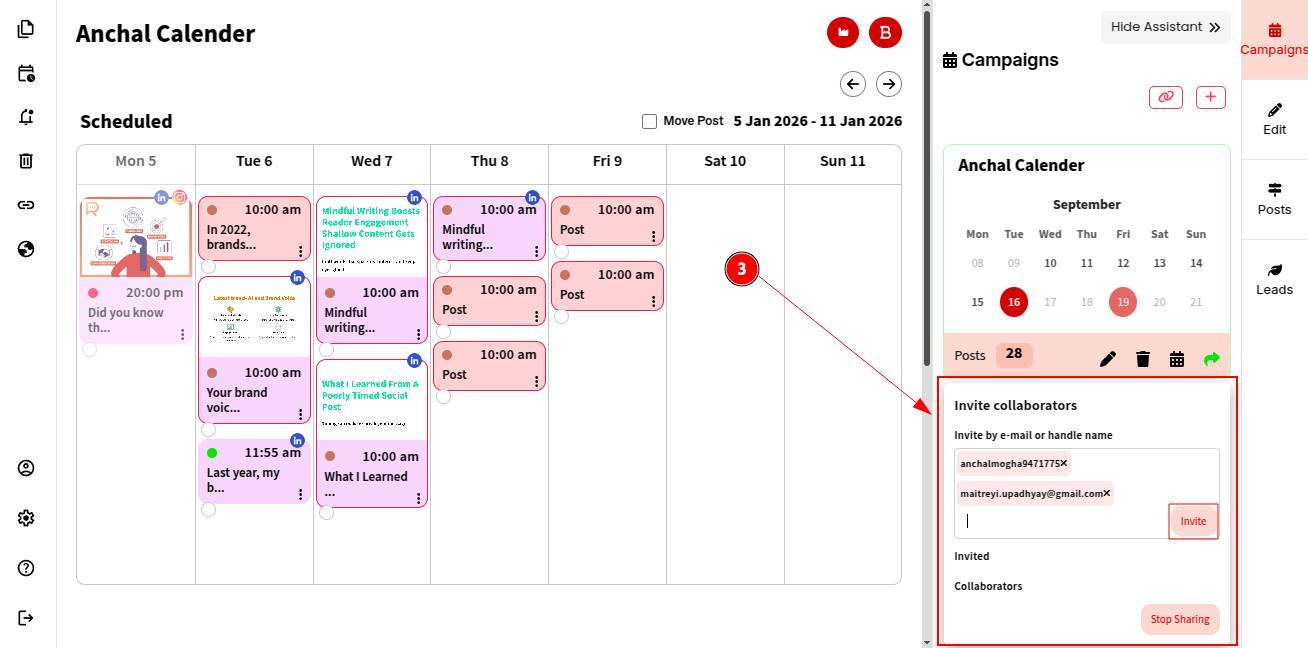
Step 3: Invite reviewers by adding their email addresses or user IDs.
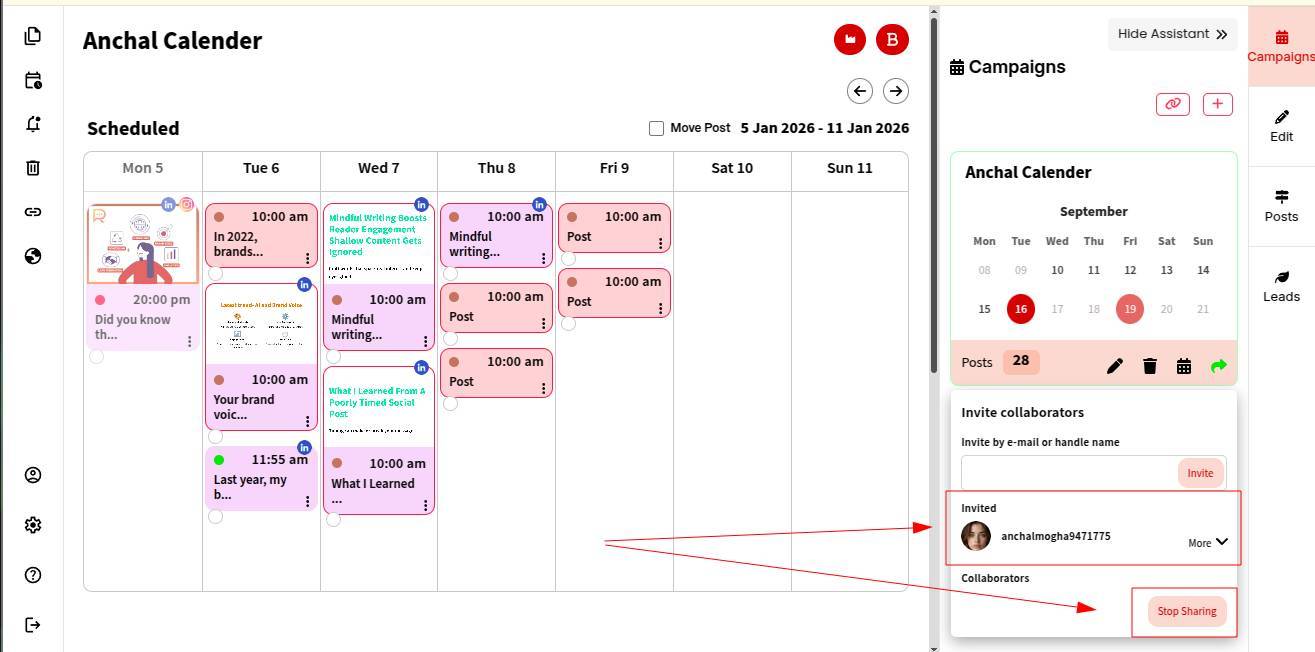
The users are now successfully invited to view and review your content calendar. You can stop sharing access anytime you want.