
ContentCraft
Open Appi-Resonate Help Center
ContentCraft Help
BrandVoice
Content Campaigns
Scheduling
Team Management / WorkFlows
ProofLex Help
MindWrite Help
Understand Leads & Post Insights in ContentCraft
Lead generation matters because posting is only half the work.
Knowing who is engaging and why helps you take the next step.
When you understand the type of leads your content attracts, you can follow up with more clarity and intent.
Post insights help you see what’s working, what’s resonating, and which content is actually driving interest. This turns content from guesswork into informed action.
ContentCraft brings these insights together so you can track leads directly from your social media posts, especially LinkedIn.
Follow these steps to view your lead insights in ContentCraft:
STEP 1: Open your Campaign Calendar.
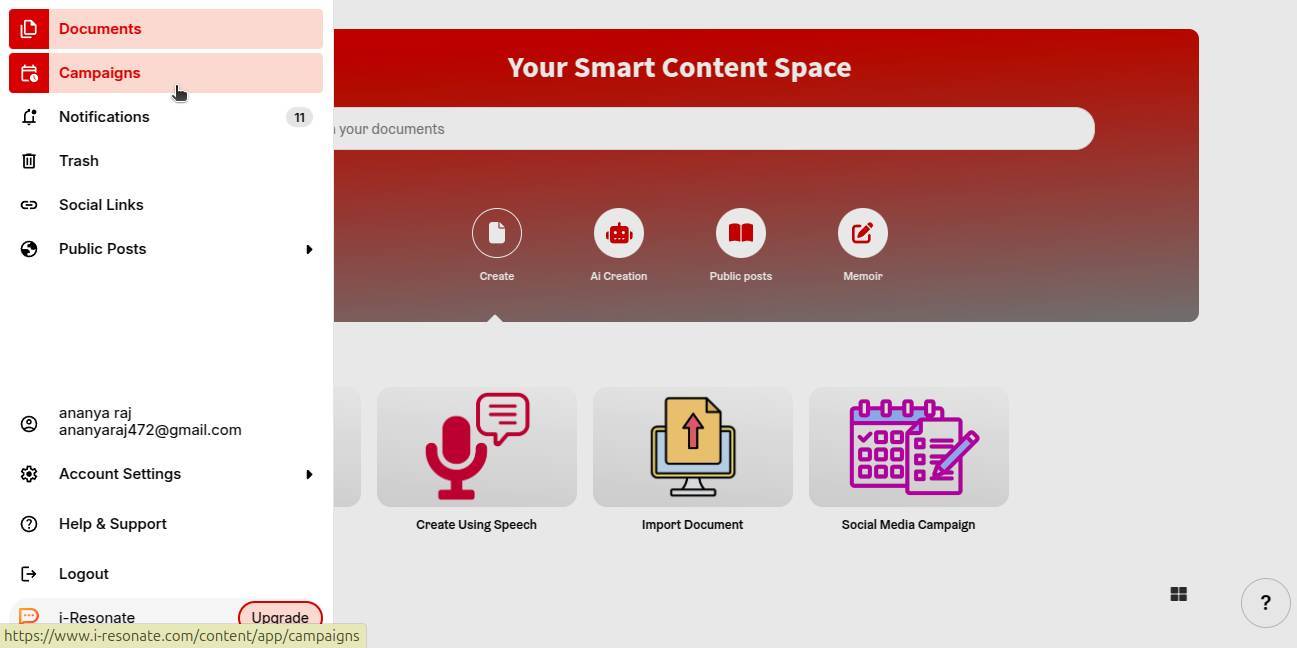
STEP 2: Now, click on the “Leads” from the right sidebar.
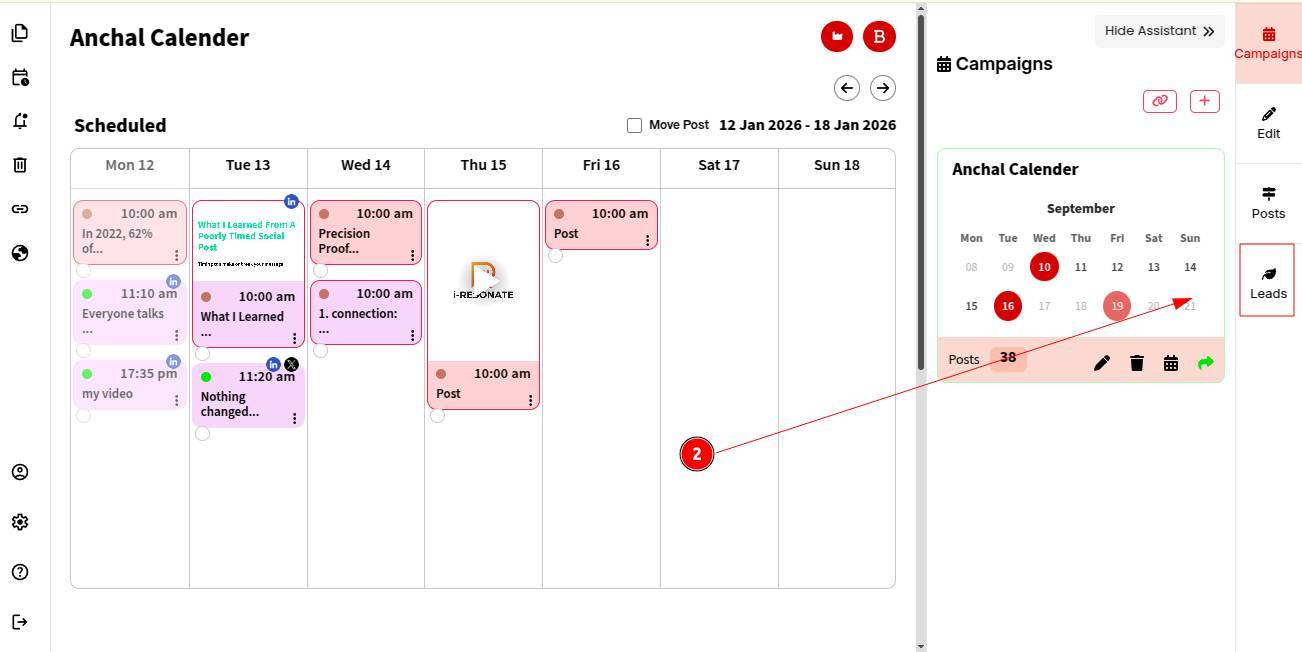
STEP 3: ContentCraft shows a detailed list of leads generated from your social media posts (primarily LinkedIn).
You’ll see:
-
The nature of the lead (warm, hot or likely)
-
Their purchase intent (low or high)
You can also connect with their linkedln profile directly by clicking the Connect button.
You can also explore how to smart edit your content before publishing.