
MindWrite
Open Appi-Resonate Help Center
MindWrite Help
Writing Exercises
Evaluations
Templates
Publishing
ContentCraft Help
ProofLex Help
Start your 10 minutes writing exercise with MindWrite
Daily writing practice is one of the fastest ways to improve your expression and grammar.
Even just 10 minutes a day helps you:
-
Develop clarity and structure in your writing.
-
Improve speed and flow.
-
Strengthen your ideas and expression.
MindWrite makes this process structured and measurable by letting you practice specific writing objectives and giving instant feedback on your performance.
How to Start a Writing Exercise in MindWrite
STEP 1: Open your timeline
-
-
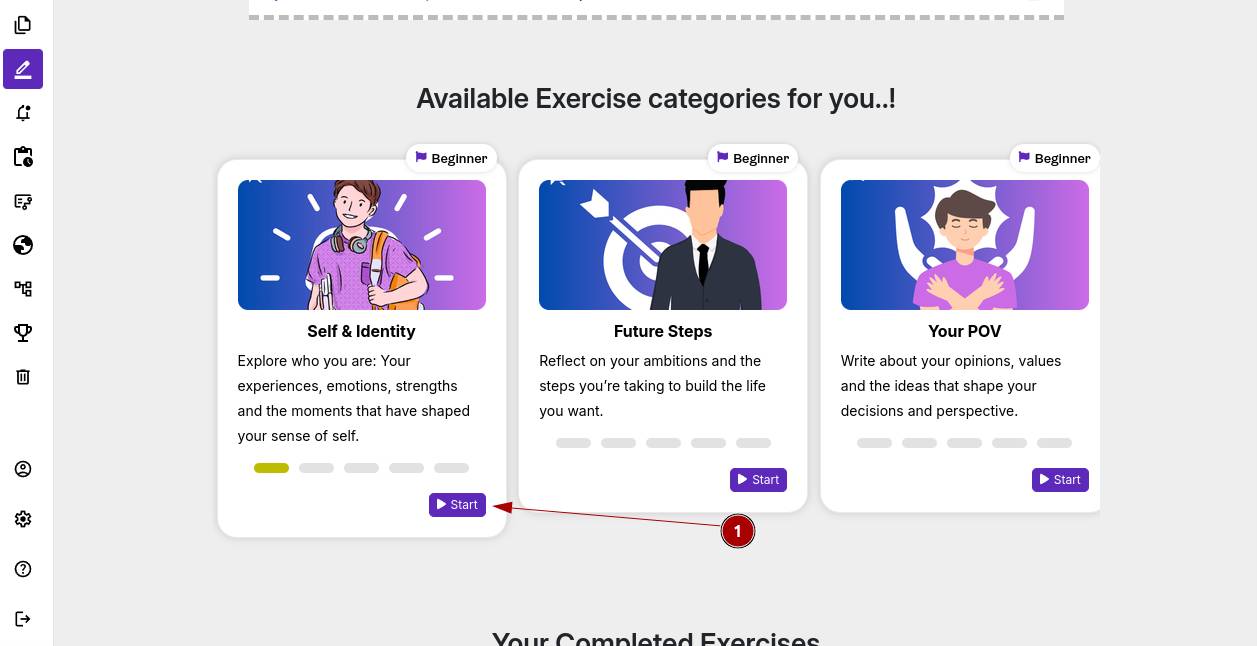
Navigate to your timeline in the app and select the writing objective exercises you want to practice and click Start.
-
STEP 2: Select a topic
-
-
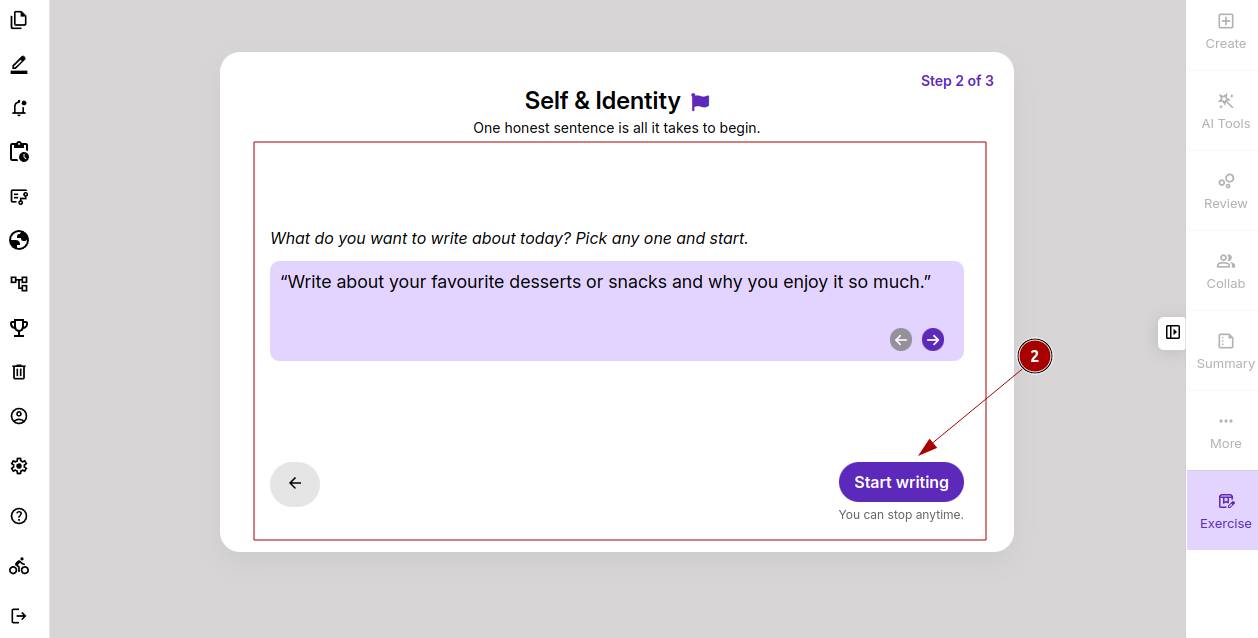
Pick one topic from the list provided. This ensures your practice is focused and relevant.
-
STEP 3: Prepare to Write
-
-
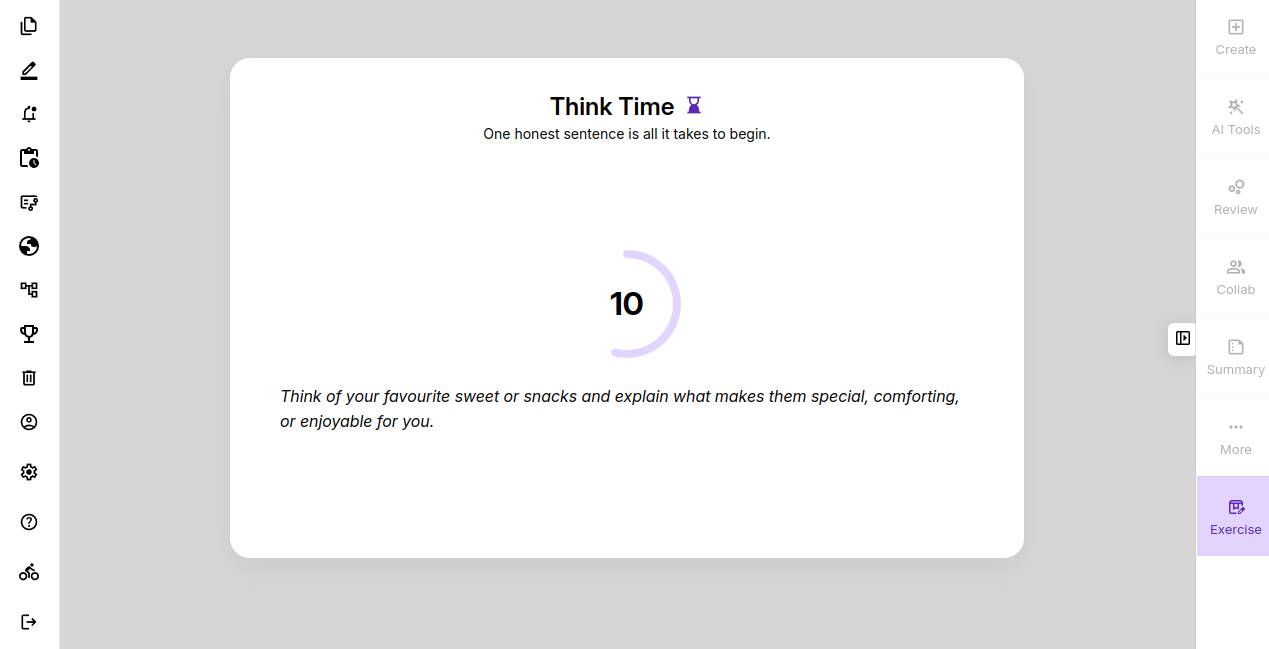
You’ll get 20 seconds to gather your thoughts and frame your ideas before the timer starts. Use this time to plan your structure and imagine how you want to express your ideas.
-
STEP 4: Start Writing (10-Minute Timer)
-
-
A writing pad will open with a 10-minute countdown. Focus on expressing your thoughts and building ideas.
-
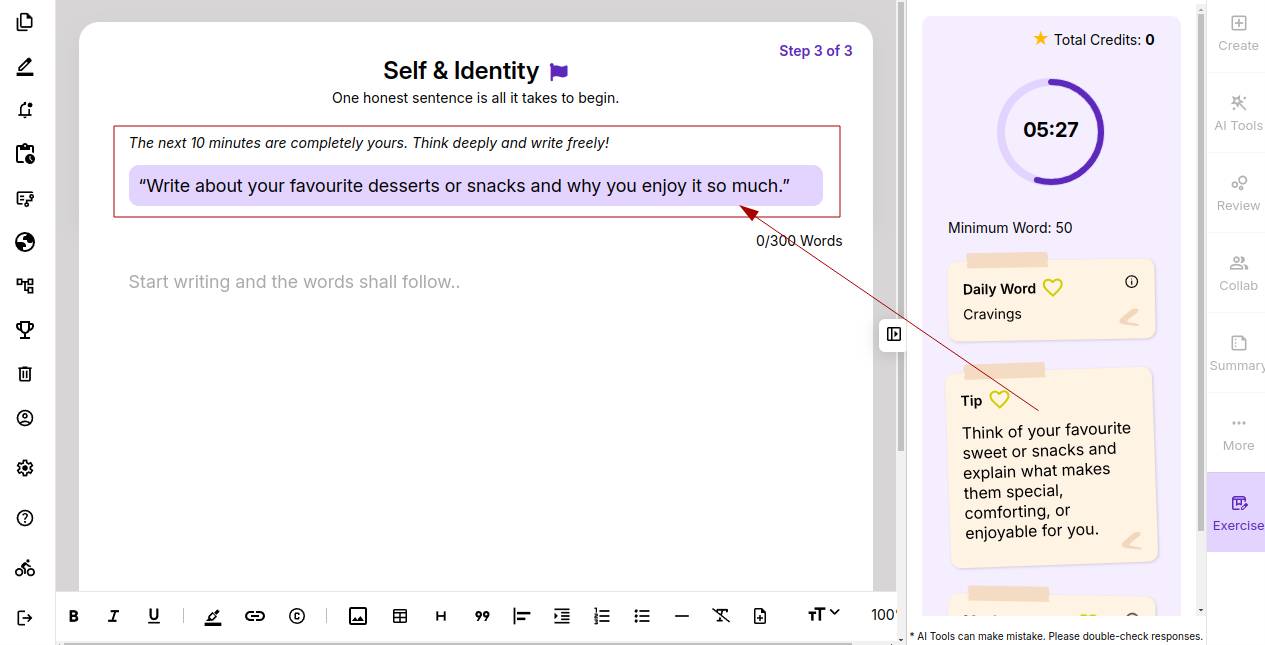
Once your 10-minute session is complete, click Submit. MindWrite will now generate a detailed evaluation report, highlighting areas of improvement.
You can learn in detail about the evaluation report of MindWrite.