
ProofLex
Open Appi-Resonate Help Center
ProofLex Help
Document Creation
Proofreading
Doc Insights
Team Management / WorkFlows
Microsoft Word Plugin
Microsoft Outlook Plugin
ContentCraft Help
MindWrite Help
Analyze the positivity of your document with ProofLex.
Positivity in writing means using language that encourages and motivates your reader.
It helps your message feel respectful and easy to engage with, without sounding overly emotional or dramatic.
Small changes in tone (like saying “Here’s a better way to do this” instead of “You did this wrong”) can completely shift how your message is received.
ProofLex Positivity Analyzer helps you spot negative or discouraging wording so that your writing always feels confident.
Follow these steps to analyze for positivity in your document:
STEP:1 Click on “Review", after opening your document in the editor.
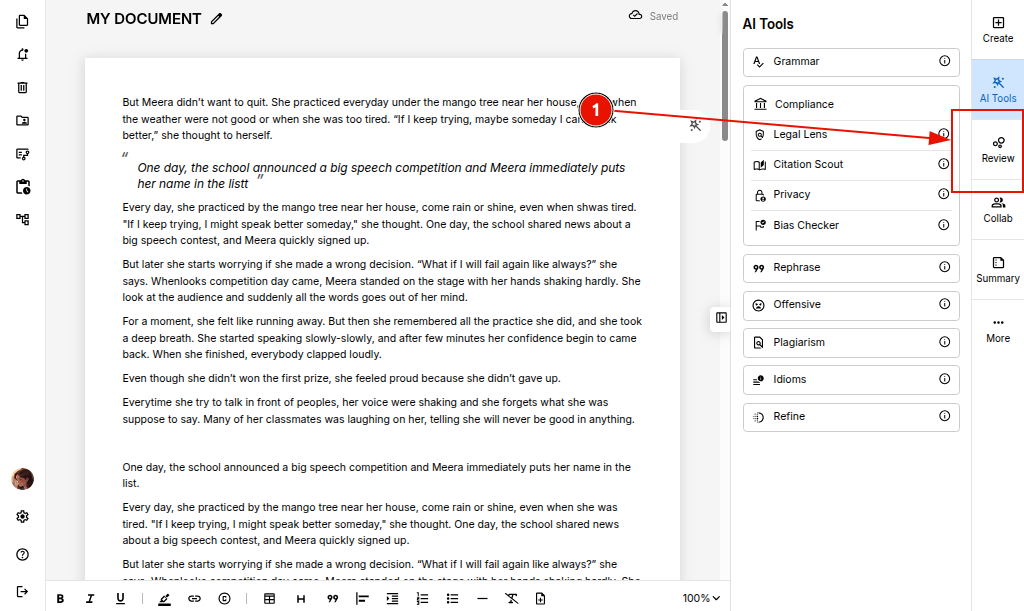
STEP 2: Select “Positivity” from the listed AI features to let ProofLex analyze your content’s tone.
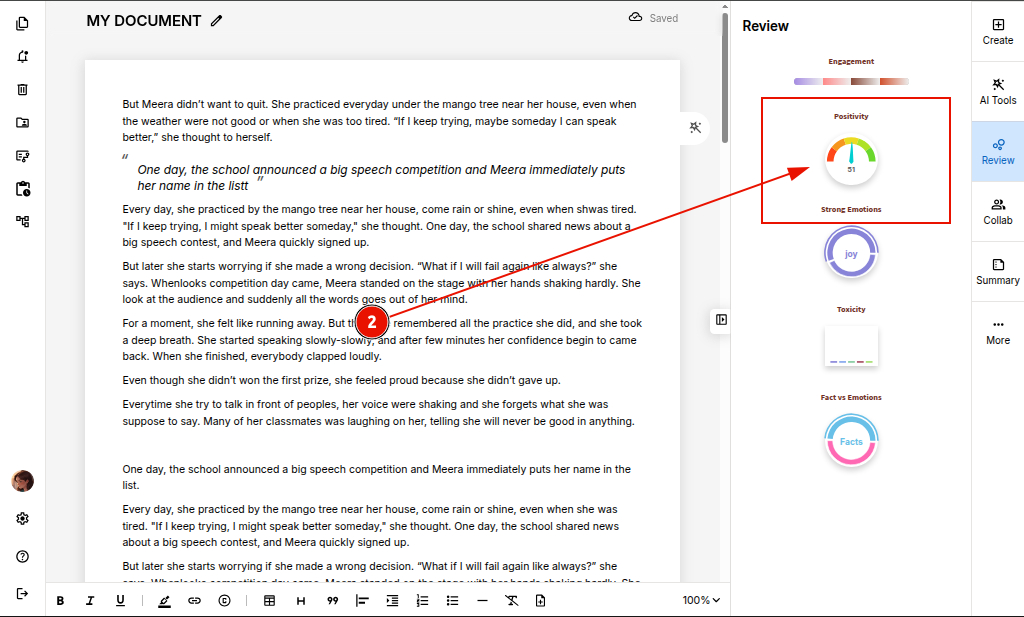
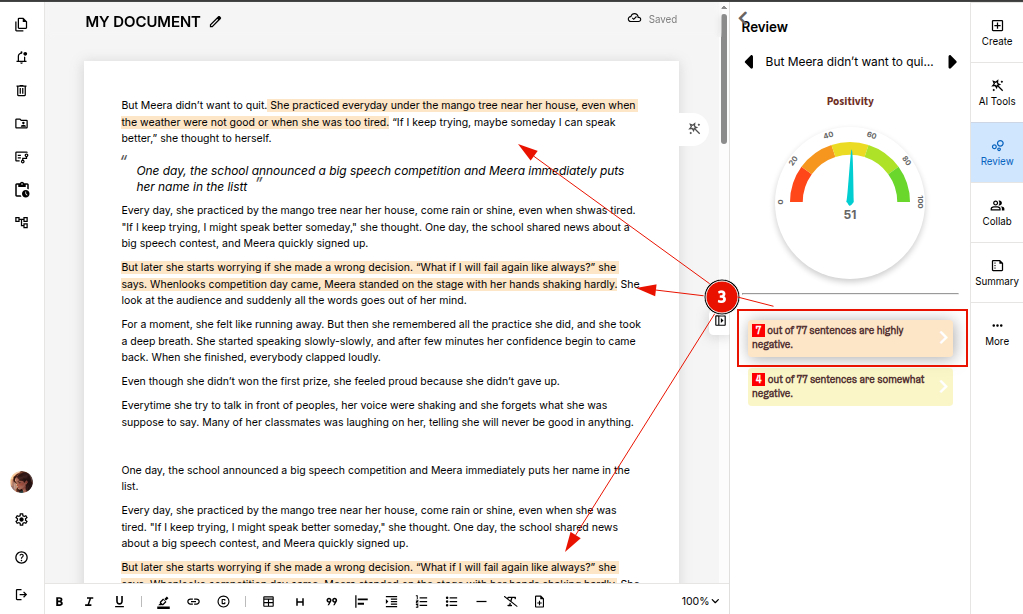
STEP 3: ProofLex displays your content’s positivity score, highlighting 'HIGHLY NEGATIVE' or 'SOMEWHAT NEGATIVE' sentences so you can fine-tune your message for maximum clarity and impact.
You can also explore how to analyze overall engagement score of your document with ProofLex.