
ProofLex
Open Appi-Resonate Help Center
ProofLex Help
Document Creation
Proofreading
Doc Insights
Team Management / WorkFlows
Microsoft Word Plugin
Microsoft Outlook Plugin
ContentCraft Help
MindWrite Help
Analyze the toxicity level of your content with ProofLex
Toxicity generally refers to words or phrases that sound harsh, rude or unnecessarily aggressive.
In professional writing, this kind of language, even when unintentional can distort your message, reduce trust and make your content feel unprofessional.
ProofLex helps prevent that by automatically scanning your document for toxic or insulting expressions. It checks your word choice and tone, identifies any phrases that may feel harsh and offers more polite and refined replacements.
Steps to check toxicity in your document:
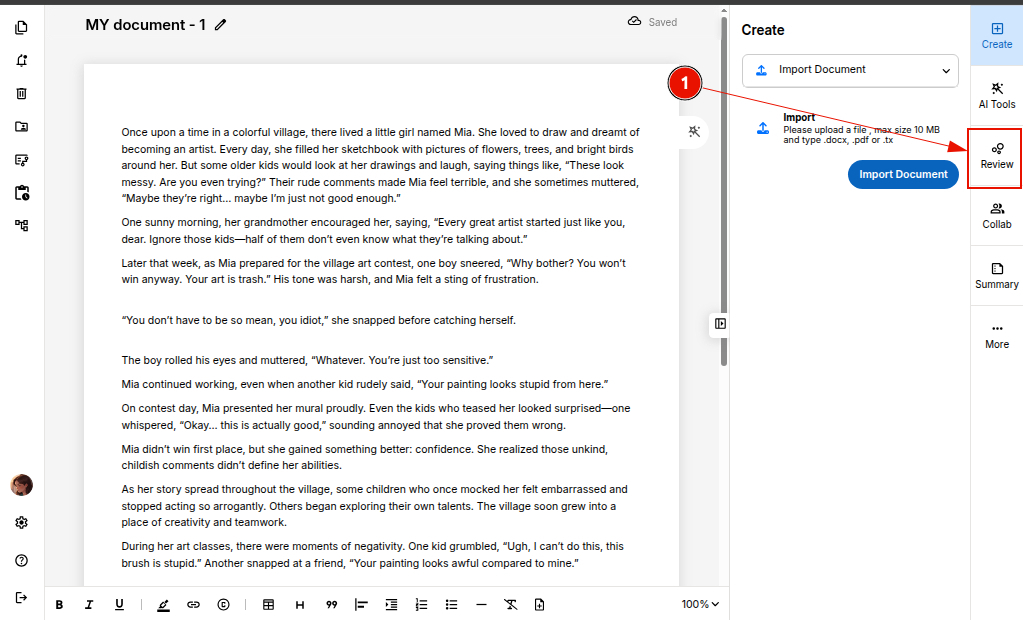
Step 1: Open your document in the editor and click “Review.”
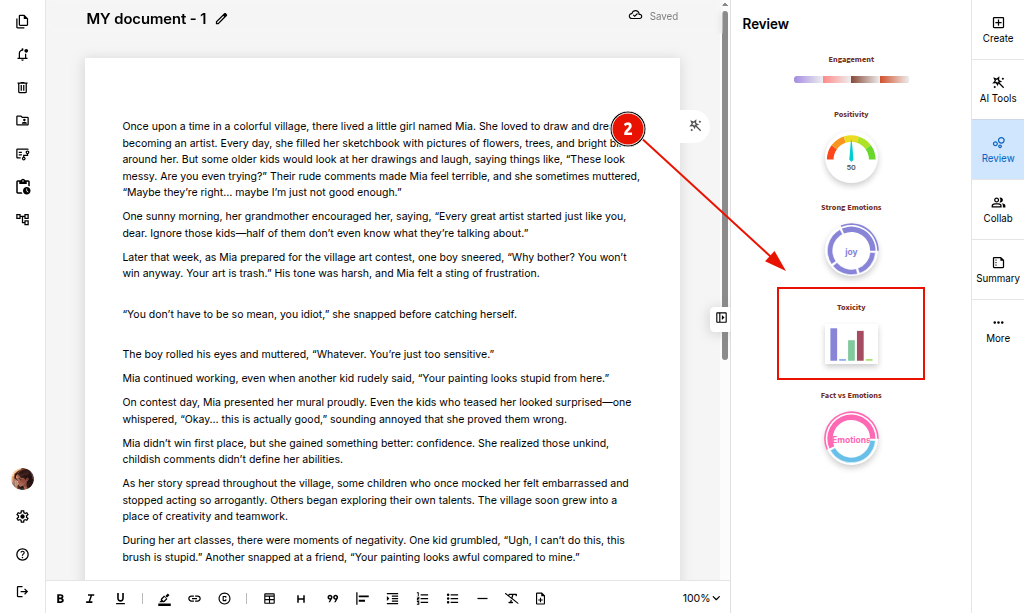
Step 2: Select the “Toxicity” icon to directly analyze toxic or insulting elements in your writing.
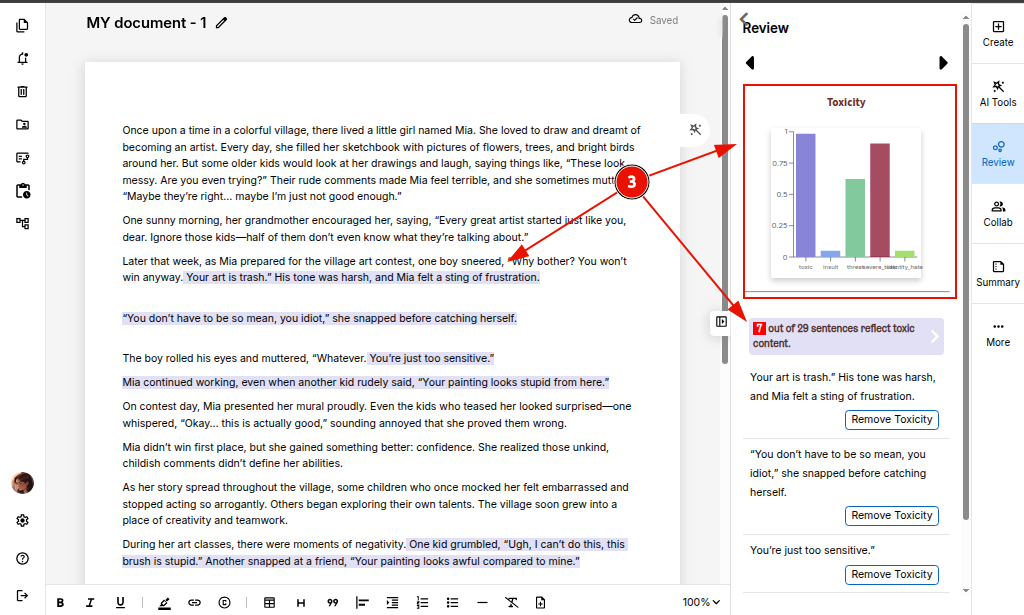
Step 3: ProofLex's AI highlights all the toxic sentences present in your document.
Step 4: Click on “Remove Toxicity” to remove a particular toxic sentence you wish to discard from the document.
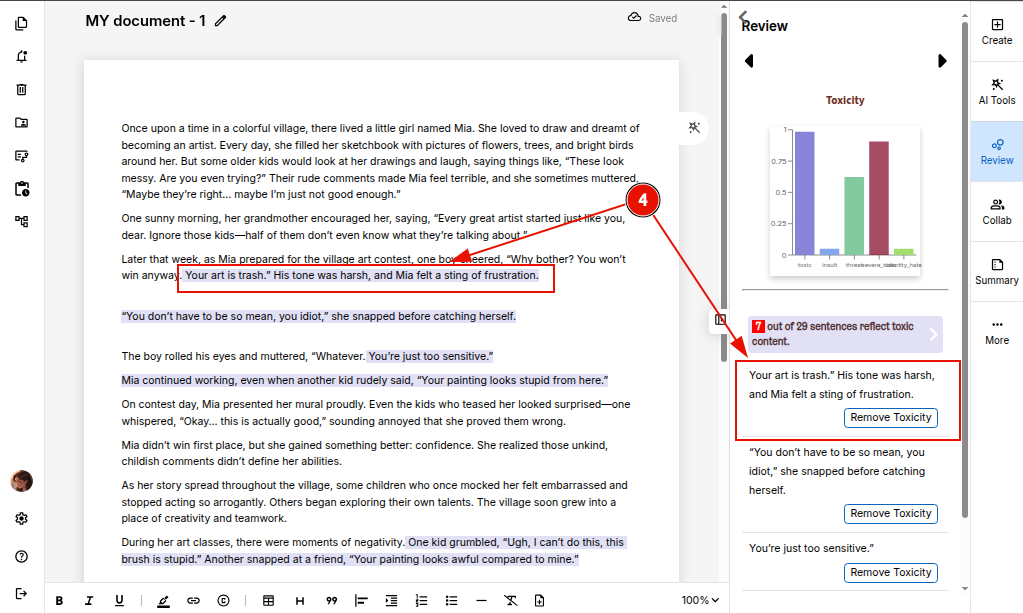
Step 5: ProofLex suggests a cleaner version of each sentence you choose. Once you review, click “Use it” to replace that original one.
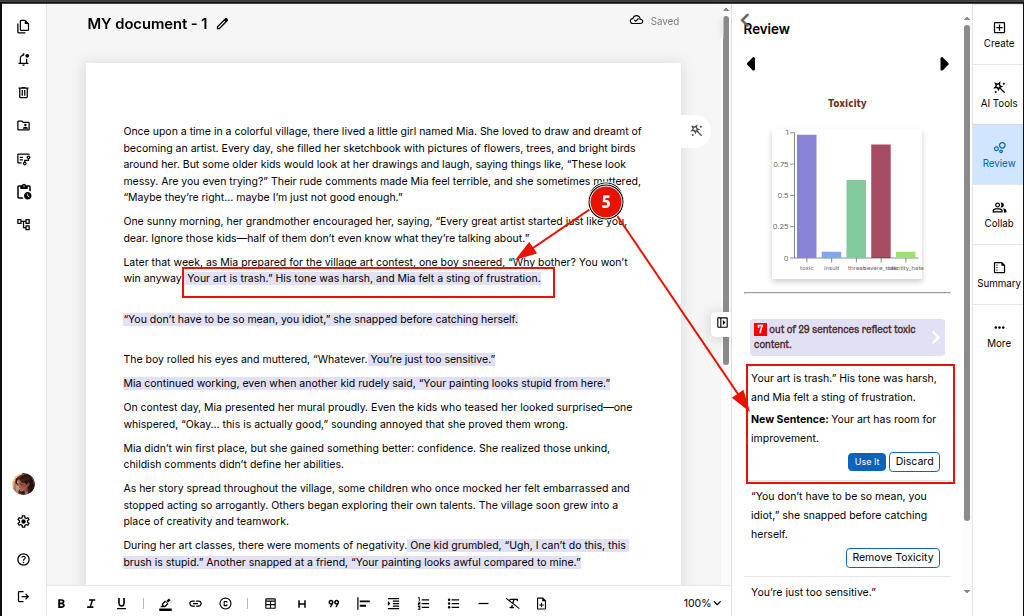
Once all toxic phrases are removed, your content becomes respectful and ready to share confidently.
You can also explore ProofLex to check whether your writing has the right balance between facts and emotions.