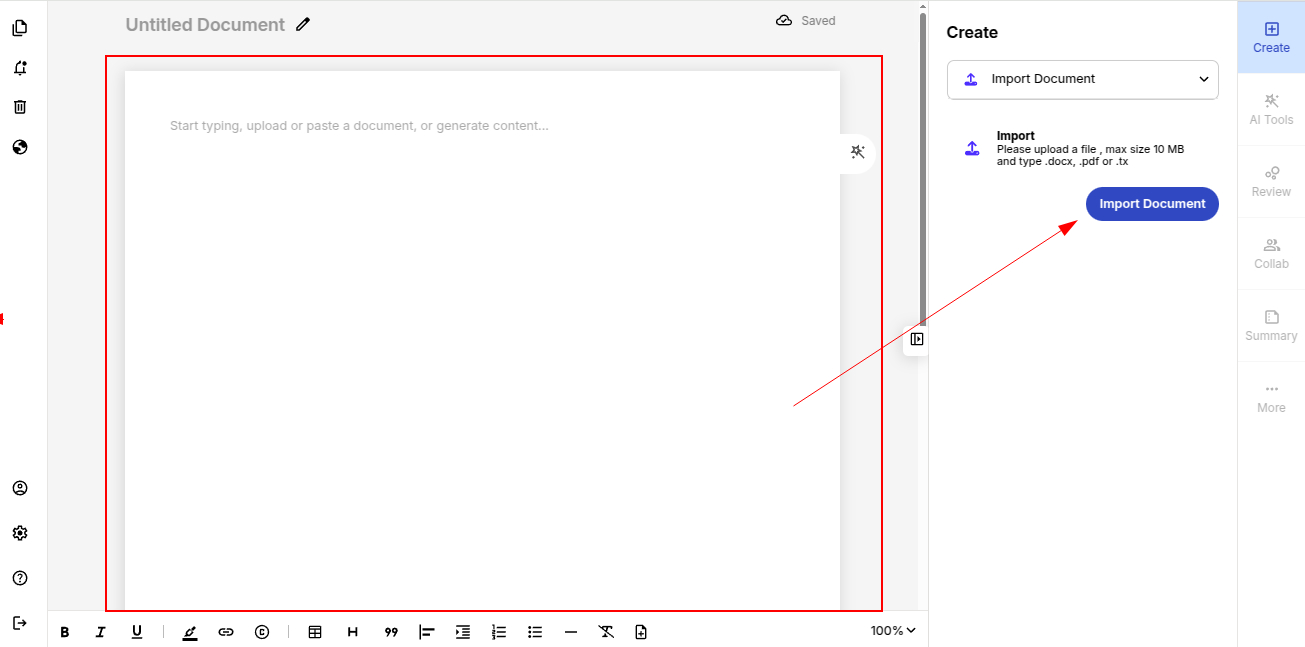
You’re all set! You can now explore the dashboard, import your first document and try AI tools to proof check your document.

ProofLex
Open Appi-Resonate Help Center
ProofLex Help
Document Creation
Proofreading
Doc Insights
Team Management / WorkFlows
Microsoft Word Plugin
Microsoft Outlook Plugin
ContentCraft Help
MindWrite Help
Create your ProofLex account (Sign Up Process)
Signing up for ProofLex is quick and takes less than a minute. Follow the steps below to create your account and begin your ProofLex journey:
1. Click the Sign-Up Link
Go to the ProofLex sign-up page: https://www.i-resonate.com/prooflex/signup
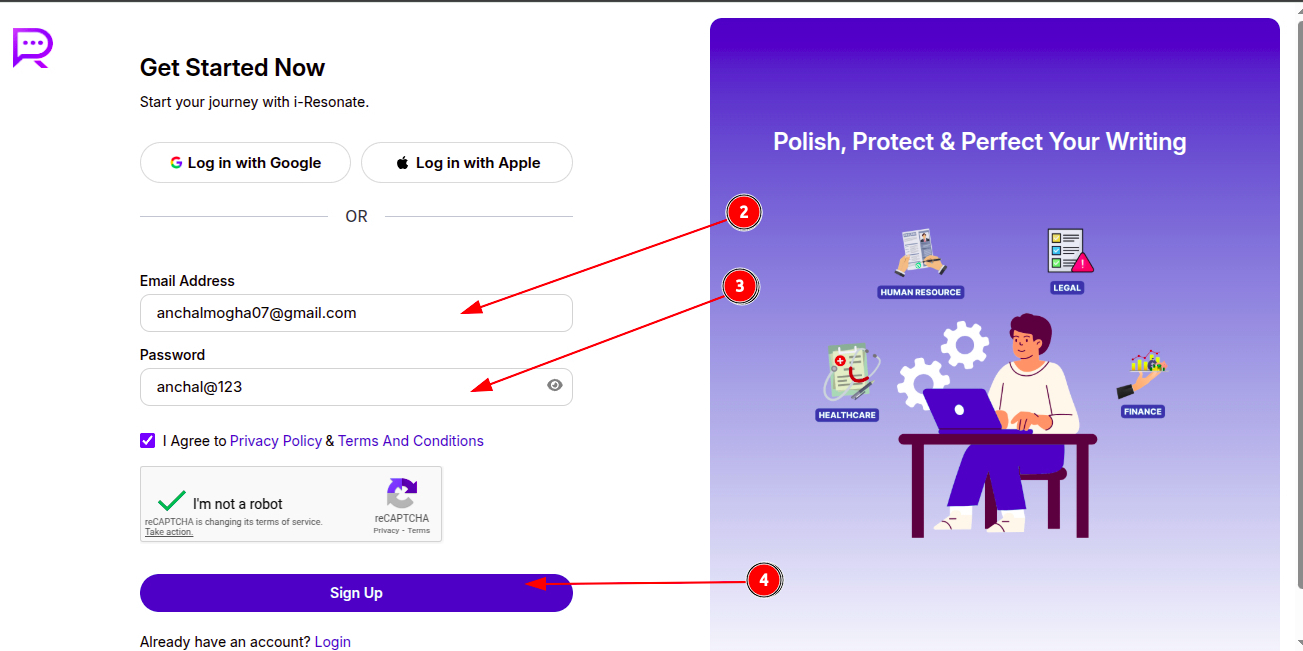
2. Enter Your Existing Email
When you signup for ProofLex, an email is sent to your email address for verification. Make sure you use an email Id from a permanent email domain for signing up on i-Resonate.
3. Set a Password
Create a strong, secure password for your account
4. Finally, Click on "SignUp".
5. Choose Your Product
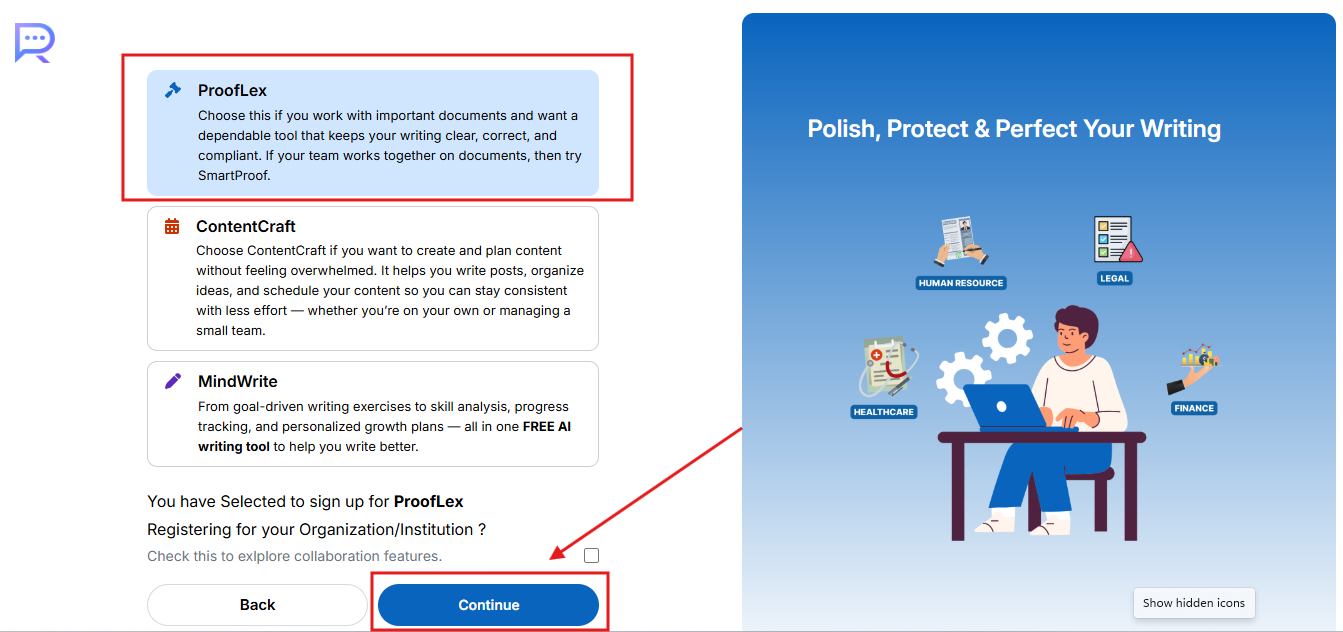
Select ProofLex from the list of i-Resonate products and click Continue.
6. Provide Your Personal Details
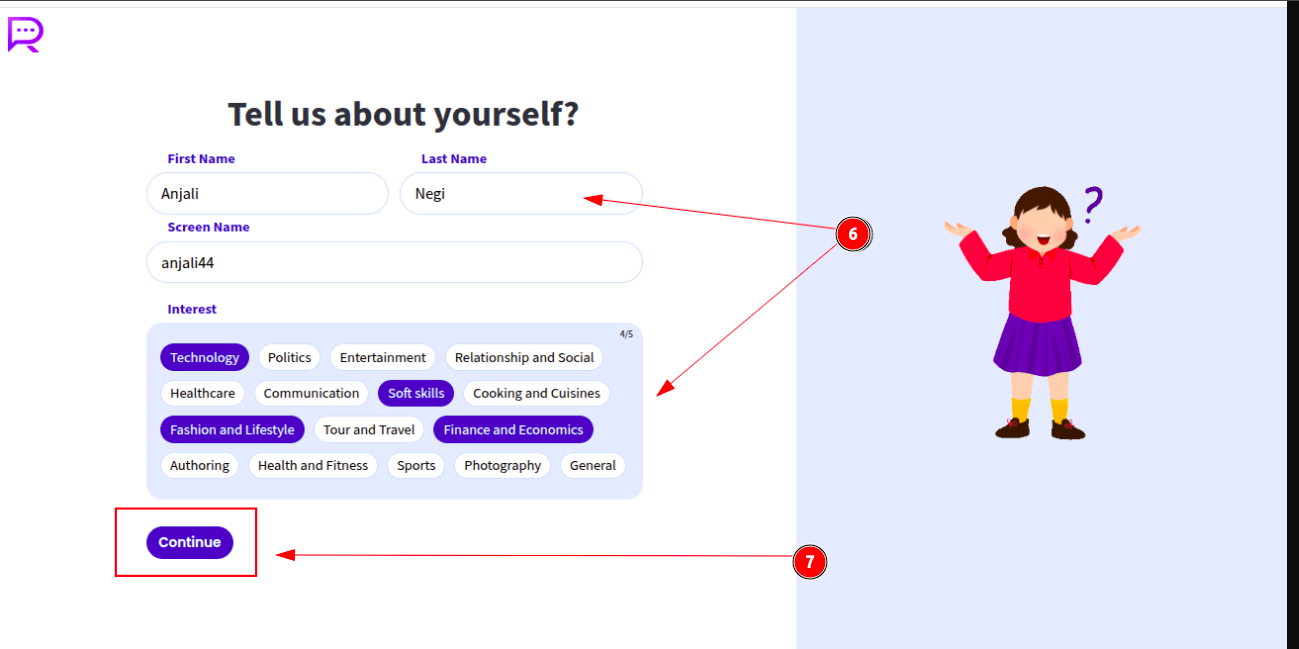
Enter your full name and username to complete your profile setup.
7. Now, Click Continue.
8. Answer a Few Quick Questions
ProofLex asks a few preference-based questions to personalize your experience, including:
-
Preferred languages
-
How frequently you write
-
Challenges in your professional writing or growth
These responses help ProofLex tailor recommendations for you.
9. Your Trial Account Is now ready
Once you complete all the steps, your ProofLex trial account gets activated.