
ProofLex
Open Appi-Resonate Help Center
ProofLex Help
Document Creation
Proofreading
Doc Insights
Team Management / WorkFlows
Microsoft Word Plugin
Microsoft Outlook Plugin
ContentCraft Help
MindWrite Help
Explore our right navigation panel
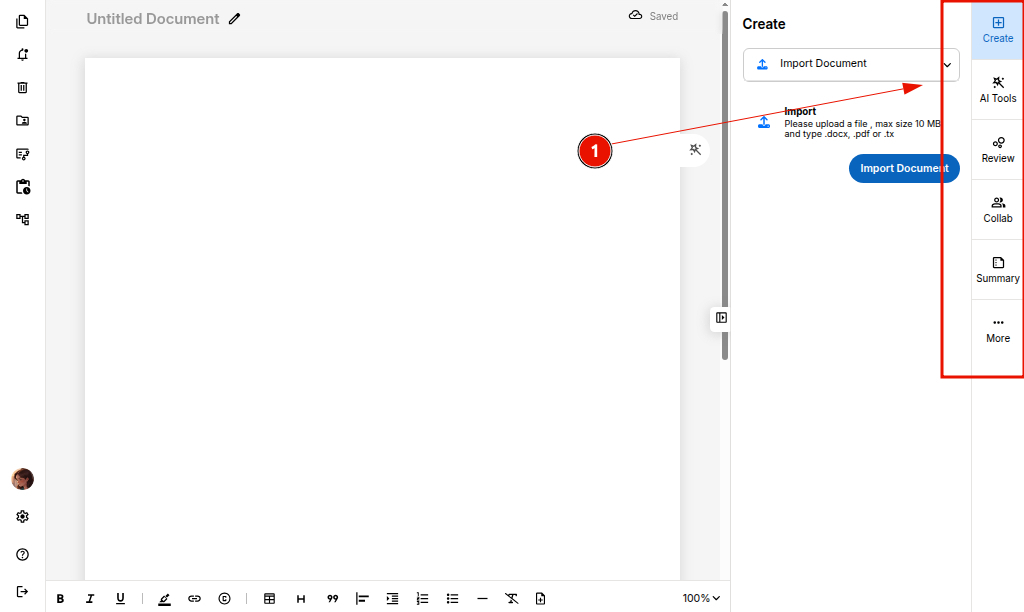
ProofLex's right-side navigation gives you quick access to the tools you need to create, review and collaborate on professional documents.
Here’s a clear breakdown of each section:
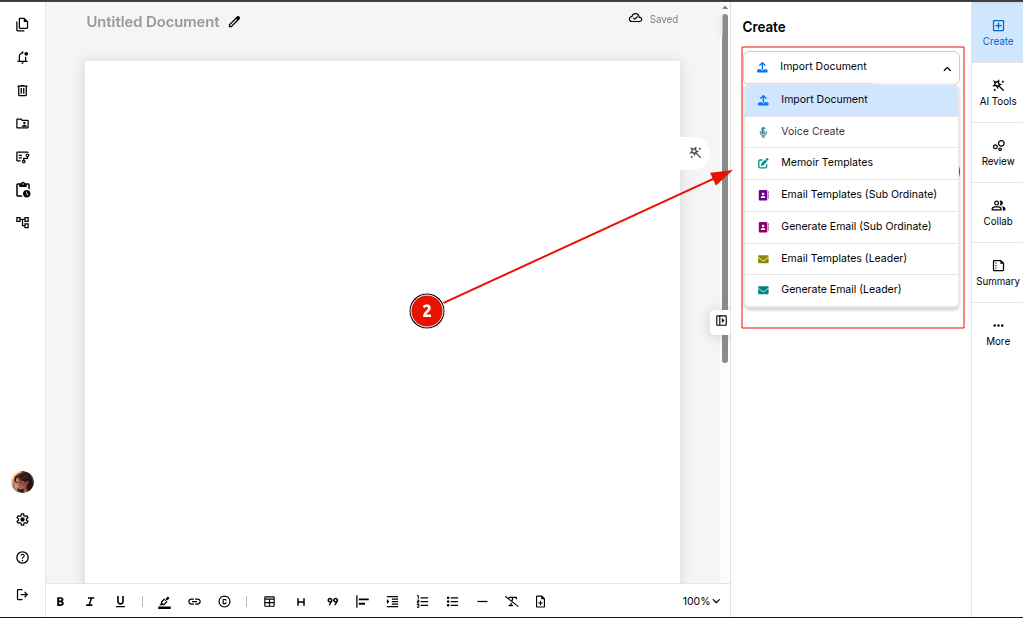
1. Create
The Create panel gives you multiple options to start new content or modify existing material using AI.
You can:
-
Import Document – Upload an existing file and continue editing seamlessly.
-
Generate Emails & Memoirs – Use AI-powered templates to create professional emails and personal stories instantly.
2. AI Tools
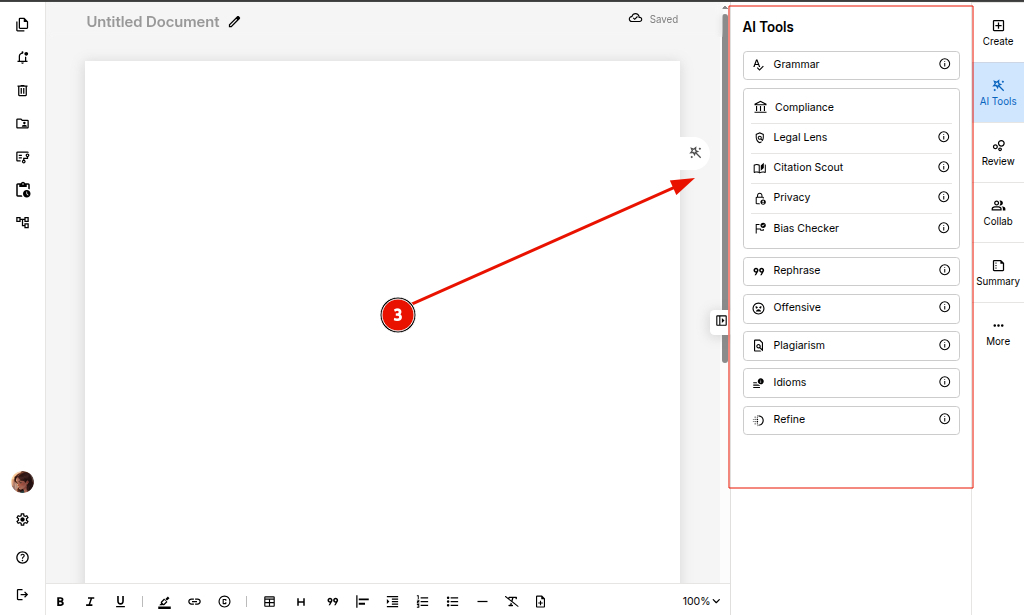
You can use tools for:
-
Grammar & Spelling Check – Correct language errors and improve clarity in documents.
-
Compliance Checks – To detect legal compliance and citations in professional documents.
-
Plagiarism Detection – Identify duplicate or unoriginal content.
-
Refine & Rephrase Tools – Enhance tone, precision and readability of the context.
-
Offensive Content Checker – Flag inappropriate or harmful language present in your document
3. Review
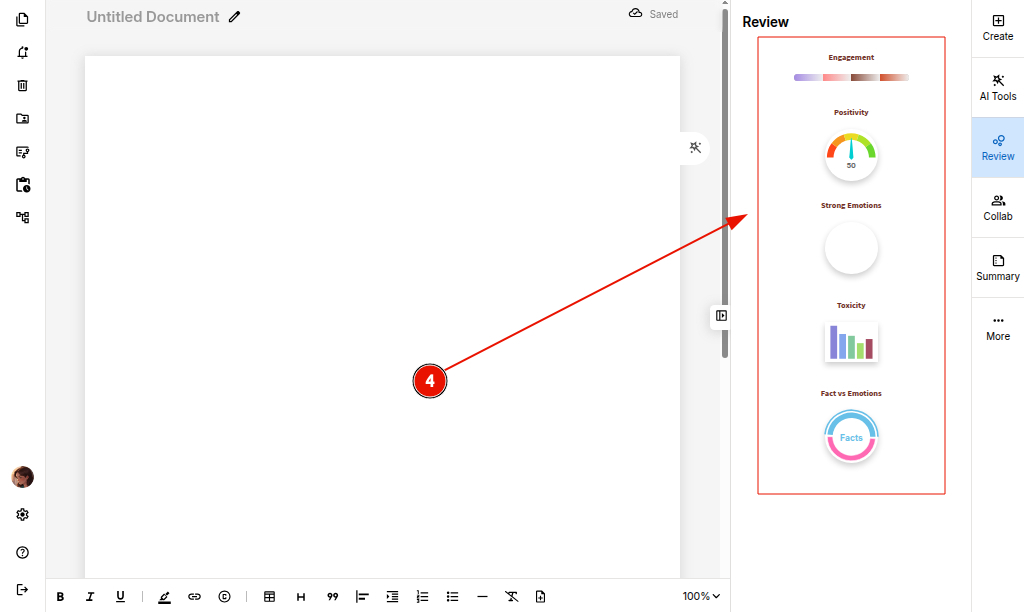
The Review panel helps you analyze the tone and emotional quality of your document.
You can analyze:
-
Engagement Score – Measures how engaging your content is.
-
Positivity Ratio – Identifies the balance of positive wording in your document.
-
Strong Emotions – Detects emotional intensity in the content.
-
Toxicity – Flags harsh, negative or potentially harmful language.
-
Facts vs Emotions Ratio – Shows whether your writing leans more towards factual statements or emotional expression.
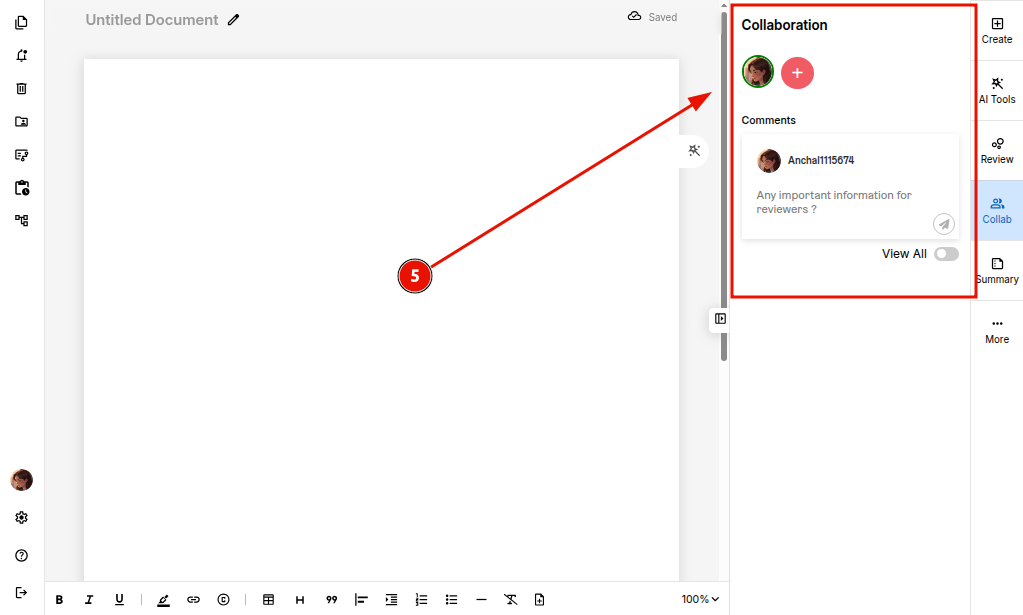
4. Collaboration
The Collaboration panel enables teams to work together efficiently in real time, simplifying review and co-editing across your organization.
You can:
-
Add Reviewers – Invite team members to contribute to the document.
-
Share Documents – Provide secure,controlled access to your content.
-
Collect Comments – Gather feedback in one centralized place.
-
Co-edit Content – Edit simultaneously with your team for faster turnaround.
5. Summary
The Summary panel provides instant insights into your entire document, helping you quickly understand its structure and intent.
You get:
-
Auto-generated Summary – A quick overview of your document’s main message.
-
Paragraph Count – A breakdown of total paragraphs for easy assessment.
-
Content Intent – Identifies the purpose behind your writing.
-
Key Highlights – Extracts the most important points from your content.
You can also explore the Generate Next feature to automatically continue and expand the content when needed.