
ProofLex
Open Appi-Resonate Help Center
ProofLex Help
Document Creation
Proofreading
Doc Insights
Team Management / WorkFlows
Microsoft Word Plugin
Microsoft Outlook Plugin
ContentCraft Help
MindWrite Help
Export the Document in PDF or Word Format
Exporting your document is the final step that moves your work out of ProofLex and into a format you can use anywhere.
It means saving the file you created or edited in ProofLex into a downloadable format such as PDF or Word.
NOTE : If you have mapped your Microsoft Office 365 account using OneDrive or GoogleDrive using its app on Windows or MacOS, you would be able to export documents directly to OneDrive or GoogleDrive.
Steps to Export Your File Safely :
Once you open your document into the editor. Follow the Steps:
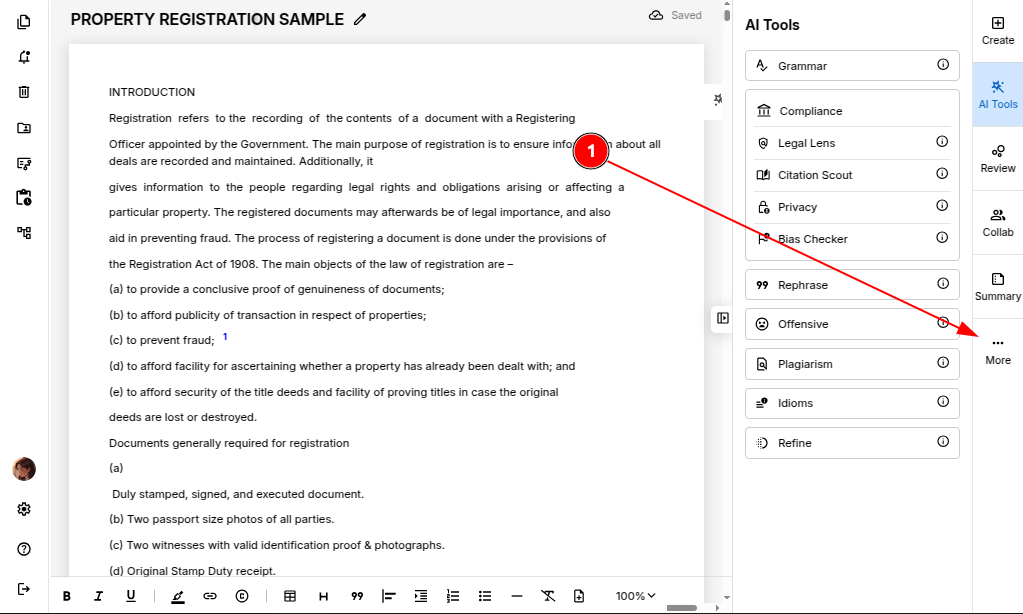
Step 1: Click on the three dots, visible in the right navigation bar.
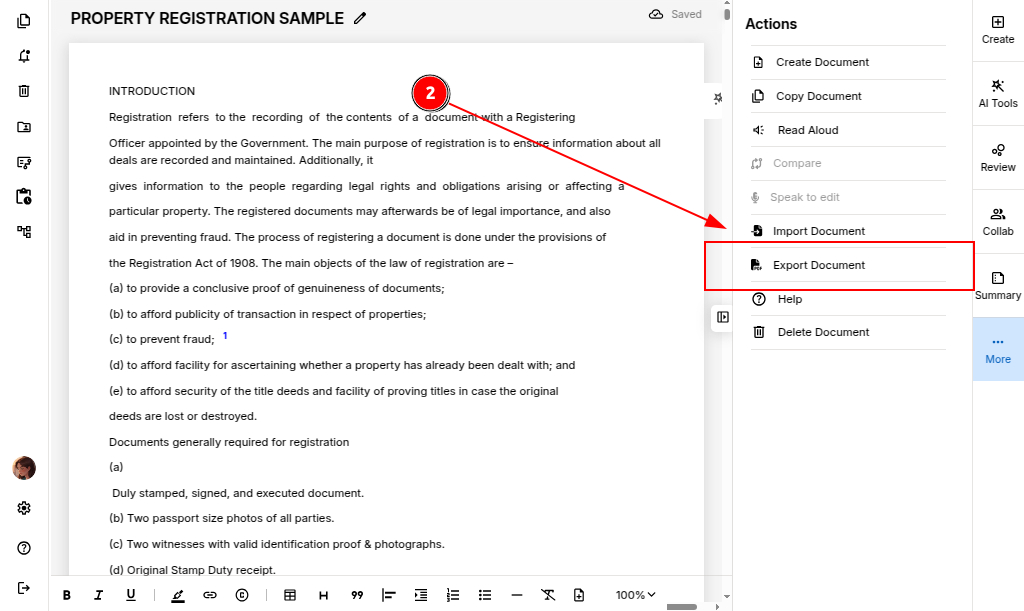
Step 2: Select “Export Document.”
Step 3: Choose any one of the export format: PDF or MS Word.
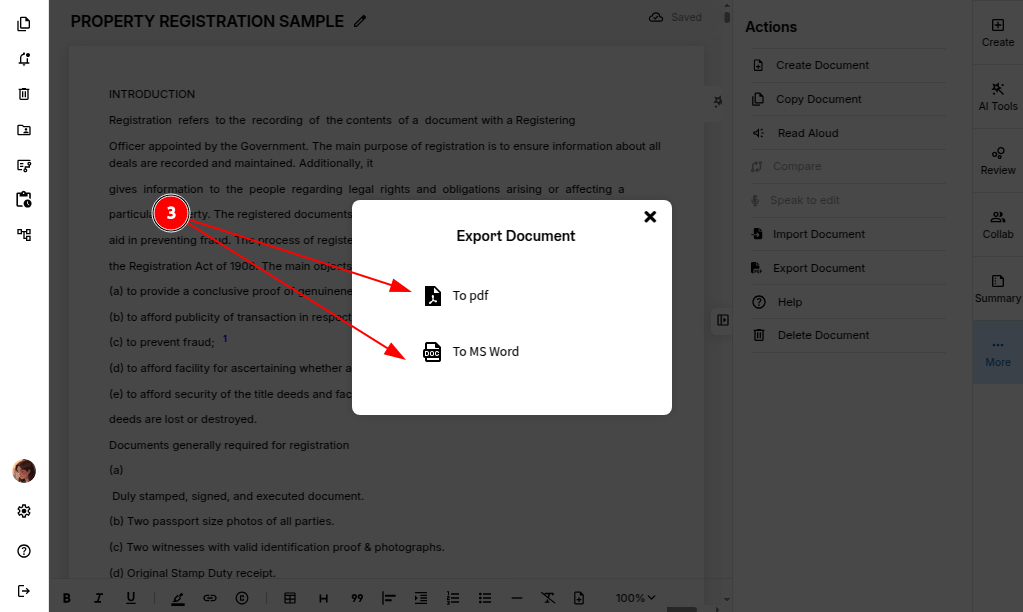
Your document will be successfully exported and ready for sharing.
NOTE: When you export your file, you may notice minor formatting changes. ProofLex prioritizes proofreading accuracy over layout design, so you can easily make any final layout changes in MS Word to get the look you want.
You can also explore common formatting tools supported by ProofLex.