You can also explore content intent analysis using the ProofLex dashboard to better understand the purpose and direction of your content.

ProofLex
Open Appi-Resonate Help Center
ProofLex Help
Document Creation
Proofreading
Doc Insights
Team Management / WorkFlows
ContentCraft Help
MindWrite Help
Generate personalized E-mails (Leader or Sub-ordinate) with ProofLex
Personalized emails are messages written with a human touch. They help build stronger connections, whether you’re a leader motivating your team or a subordinate sharing updates or feedbacks.
With ProofLex, you’re not limited to preset templates.You can also create fully personalized emails from scratch.
Here are the steps to generate personalized Emails :
Step 1: Click “Generate Email (Subordinate)” or “Generate Email (Leader)” based on your role and requirement.

Step 2: Enter the topic or purpose of your email.
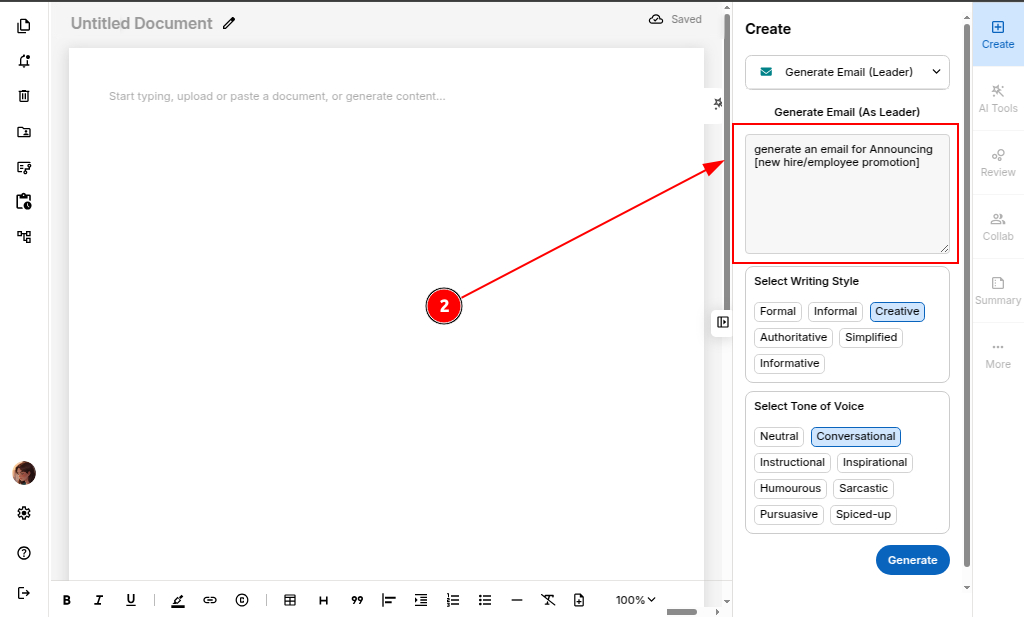
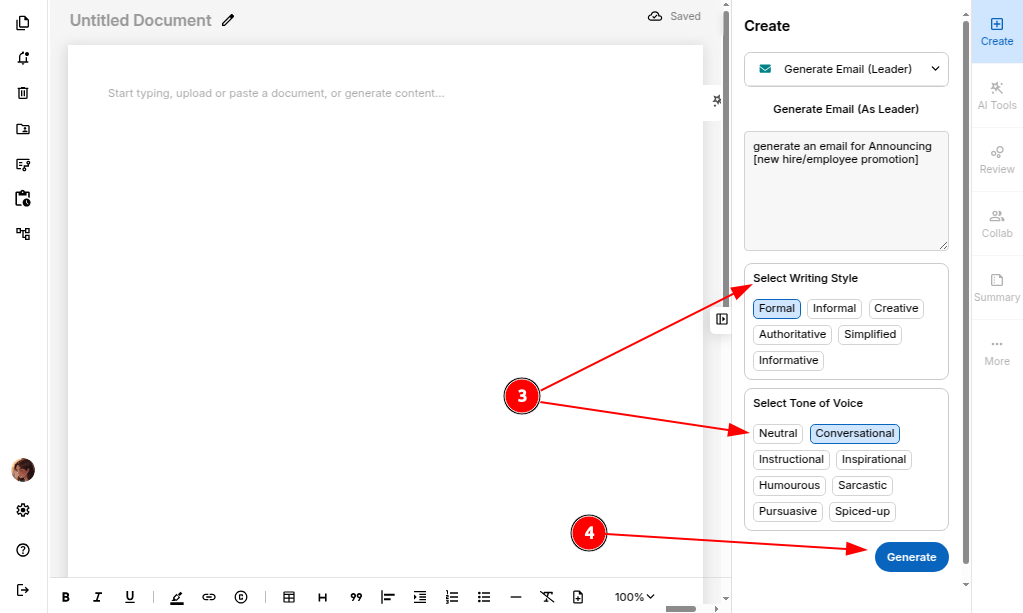
Step 3: Select your preferred tone of voice and writing style.
Step 4: Click “Generate” to let ProofLex create its magic.
ProofLex will instantly generate a complete email tailored to the topic and voice you provided.
Step 5: Click “Load in Editor” to refine your email further or you can also re-generate if you want a different version.

When you're satisfied with the final version, you can safely export your email.