
ProofLex
Open Appi-Resonate Help Center
ProofLex Help
Document Creation
Proofreading
Doc Insights
Team Management / WorkFlows
Microsoft Word Plugin
Microsoft Outlook Plugin
ContentCraft Help
MindWrite Help
How to check Plagiarism using ProofLex?
Plagiarism is the act of using someone else’s work or ideas without proper acknowledgment. It can be both intentional or accidental, but either way, it can harm credibility and invite legal issues.
In legal documents, it’s essential that your work is accurate and original. With ProofLex, checking plagiarism is quick and reliable, helping you ensure your contentlegal documents are properly cited and fully compliant.
Follow these Steps to plagiarism check your document:
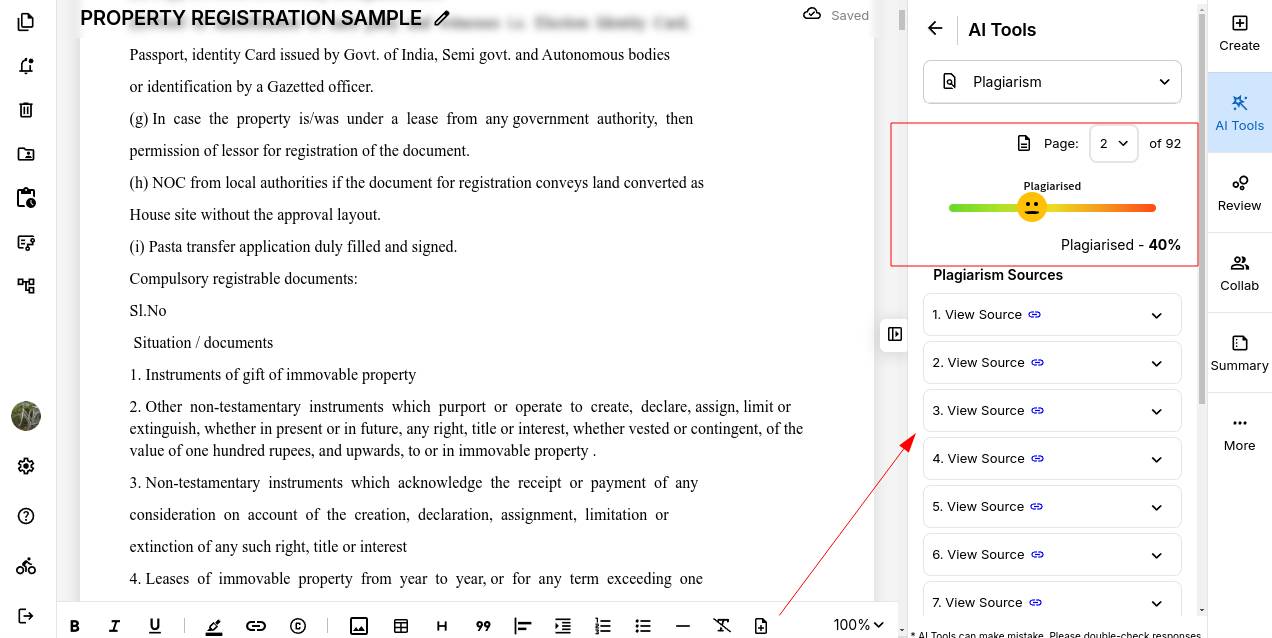
STEP 1: Import your document into the ProofLex editor. From the AI Tools dropdown menu, select Plagiarism to get started.
ProofLex will scan your document and highlight any text that matches external sources. A plagiarism score will appear, showing you exactly how much of your content has been flagged.
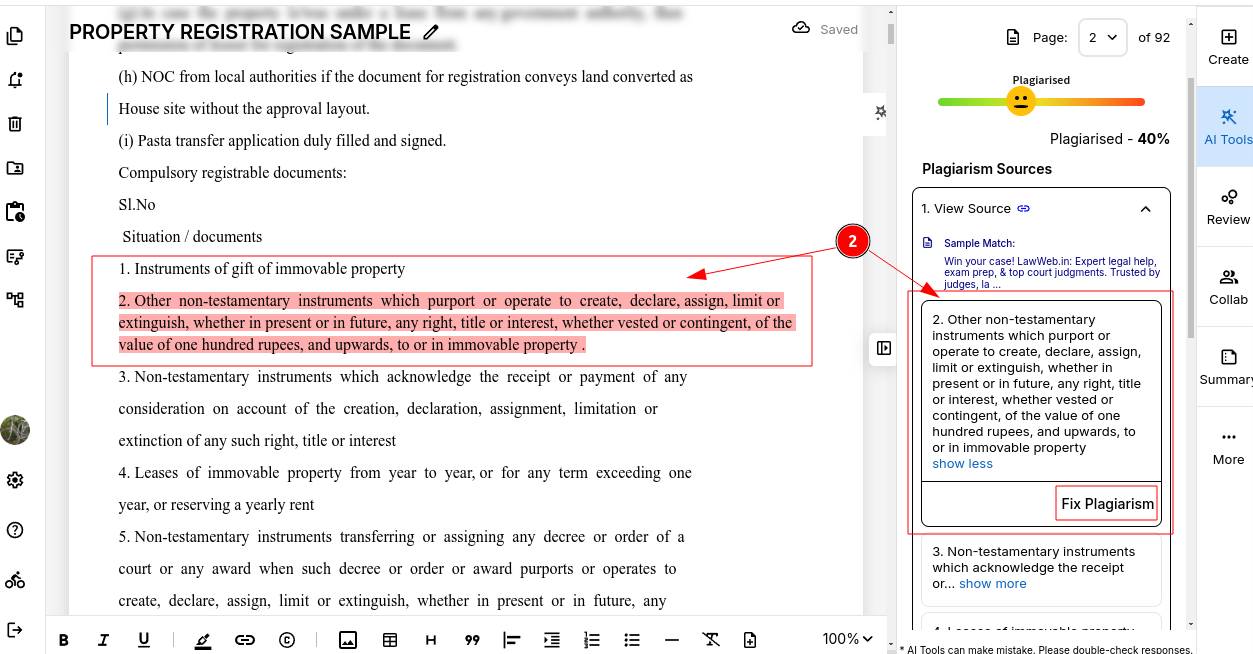
STEP 2: Click on any highlighted sentence to review it. Then click "Fix Plagiarism" to begin rephrasing the flagged text and make it uniquely yours.
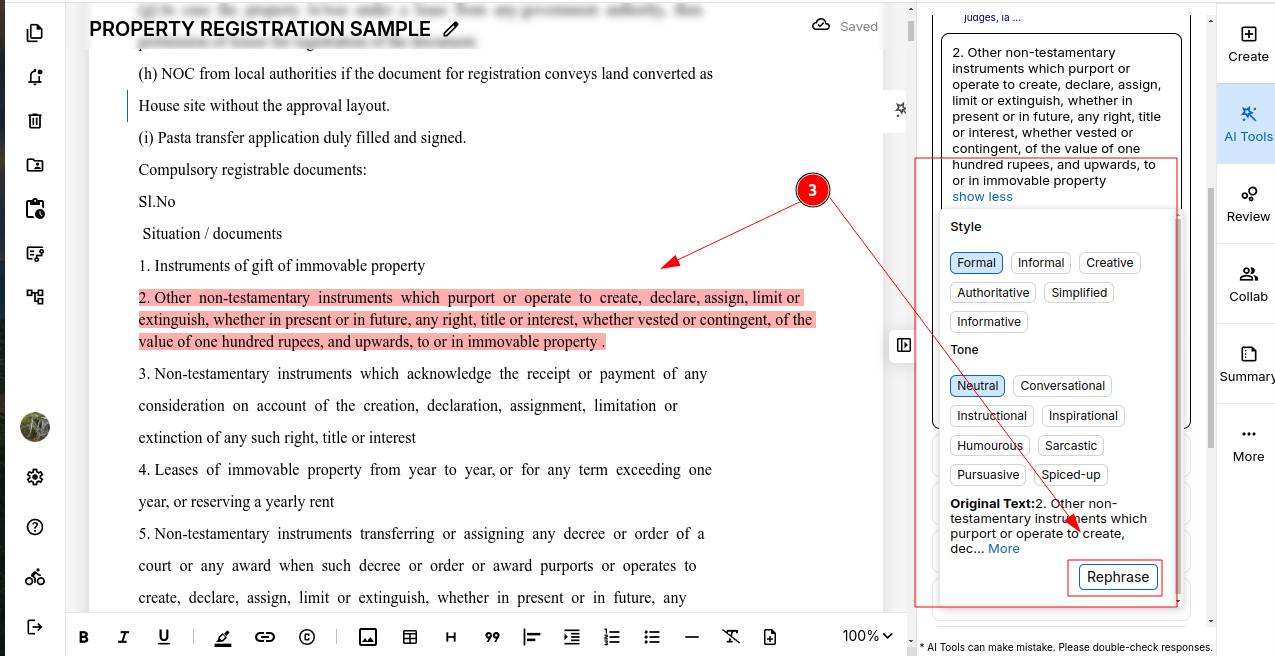
STEP 3: Before rephrasing, select your preferred tone and writing style. Once you are happy with your settings, click "Rephrase."
STEP 4: ProofLex will generate a rephrased version of the flagged sentence. If it works for you, click "Use" to replace the original text automatically.
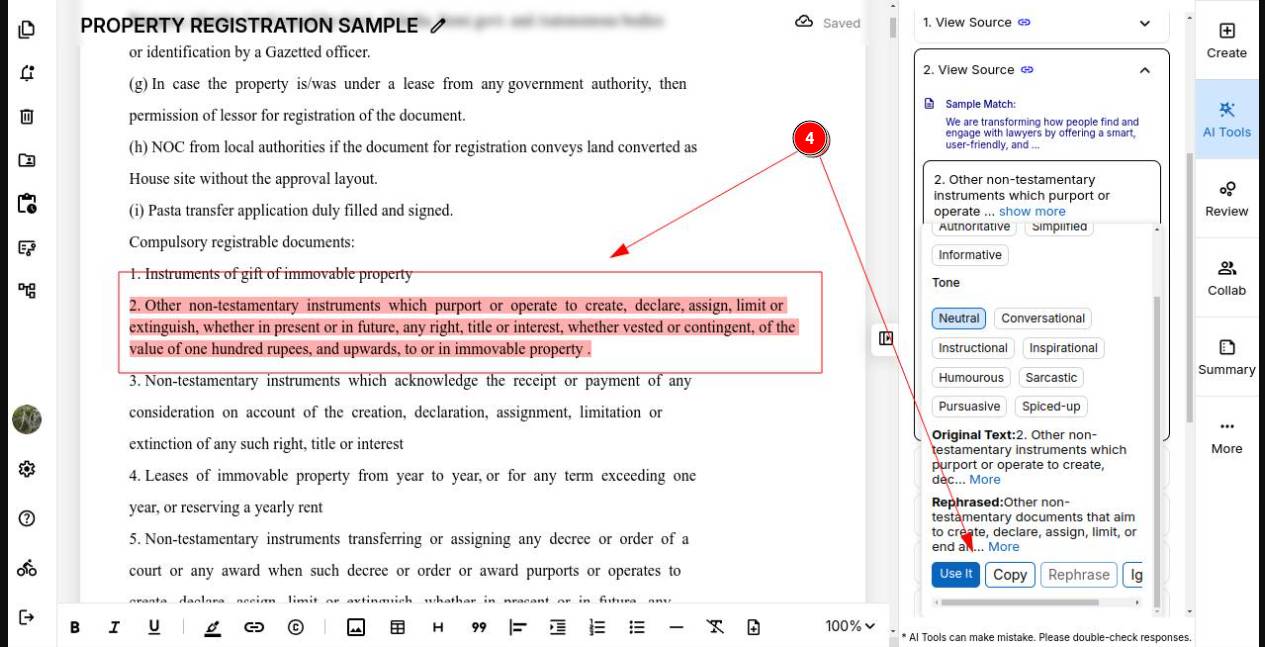
Once the current page is plagiarism-free, you can move on to the next page.
Scroll through your document or click Next Page to continue checking and fixing your content page by page.
Combine the Plagiarism check with ProofLex's Grammar and Readability tools to ensure your content is clear and engaging too.