
ProofLex
Open Appi-Resonate Help Center
ProofLex Help
Document Creation
Proofreading
Doc Insights
Team Management / WorkFlows
Microsoft Word Plugin
Microsoft Outlook Plugin
ContentCraft Help
MindWrite Help
How to remove an existing Citation in ProofLex
Removing a citation in ProofLex takes just a few seconds.
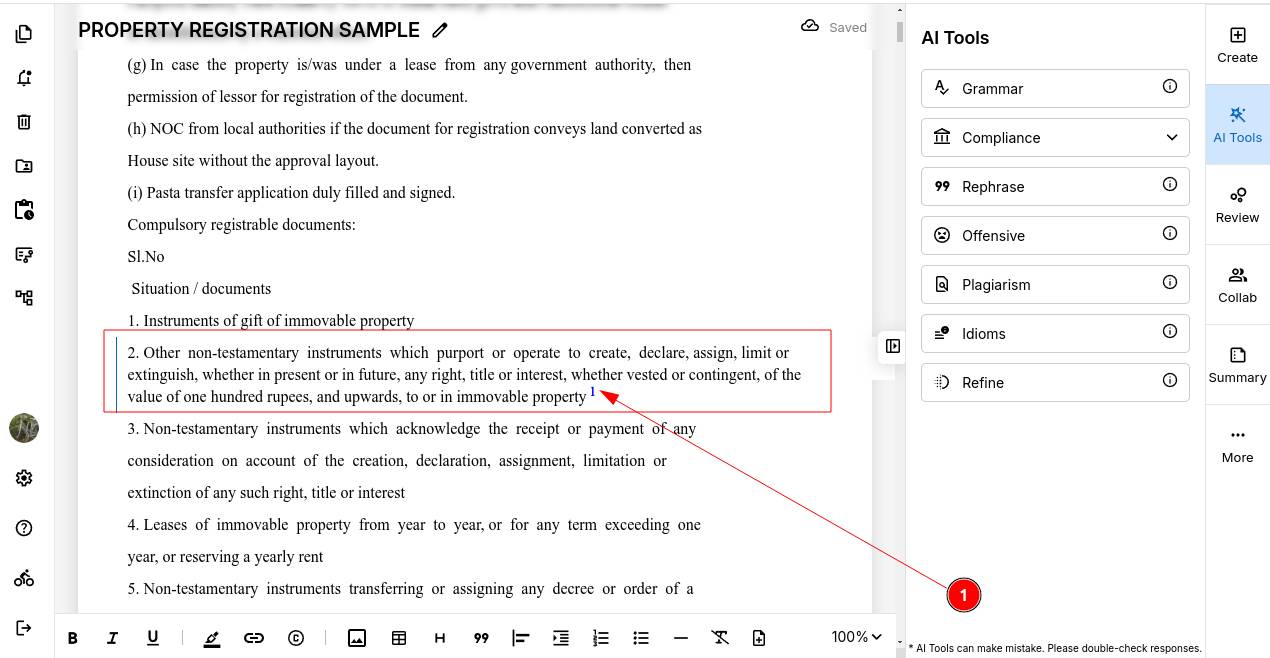
STEP 1: Navigate to the Citation. Scroll through your document and click on the cited line you want to remove.
STEP 2: Once you click on the cited line, a "remove icon" will appear alongside it, similar to the image shown below.
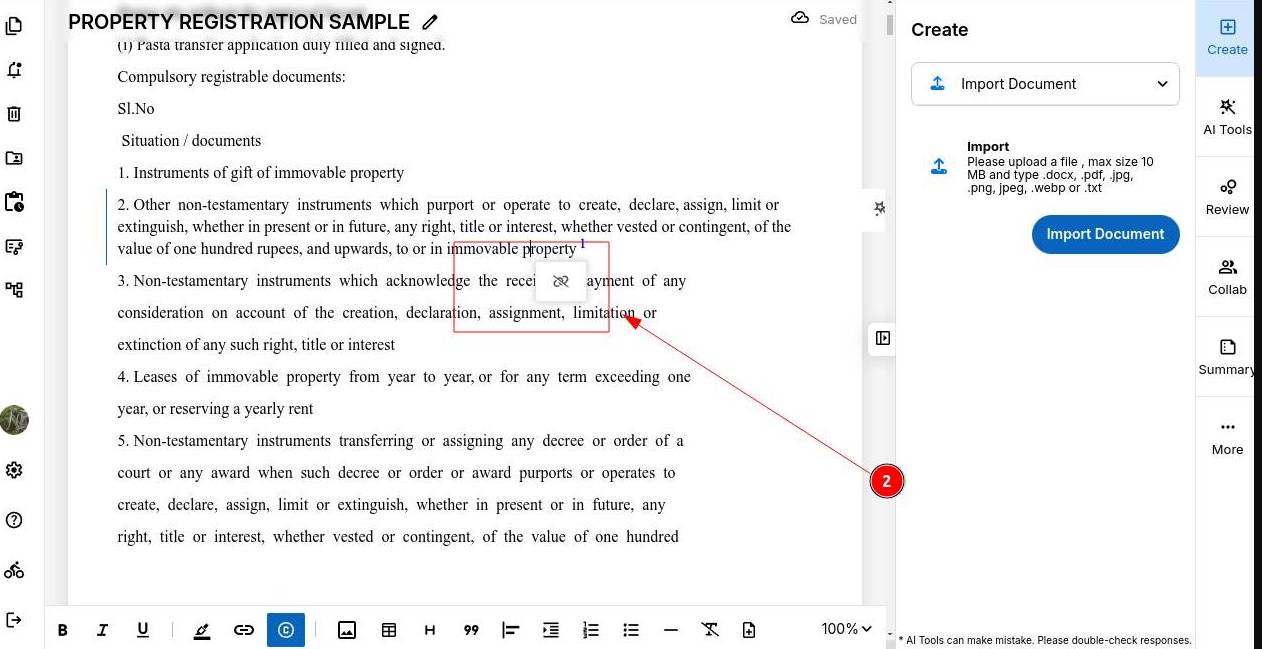
STEP 3: Click the "remove icon" and the citation will be removed from your document automatically.
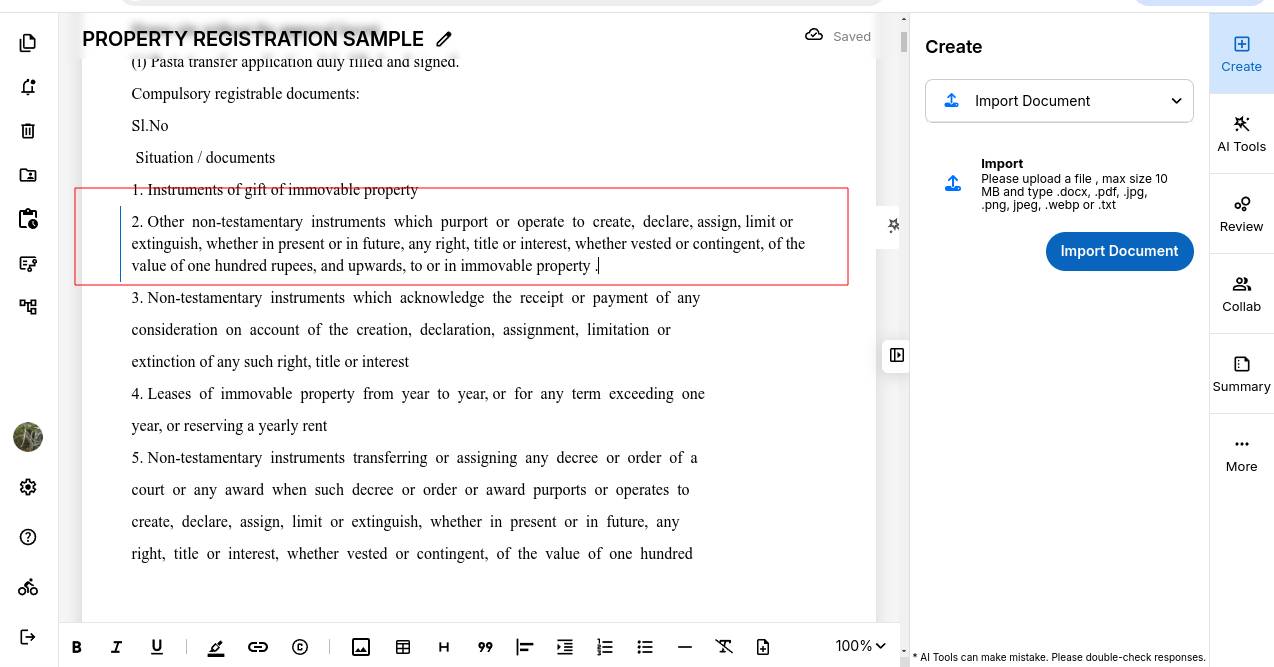
NOTE: Removing a citation only removes the reference link, it does not delete the text it was attached to. Your content stays exactly as it is.
You can also explore bias detection tool in ProofLex.