NOTE : Refining sentences using Idioms is a Premium feature, available only to ProofLex Pro users.

ProofLex
Open Appi-Resonate Help Center
ProofLex Help
Document Creation
Proofreading
Doc Insights
Team Management / WorkFlows
Microsoft Word Plugin
Microsoft Outlook Plugin
ContentCraft Help
MindWrite Help
Refine your content with Idioms using ProofLex
Idioms are common phrases that people use in everyday language, but their meaning is different from the literal words.
For example, “break the ice” doesn’t mean breaking actual ice, it means starting a conversation in a friendly way.
Idioms make writing and speech sound more natural, expressive and human when used in the right context.
Refining sentences with idioms can improve how your message lands, but overuse or poor placement can confuse readers. ProofLex helps you apply idiomatic expressions thoughtfully, ensuring your writing stays professional.
How to Analyze and Refine Idioms in ProofLex:
STEP 1: Open your document in the ProofLex editor, click “Idioms” from the AI Tools menu.
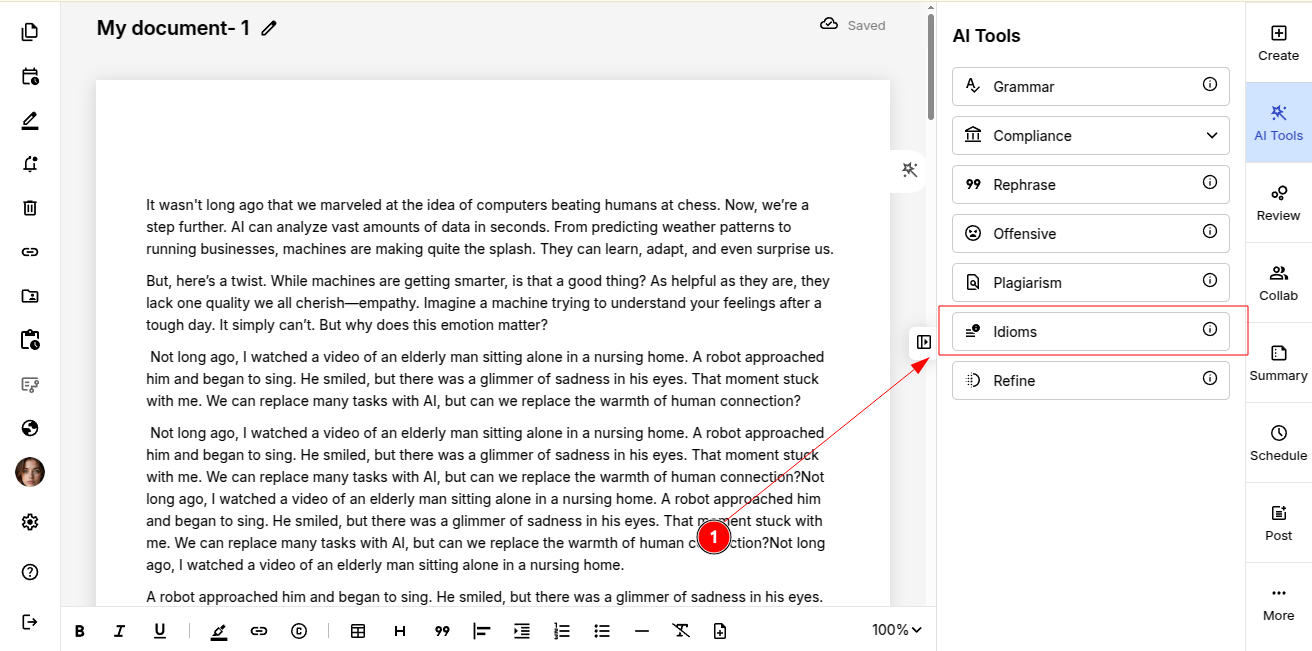
IMPORTANT: Idioms refinement in ProofLex works paragraph by paragraph. Make sure to select a particular paragraph to get the suggestions.
Review the suggestions and select the idiom that best fits your content and context.
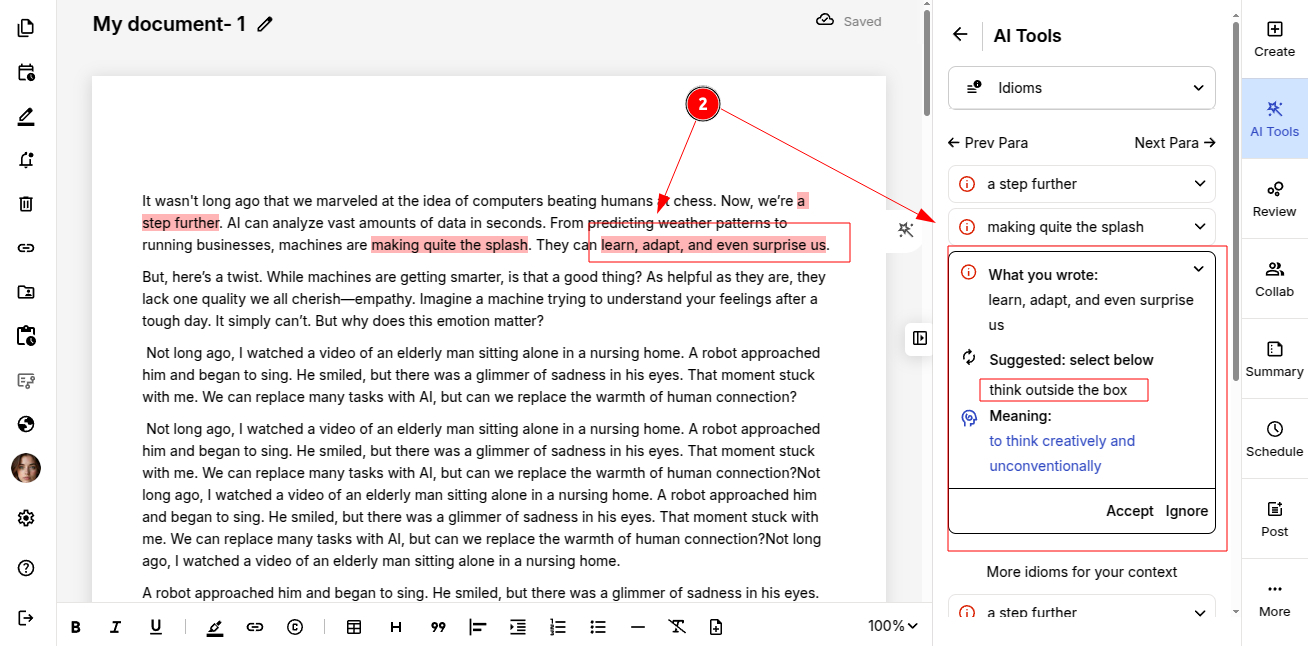
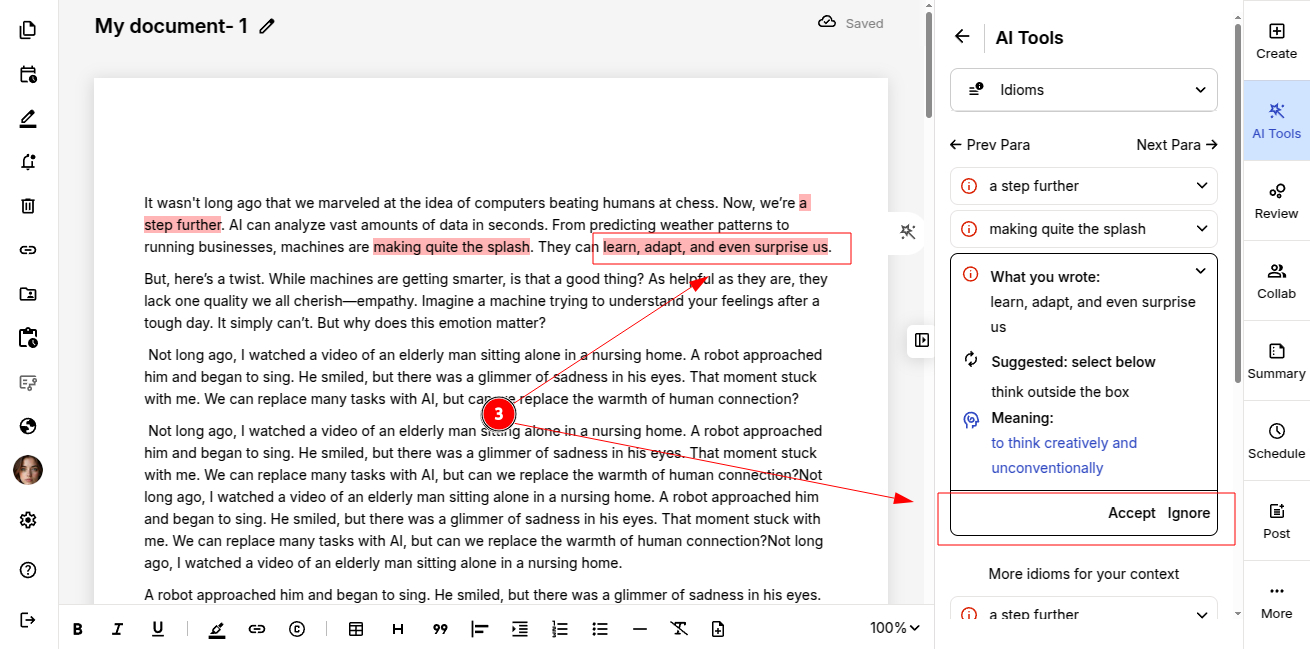
STEP 3: Accept or Reject the Idiom
You can either:
-
Accept the suggested idiom.
-
Reject it if it doesn’t suit your tone or intent.
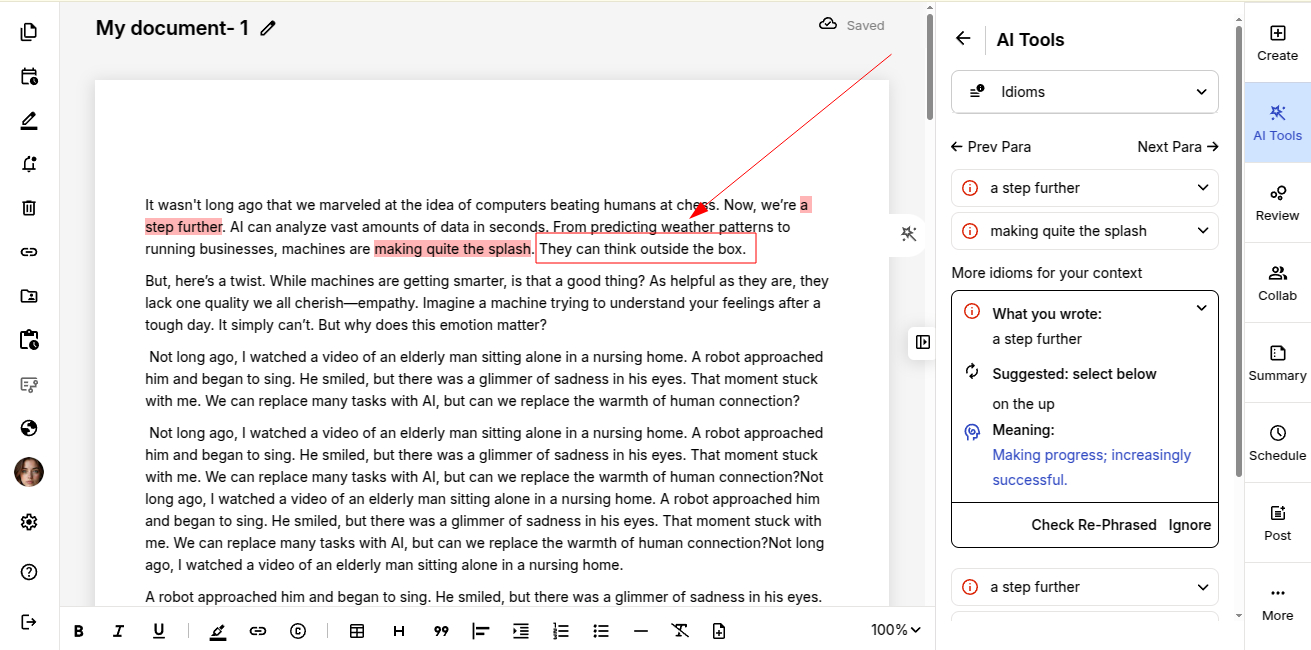
Once accepted, the idiom is automatically inserted into the document.
You can also refine your content to amplify its impact by using Similar words.