
ProofLex
Open Appi-Resonate Help Center
ProofLex Help
Document Creation
Proofreading
Doc Insights
Team Management / WorkFlows
Microsoft Word Plugin
Microsoft Outlook Plugin
ContentCraft Help
MindWrite Help
Removing team members from Enterprise Account
If you need to replace a team member assigned under your Purchase Order (PO), i-Reosnate gives you two simple options depending on your requirement.
Option 1: Delete the Member from the Team
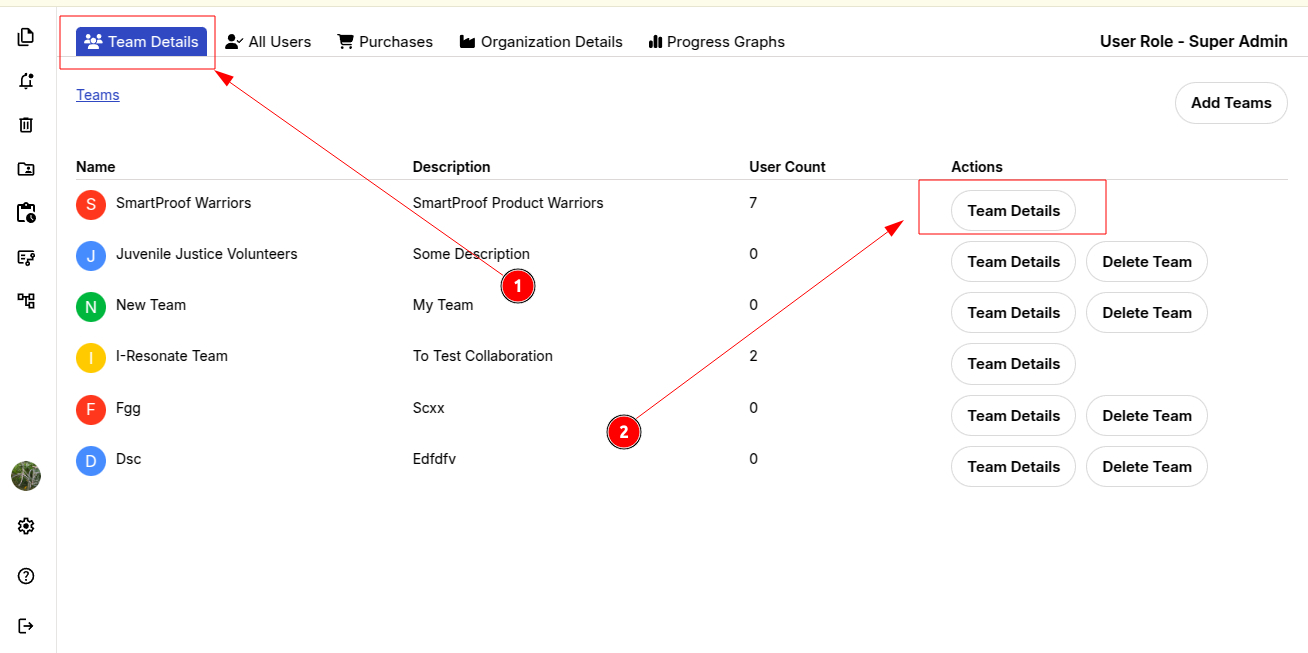
To delete a member from the team, follow these steps under Plan's Manage Teams:
STEP 1: Go to Team Details.
STEP 2: Open the relevant team.
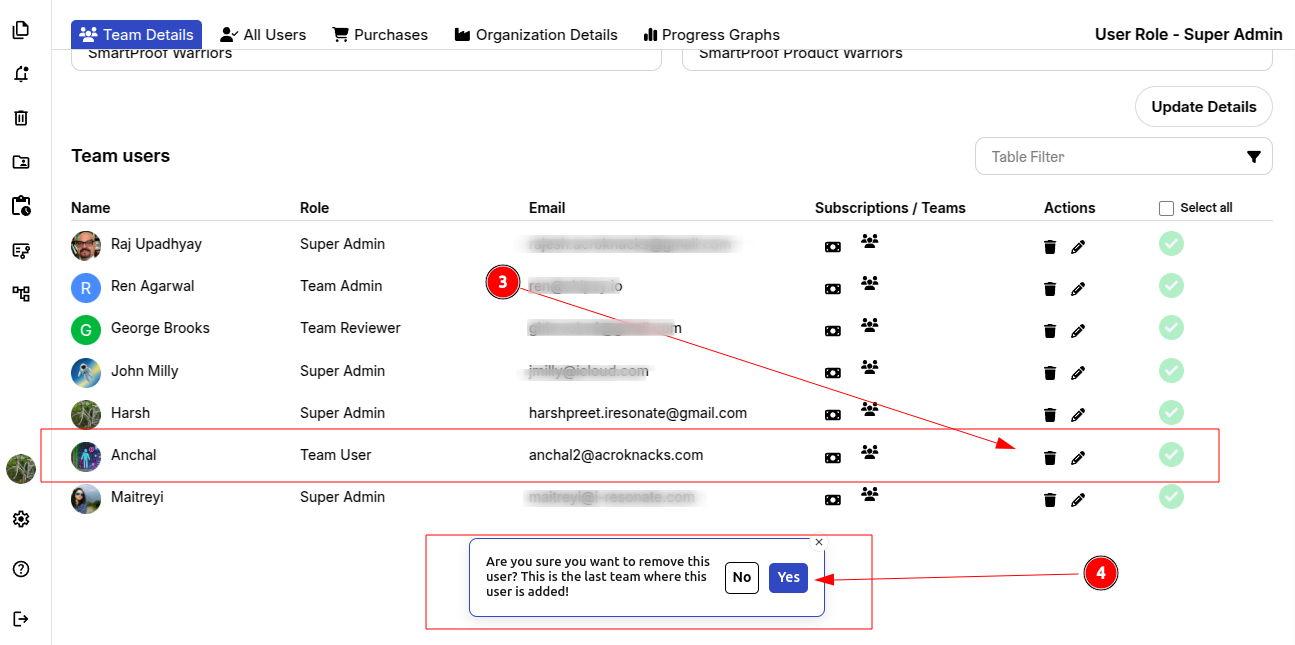
STEP 3: A list of all team members will appear. Select the member you want to remove and click the Delete icon.
STEP 4: Confirm by selecting “Yes” to complete the removal.
Option 2: Remove the Member from the Purchase Order (PO).
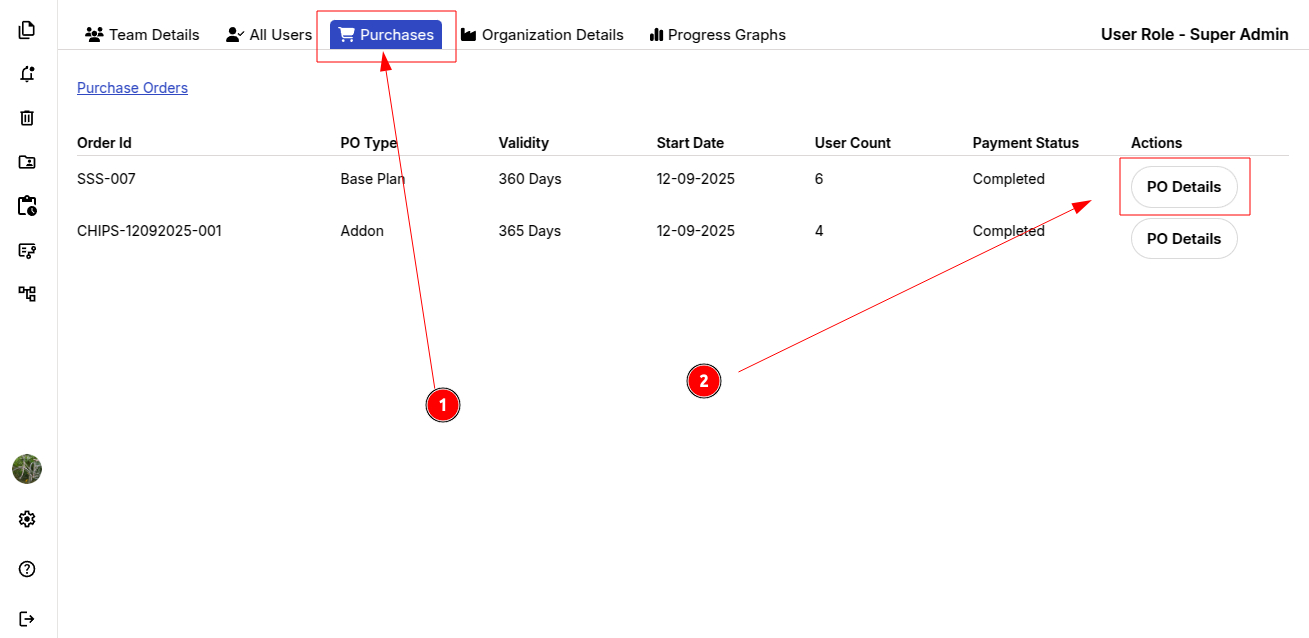
To remove a user directly from an assigned PO, follow these steps under Manage Teams:
STEP 1: Select “Purchase” from the top menu bar.
STEP 2: Open the relevant PO details.
STEP 3: A list of all members assigned to the PO will appear. Select the member you want to remove and click the Delete icon.
STEP 4: Confirm by selecting “Yes” to complete the removal.
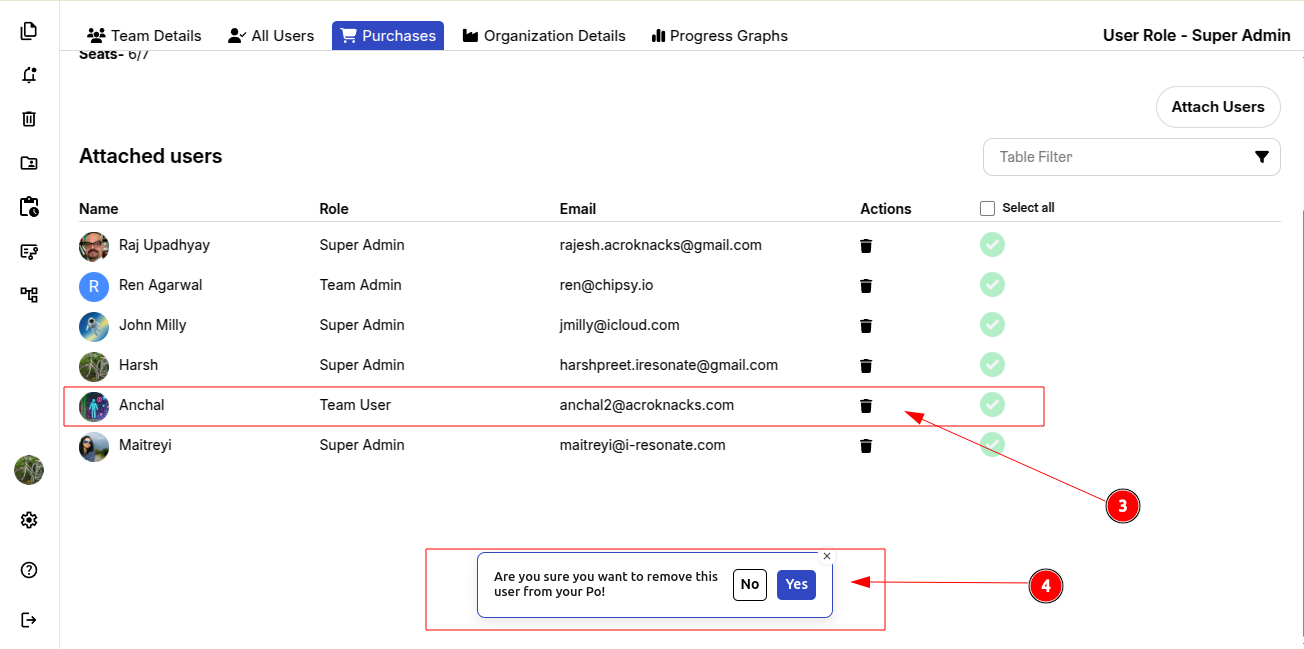
Once a member is removed from the PO/team, they will immediately lose access to workflow creation, and their account will be downgraded to the ContentCraft Trail plan.
You can also explore seamless document collaboration within your enterprise using ProofLex.