
ContentCraft
Open Appi-Resonate Help Center
ContentCraft Help
BrandVoice
Content Campaigns
Scheduling
Team Management / WorkFlows
ProofLex Help
MindWrite Help
ContentCraft Sign-Up with Personalized Brand Voice
A brand voice is the consistent way you express your thoughts and ideas through your content.
On social media, it’s what makes your posts feel familiar and authentic, even when the topics changes.
Creating a clear brand voice helps you write with confidence and consistency. Over time, this consistency helps your audience understand what you stand for and why they should follow you.
During sign-up, ContentCraft helps you define a personalized brand voice based on your background and audience. This makes it easier to create social media posts that sound like you.
Signing up for ContentCraft is quick and fast. Follow the steps below to create your account and begin your ContentCraft journey:
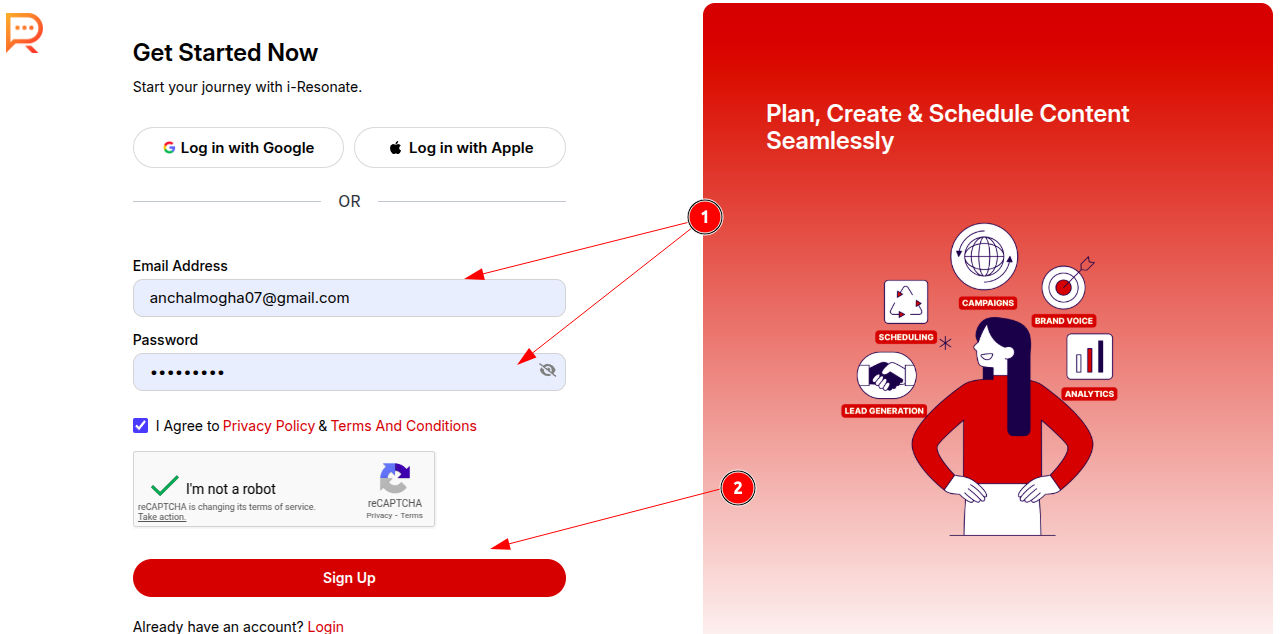
Once you visit: https://www.i-resonate.com/contentcraft/signup,
Step 1: Enter your email address and password to create your ContentCraft account.
Step 2: Click Sign Up.
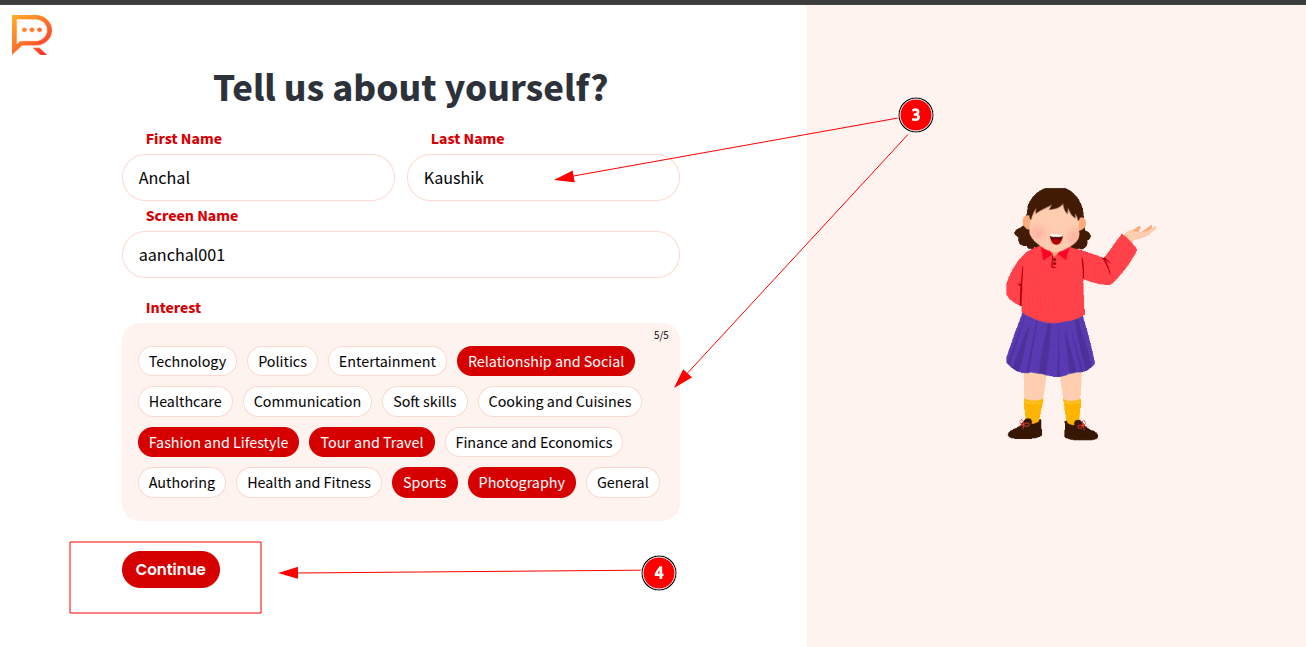
Step 3: Provide a brief introduction about yourself to complete your registration.
Step 4: Click Continue.
Your ContentCraft account is now successfully registered.
To personalize your experience, answer a few professional questions so ContentCraft can better understand your needs.
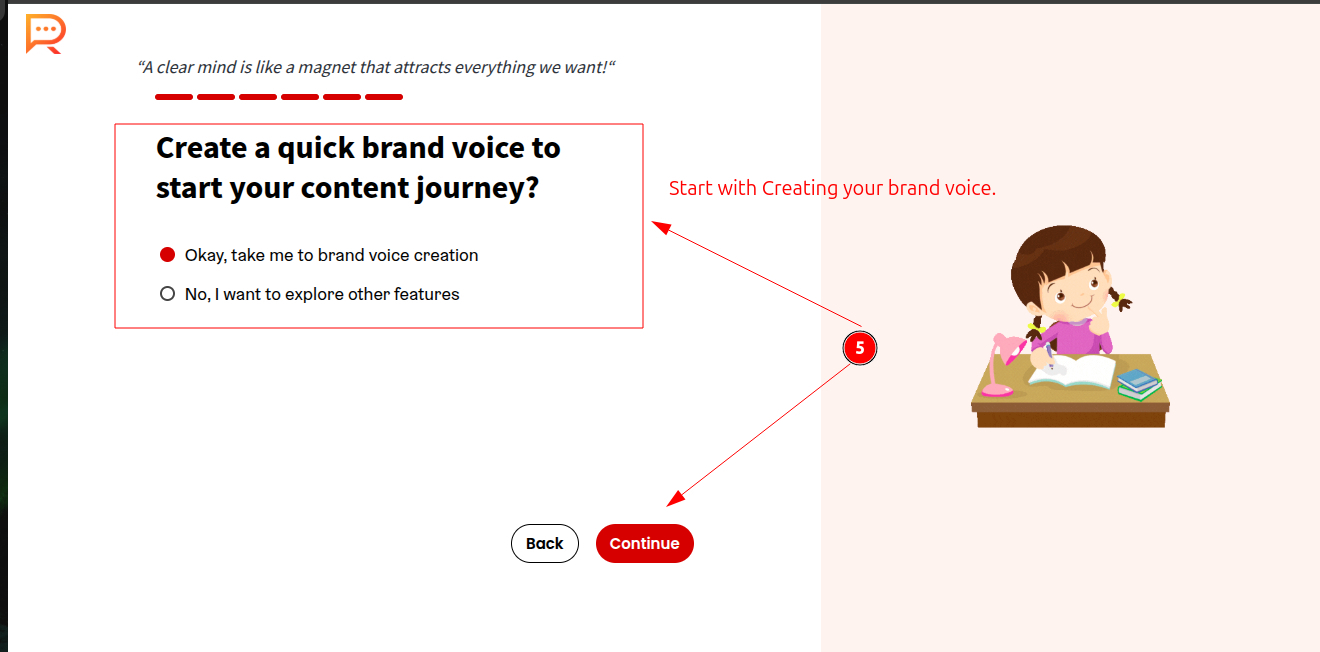
Step 5: Finally, Create your brand voice to begin content creation.
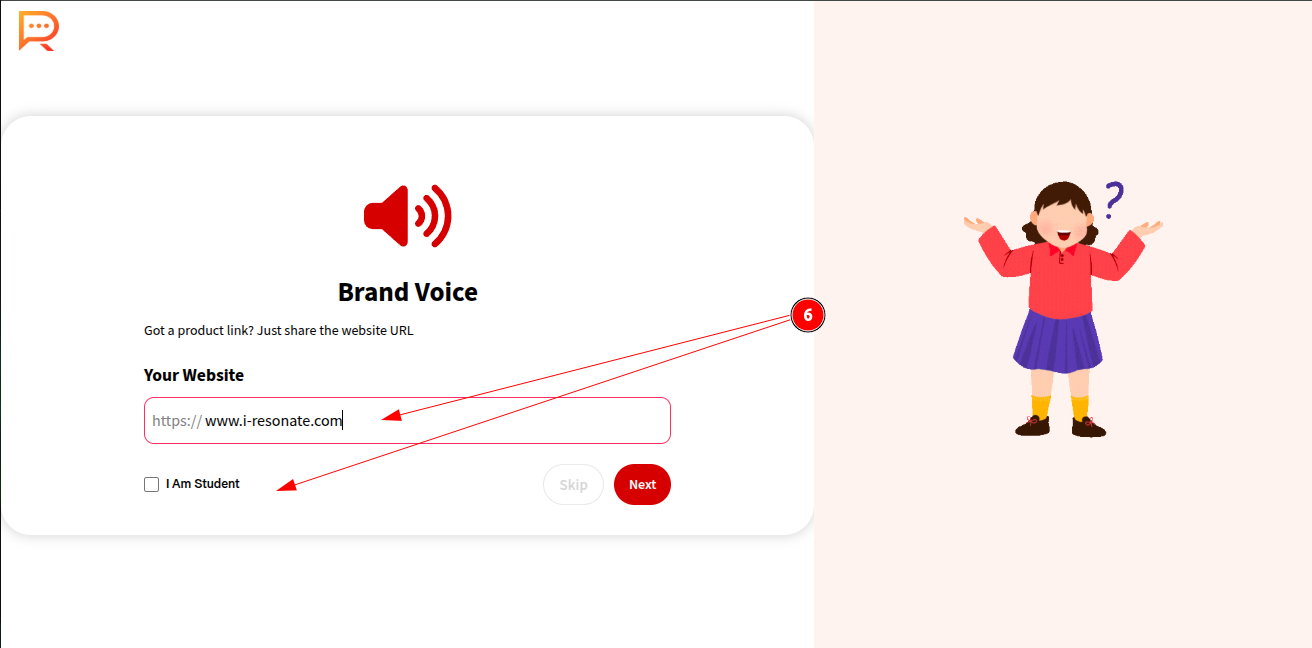
STEP 6: Enter your website URL.
(If you don’t have one, you can skip this step and continue.)
If you’re a student, simply select “I am a student” to proceed with creating your student brand voice.
Step 7: Choose the top three functions that best describe your role as an individual or within an organization.
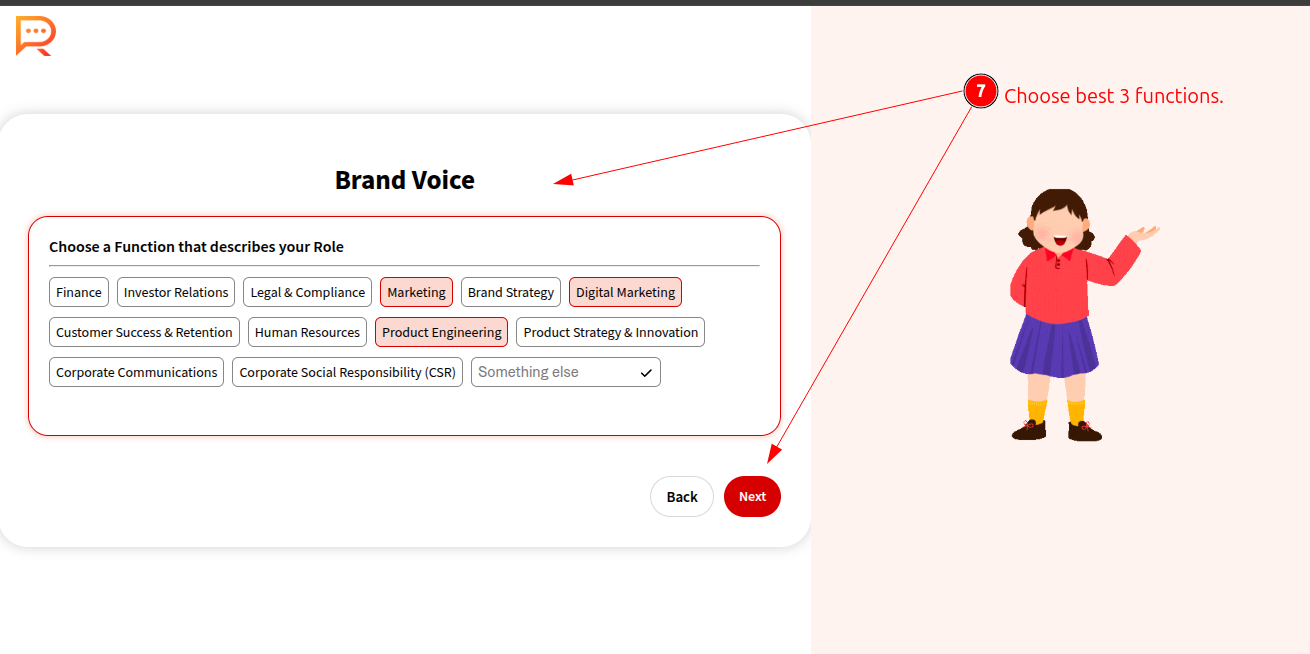
Step 8: Briefly describe your skills and key responsibilities.
Step 9: Share details about your target audience, including:
- Type of audience
- Interests
- Age group
- Location
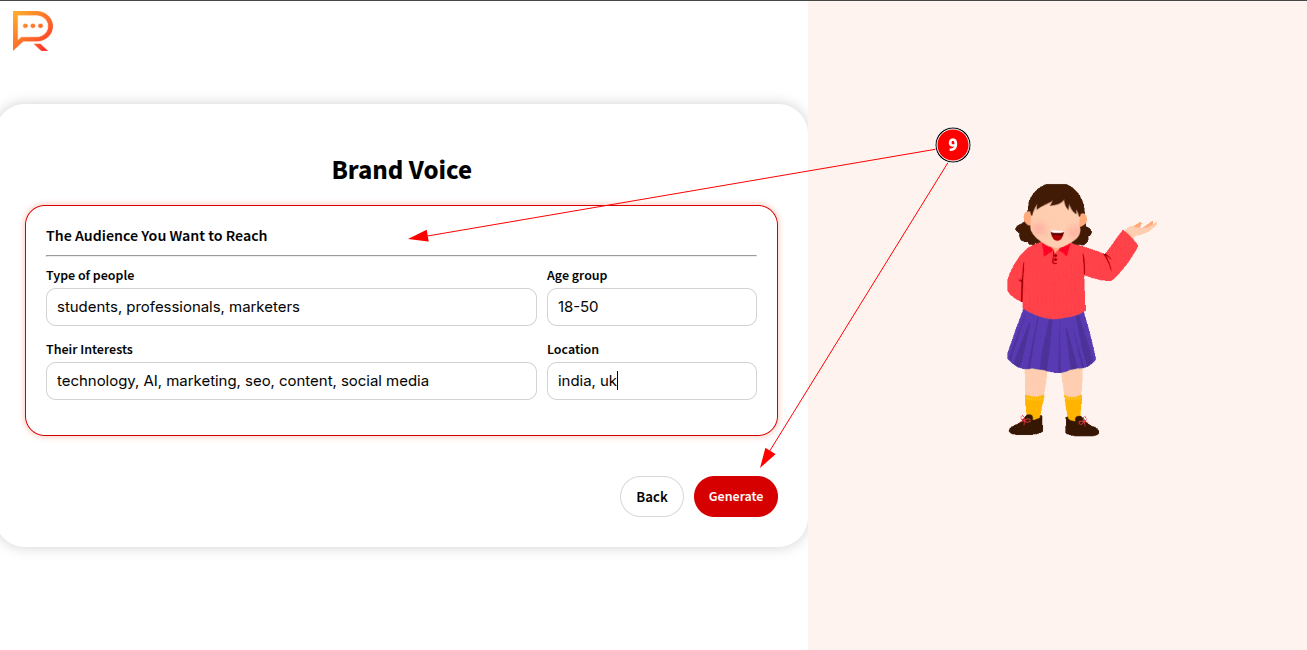
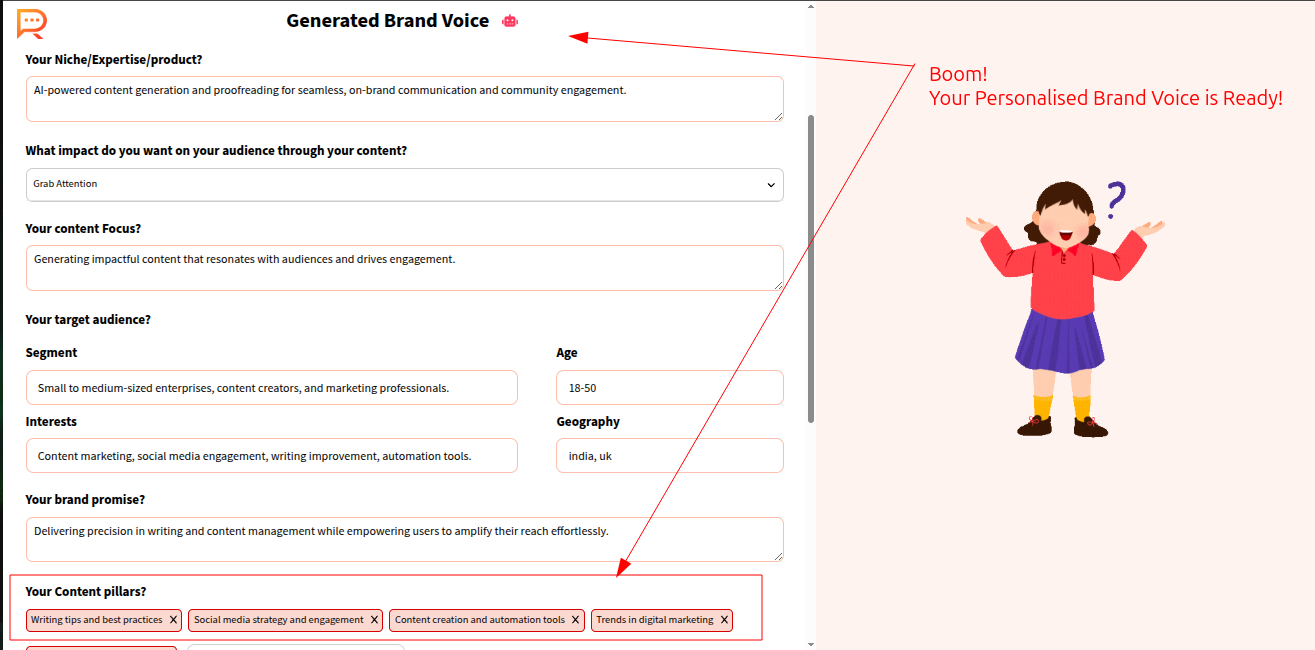
Step 10: Your personalized brand voice is generated along with clearly defined content pillars.
Give your brand voice a name and save it.
You’re all set now !
Your ContentCraft account is now fully set up. You can proceed to create your first content calendar and start publishing with confidence.