
ContentCraft
Open Appi-Resonate Help Center
ContentCraft Help
BrandVoice
Content Campaigns
Scheduling
Team Management / WorkFlows
ProofLex Help
MindWrite Help
How Students can create their Brand Voice using ContentCraft?
A brand voice is the consistent way you express your ideas and personality through writing.
For students, this could show up in blogs, LinkedIn posts, portfolios or project descriptions. It helps others understand who you are and what you stand for.
ContentCraft helps students define and apply their brand voice easily.
By guiding you through tone and content pillars, it ensures your writing stays consistent while still sounding like you.
Follow the steps below to create your account and begin your ContentCraft journey:
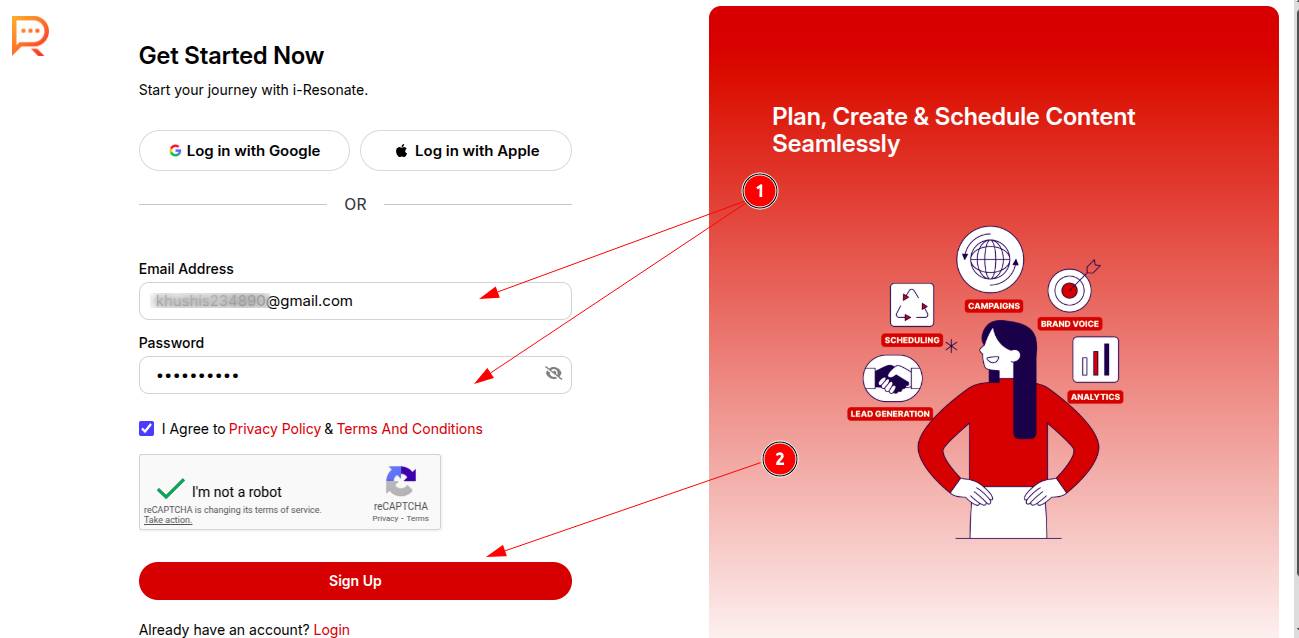
Once you visit: https://www.i-resonate.com/contentcraft/signup,
Step 1: Enter your email address and password to create your ContentCraft account.
Step 2: Click Sign Up.
Step 3: Provide a brief introduction about yourself to complete your registration.
Step 4: Click Continue.
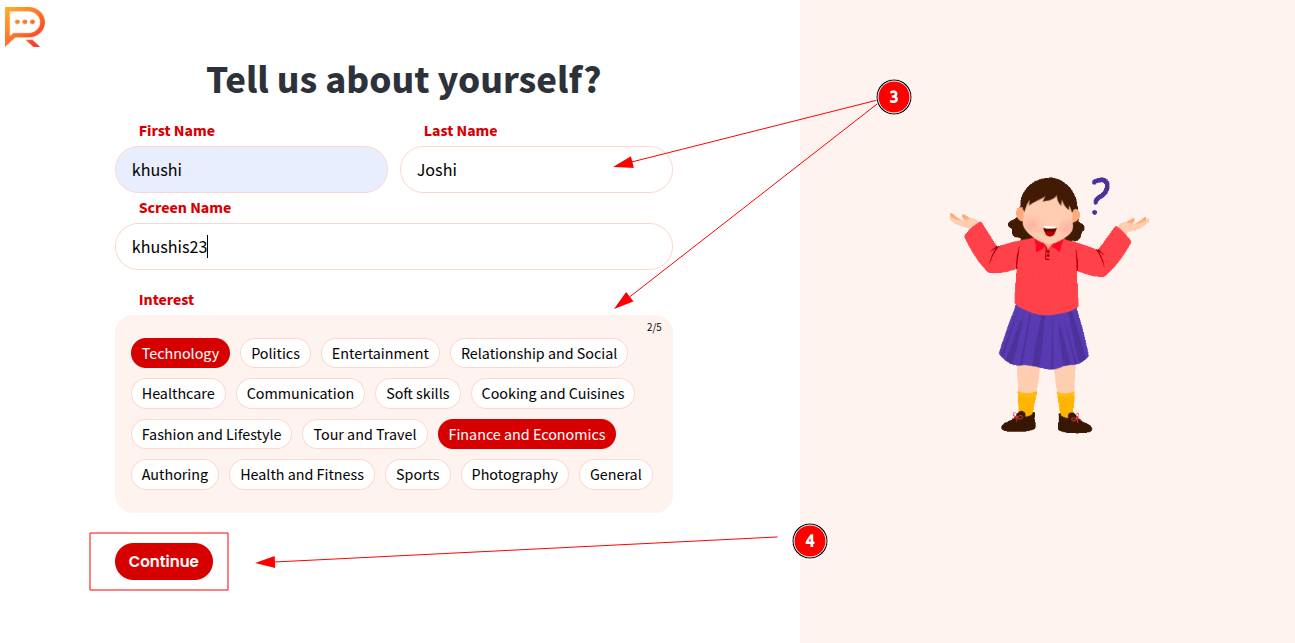
Your ContentCraft account is now successfully registered.
To personalize your experience, answer a few professional questions so ContentCraft can better understand your needs.
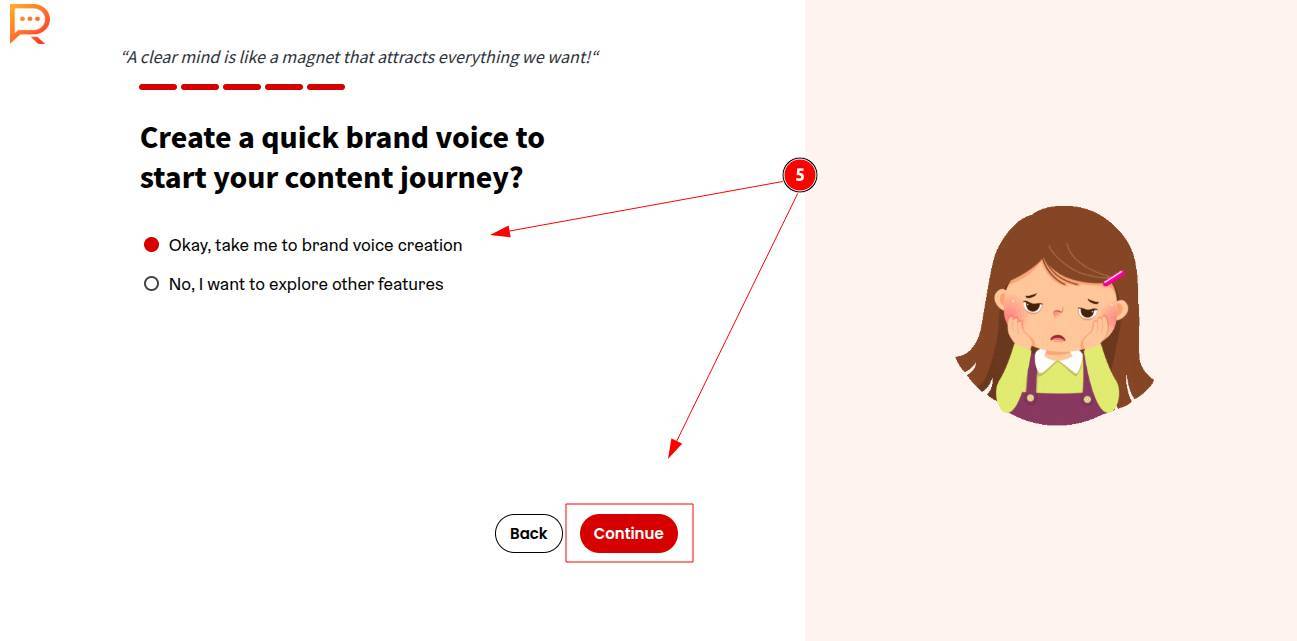
Step 5: Finally, Create your brand voice to begin content creation.
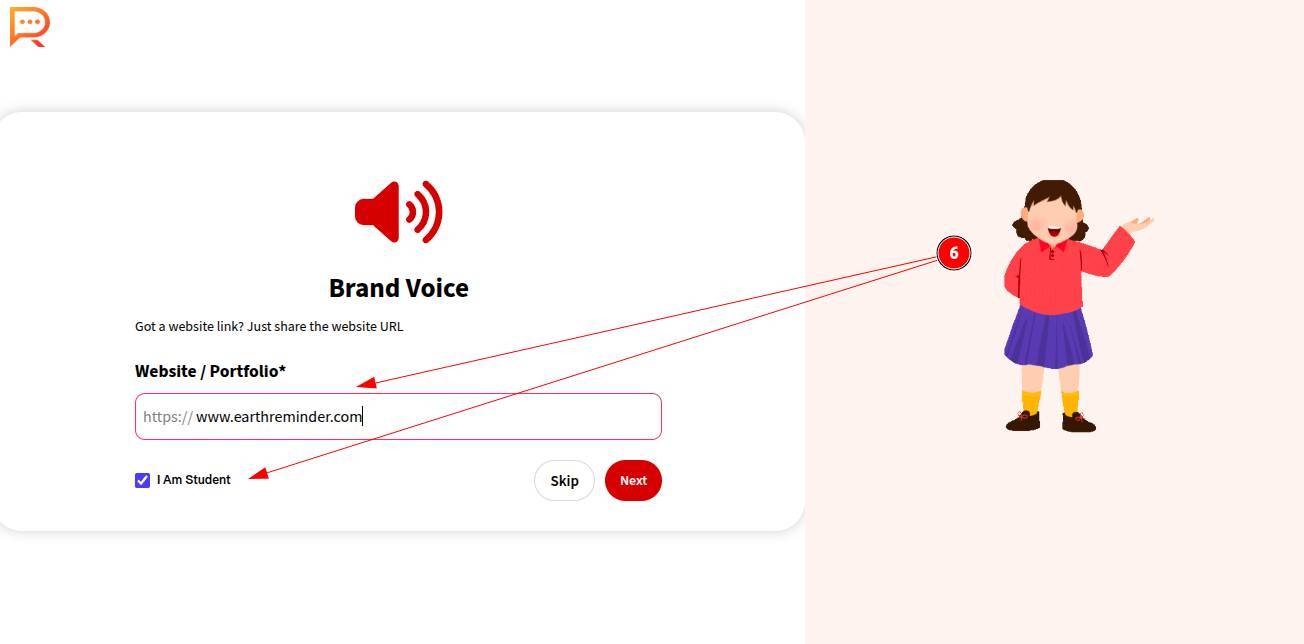
Step 6: Select “I am a student” to proceed.
Paste a link to your GitHub, Notion, Behance or personal website to help ContentCraft understand your background. If you don’t have any of these, you can skip this step.
Step 7: Select or write your field of study.
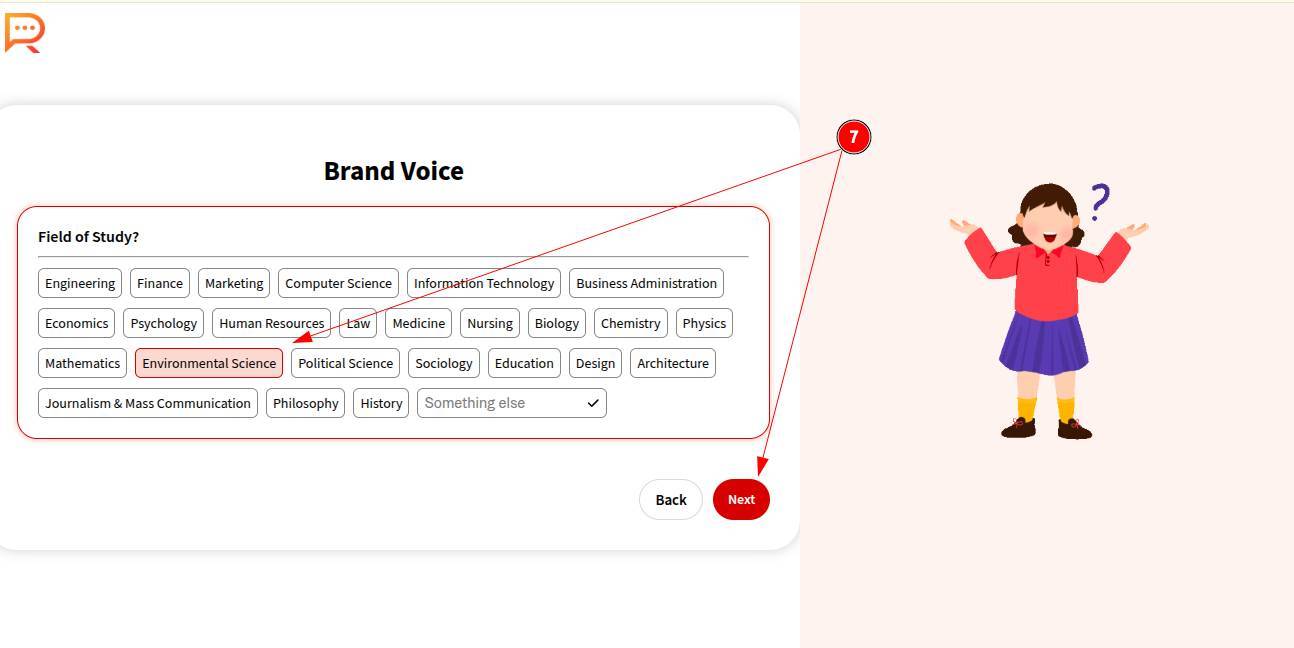
Step 8: Choose your major subjects.
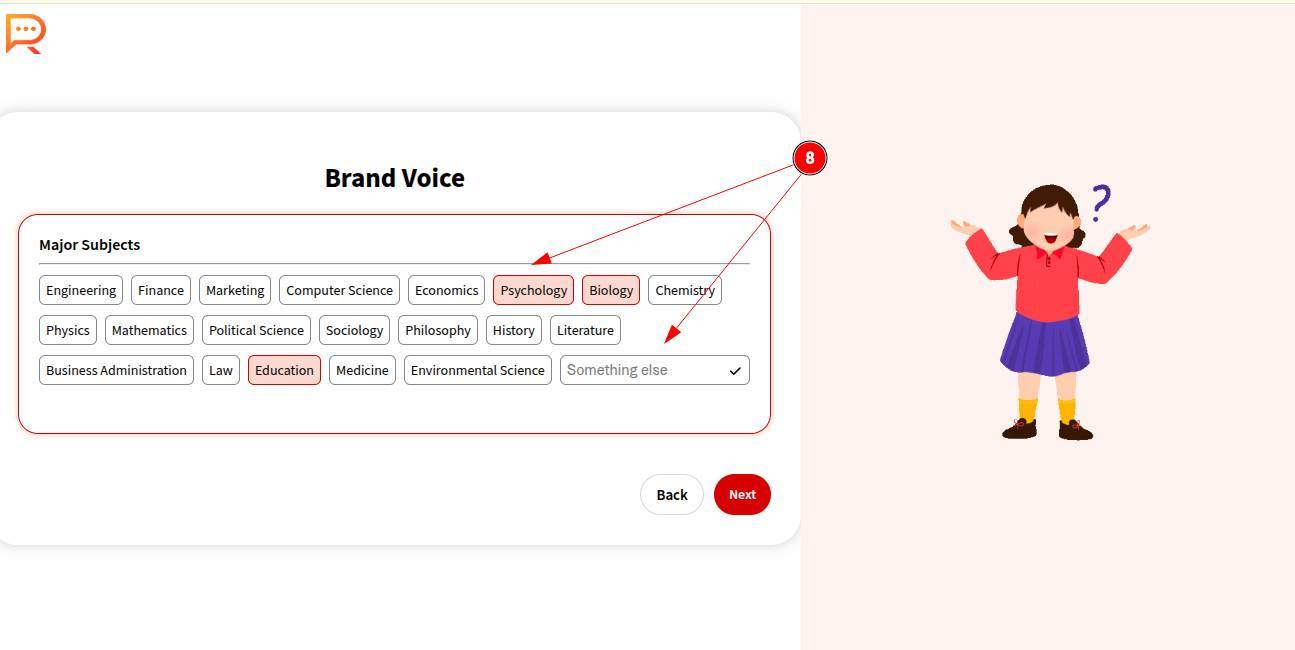
Step 9: Select your hobbies and interests (up to 5 selections).
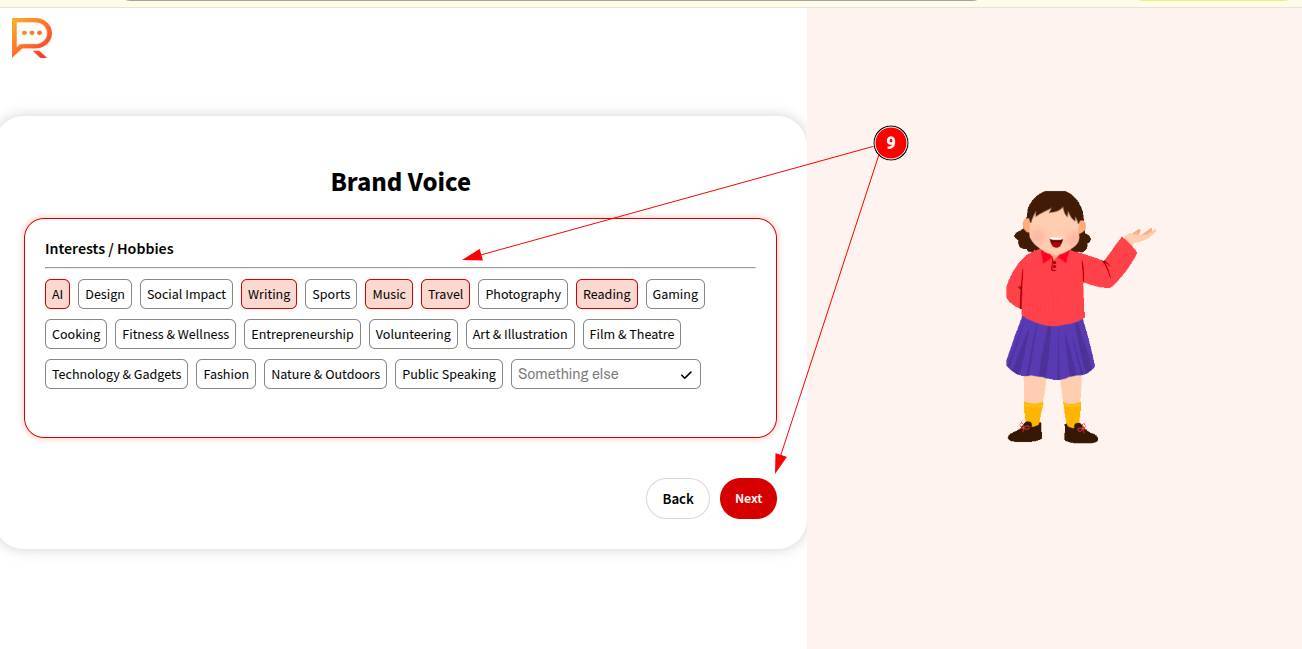
Step 10: Briefly describe a project idea or startup idea you’re exploring or would like to explore.
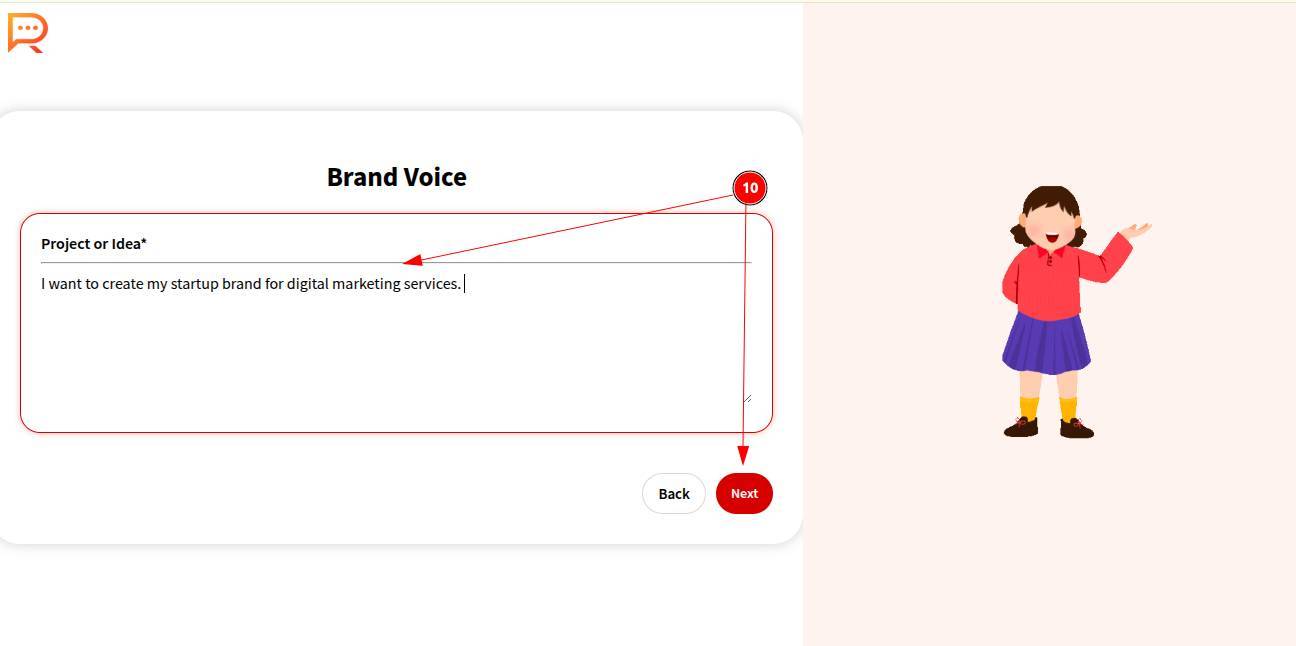
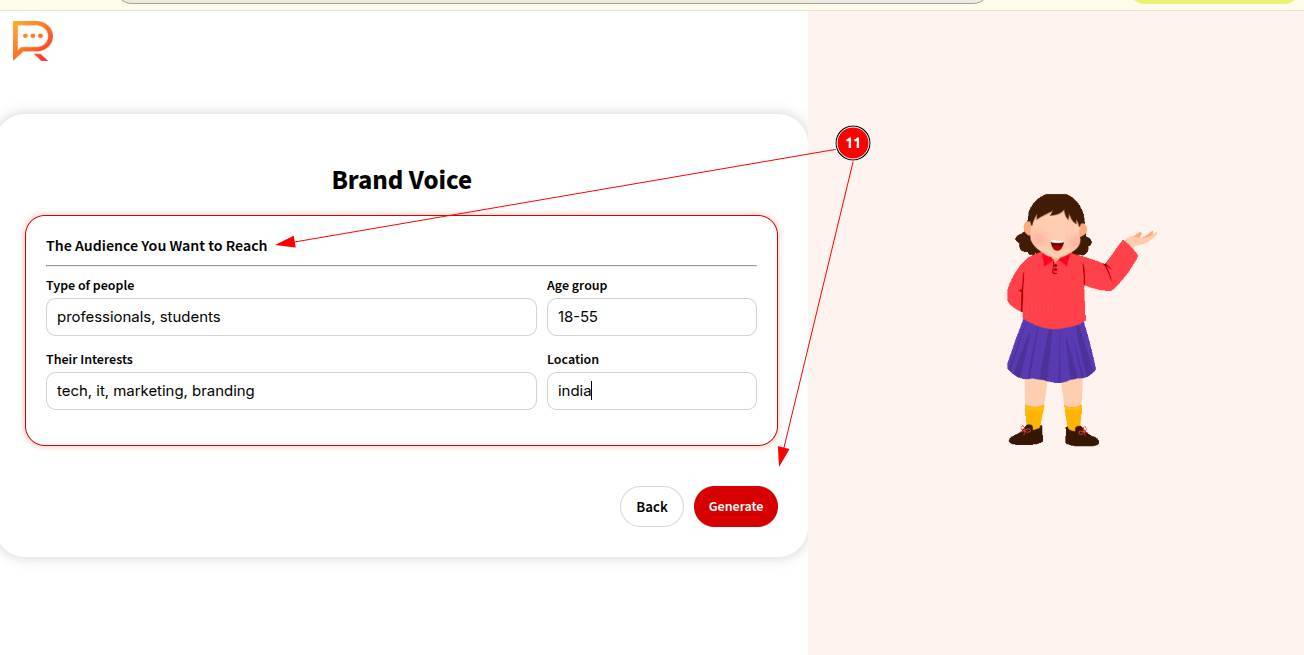
Step 11: Share details about your target audience, including:
-
Type of audience
-
Interests
-
Age group
-
Location
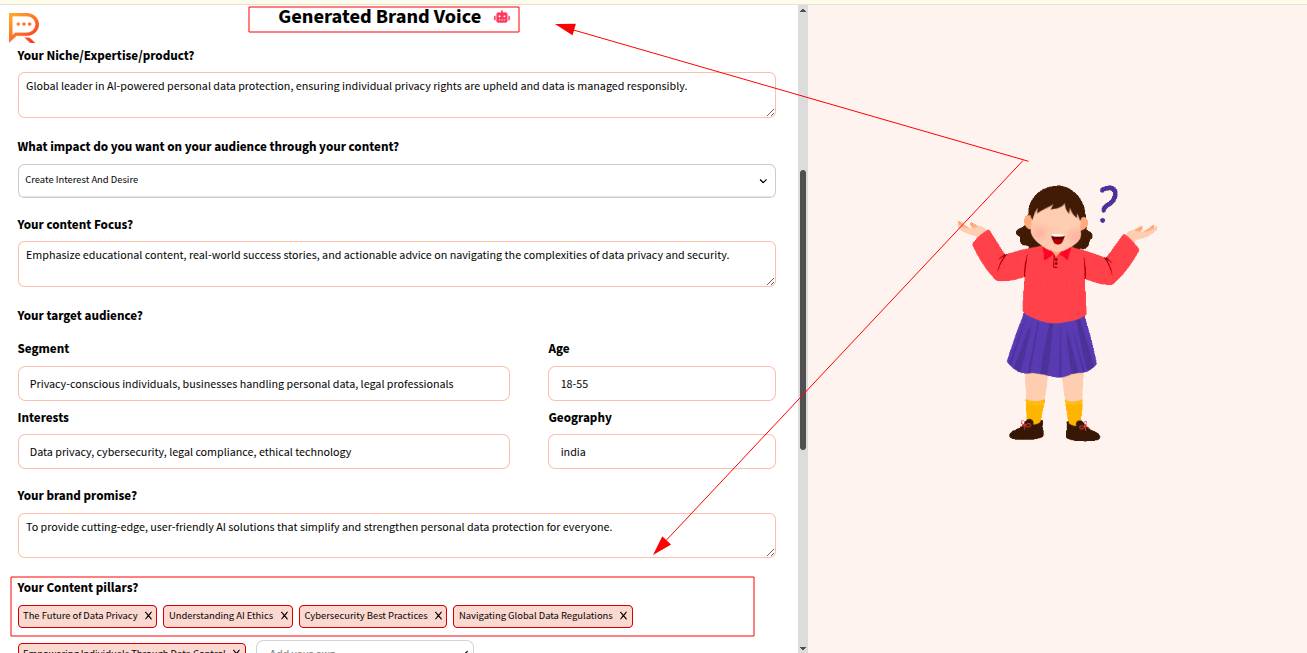
Step 12: Your personalized brand voice is generated along with clearly defined content pillars.
Give your brand voice a name and save it.
Your ContentCraft account is now fully set up. You can proceed to create your first content calendar and start publishing with confidence.