
ContentCraft
Open Appi-Resonate Help Center
ContentCraft Help
BrandVoice
Content Campaigns
Scheduling
Team Management / WorkFlows
ProofLex Help
MindWrite Help
How to reset your password (Forgot password)?
If you have forgotten your account password, here is how you can reset it:
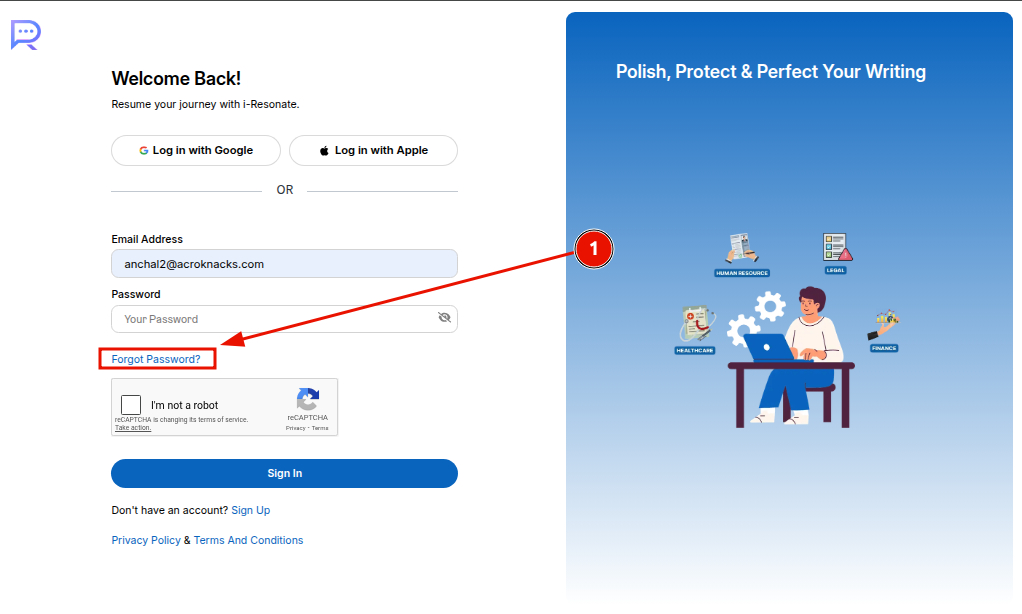
- Navigate to the login page of the product you have. Once you enter the Email, click on "Forgot password".
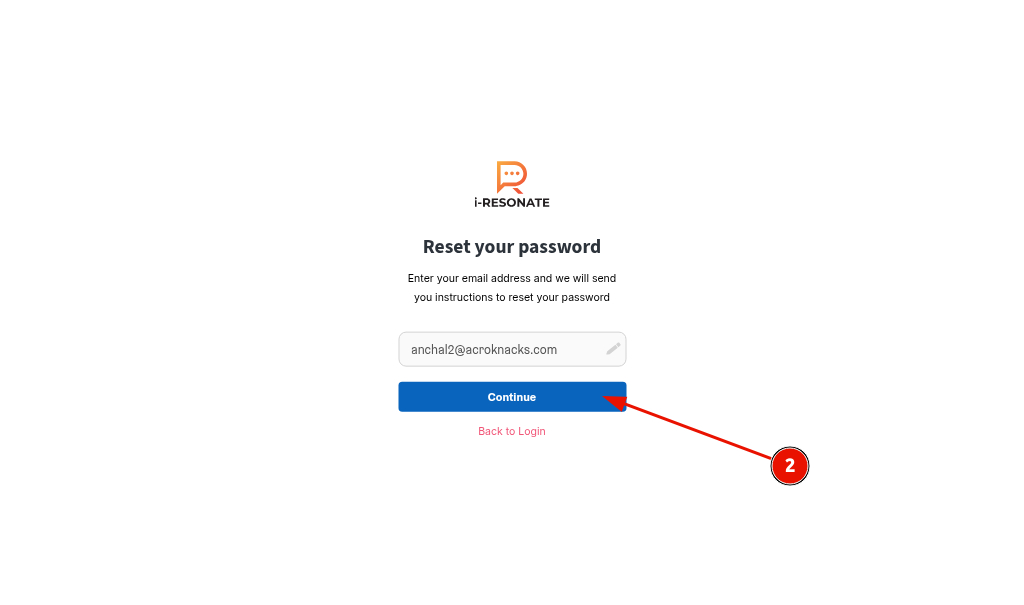
2. Click "Continue" to proceed.
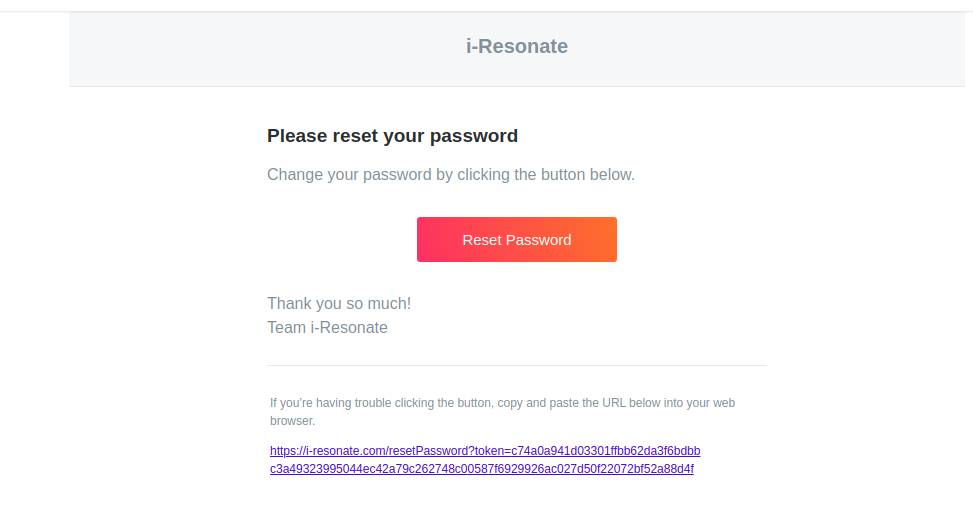
3. You will receive an email with a link to reset your password on your registered email.
When you click the link, you’ll be redirected to a reset page similar to the one shown below.
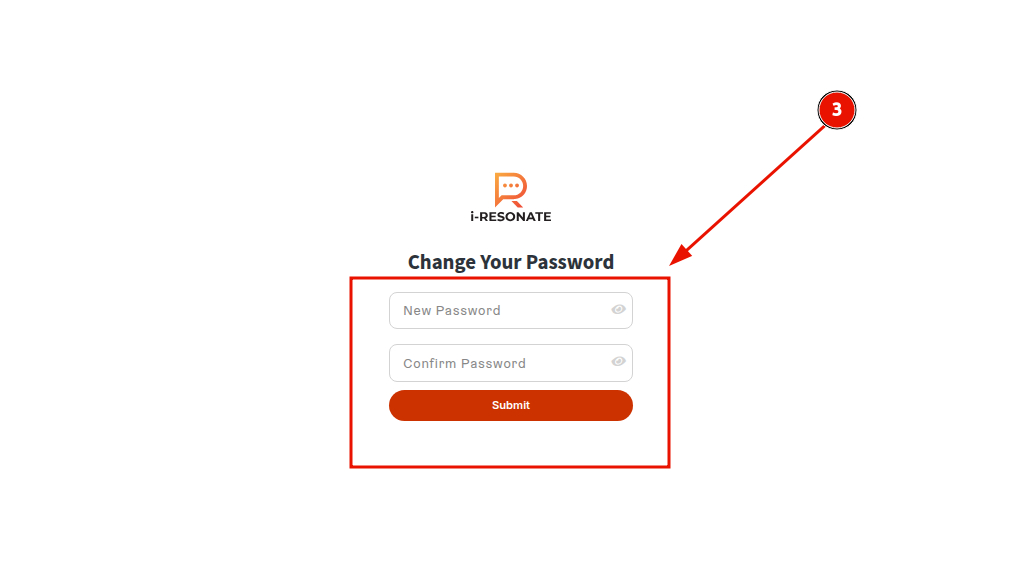
Create a strong new password and submit it to update your account.
If the mail is not received, you can contact: connect@i-resonate.com
Also explore how to verify your email in i-reosnate to continue using your account.