
ProofLex
Open Appi-Resonate Help Center
ProofLex Help
Document Creation
Proofreading
Doc Insights
Team Management / WorkFlows
Microsoft Word Plugin
Microsoft Outlook Plugin
ContentCraft Help
MindWrite Help
Update Your Profile Picture in ProofLex
Adding a profile picture helps your team easily recognize you across workflows, comments and task assignments.
It makes collaboration more personal and helps team members quickly identify who is working on what.
Here are the Steps to update your Profile Picture in ProofLex:
Once you Log in to your ProofLex account:
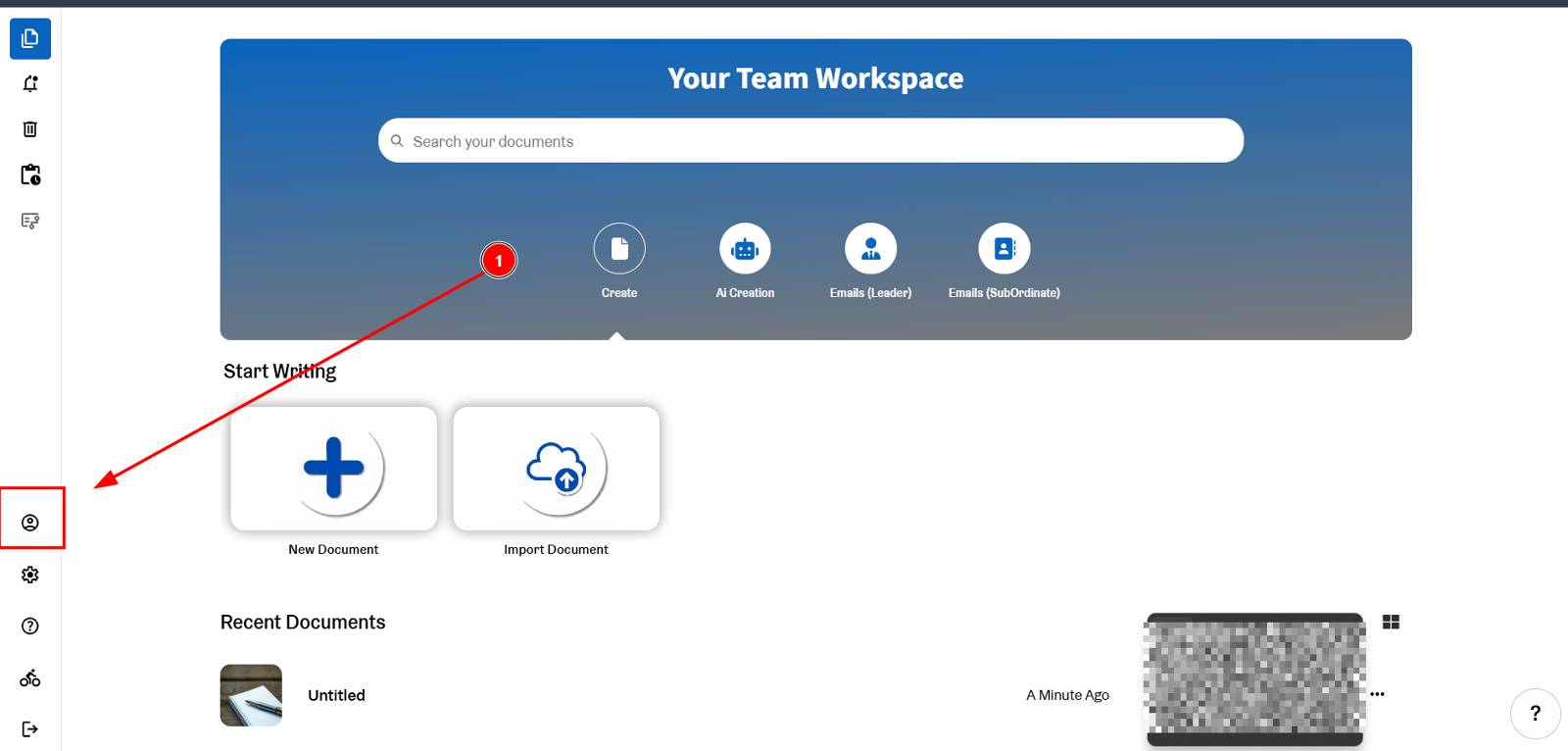
STEP 1. On the left menu bar, locate and click on Profile icon.
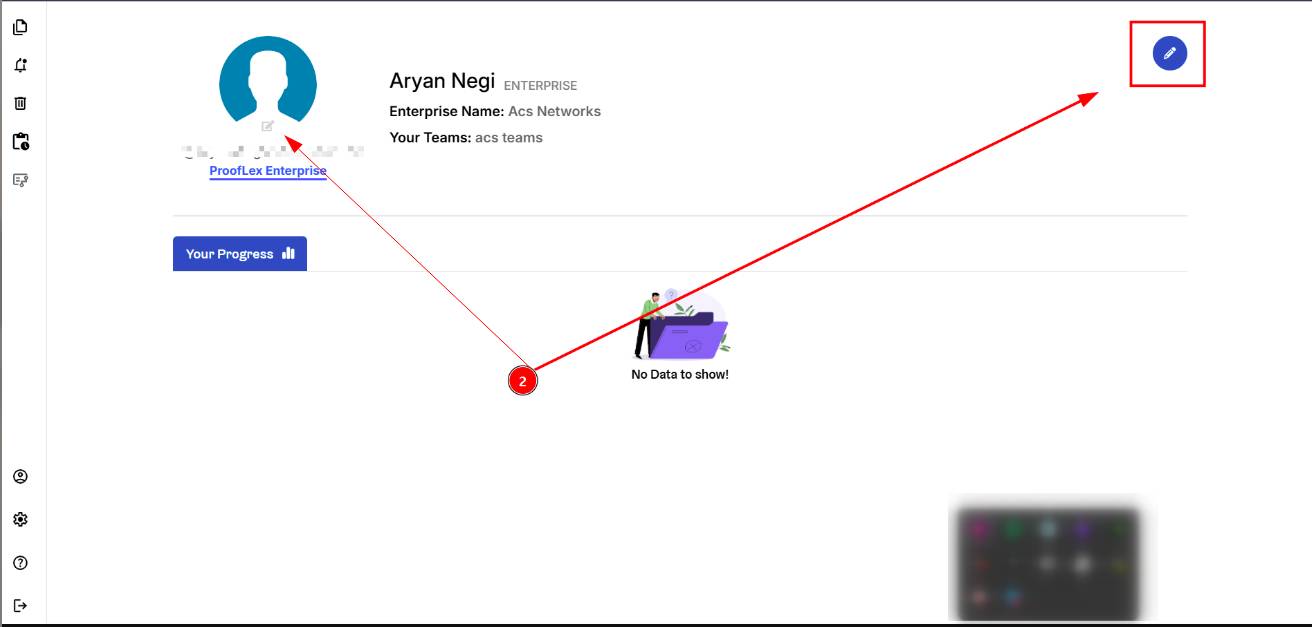
STEP 2. In the profile section, click the Edit Profile icon.
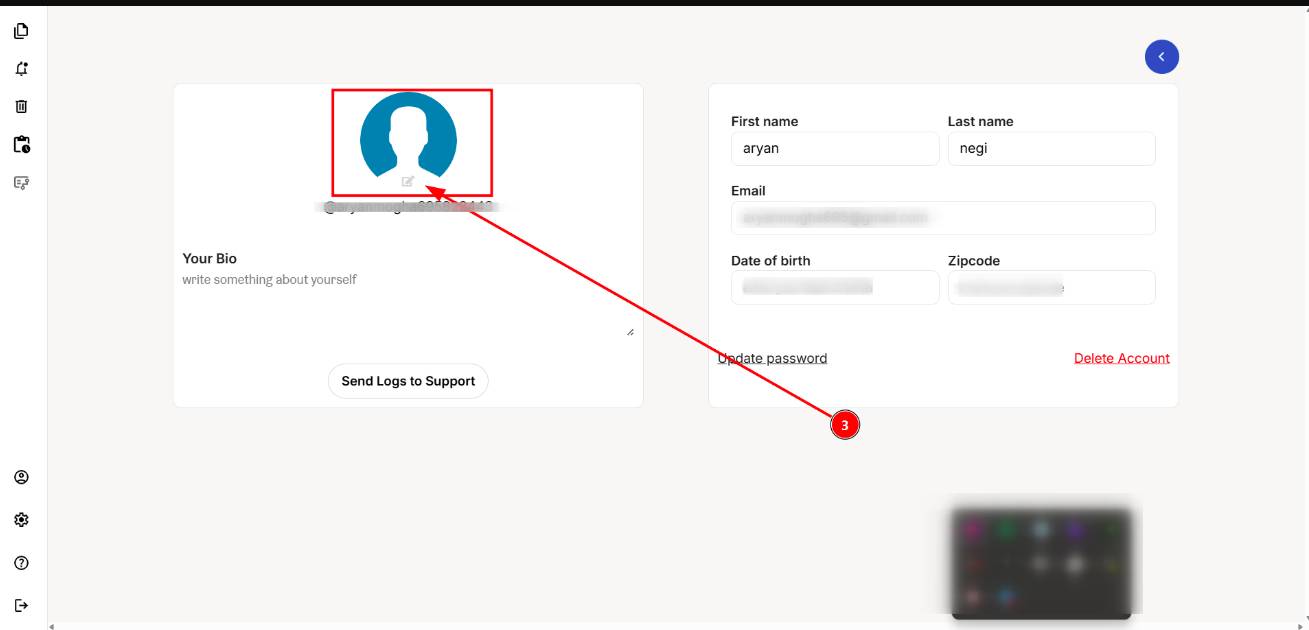
STEP 3. Click on "Add" icon on the default Profile image. Now Browse and select an image from your computer.
STEP 4. Click “Upload Pic” to update your profile picture.
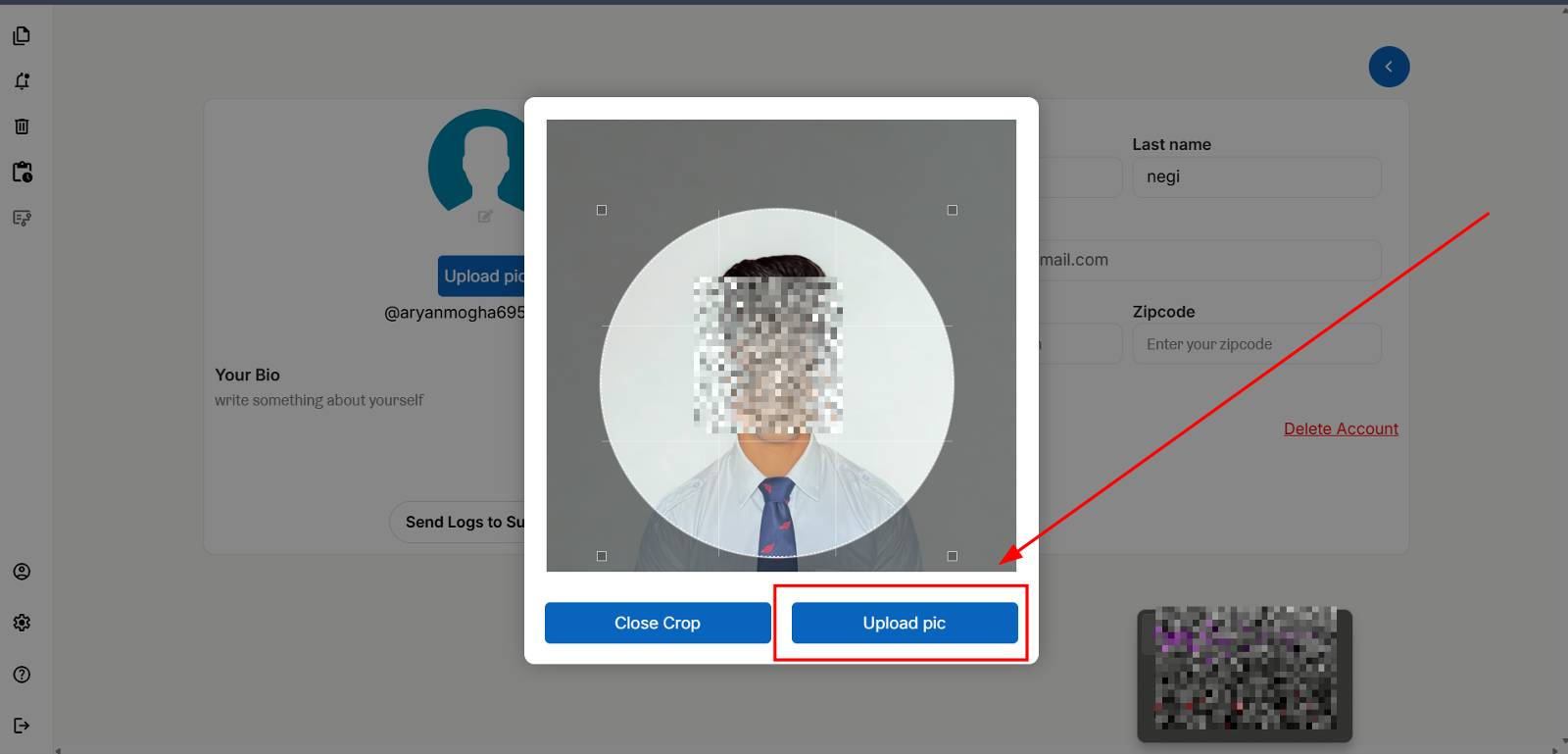
Once uploaded, your new profile image will appear across your ProofLex workspace.
You can also explore plagiarism checker in prooflex to make your document different and unique.